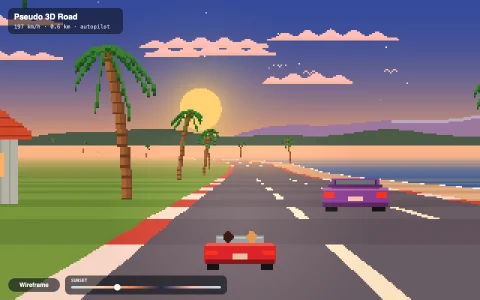
The per-scanline floor trick of 16-bit kart racers, with a debug view of every row.
16-bit consoles could draw one flat bitmap through a single 2x2 matrix and offset, an affine transform, but games rewrote that matrix on every scanline as the picture was drawn. Here each of the 200 rows intersects its camera rays with the ground plane, which yields a start texel and a step per pixel, and then walks the row with one texture fetch per pixel, exactly the hardware's job. Tilt the camera straight down and every row gets the same matrix: the rotating map view is the plain affine case. The 1024 x 1024 circuit is a Catmull-Rom spline rasterized into a distance field and painted with asphalt, skid marks through the corners, rumble strips, sand traps, boost pads, a lake and a sandy shore; rivals, palms and signs are scaled billboards, and the karts are pre-rendered from a voxel model at 16 angles like the originals. A mip chain tames far-row shimmer and can be switched off to see the raw aliasing.
Try it. Steer with the arrow keys or WASD, or drag left and right. Map view (M) flies the camera up into the rotating overhead map. Debug (G) shows each scanline's scale as a bar colored by mip level, the 8.8 fixed-point matrix for the row under the pointer, and the screen's footprint on the texture. Mipmaps (F) toggles filtering.
Paste this into Claude Code, Codex or any coding agent to get a simple version running, then take it wherever you like.
Build a Mode 7 style racing floor, the per-scanline perspective trick from 16-bit kart racers, with JavaScript and the HTML canvas element. Put everything in a single index.html file with no libraries or build step, so I can open it directly in a browser.

Start simple:
- Generate a 512 x 512 track texture in code into a Uint32Array: a two-tone checkerboard of grass with a thick grey loop of road and red and white edges.
- Render into a 320 x 200 ImageData and draw it scaled up to fill the window with imageSmoothingEnabled = false.
- Keep a camera with a position, heading, height and focal length. For each screen row below the horizon, compute its distance on the ground: distance = height * focal / (row - horizon). From that get the world point at the left edge of the row and a step vector per pixel (the right vector times distance / focal).
- Walk across the row adding the step, read one texel per pixel (wrap or clamp the coordinates), and write it. Fill the rows above the horizon with a sky gradient.
- Drive with the arrow keys: up moves forward along the heading, left and right turn.

Once that works, make it beautiful:
- Add fog that blends far rows toward the sky color, and a wrapping strip of hills behind the horizon that scrolls with the heading.
- Add billboard sprites (trees drawn as small pixel images): project each into screen space, scale by focal / depth, sort far to near, and draw them over the floor.
- Draw a little kart from behind at the bottom center of the screen.

Explain the key ideas in short code comments. When you're done, tell me how to open it and suggest three directions I could take it next, such as a debug overlay that shows each row's scale, a tilting camera that becomes a rotating map view, or mipmapping to stop distant rows from shimmering.