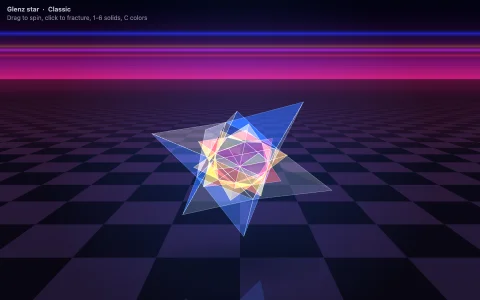
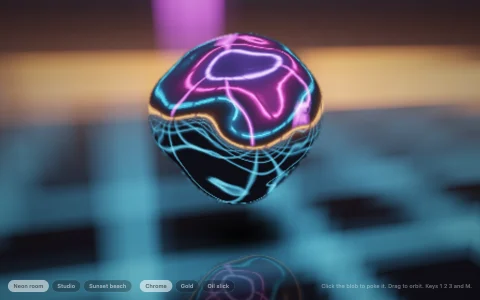
512 chrome spheres, depth sorted, morphing from a torus knot to DNA to a smiling face.
The Amiga vector balls effect at a scale the Amiga never managed: 512 spheres are transformed in 3D, sorted back to front every frame and drawn as sprites, the painter's algorithm exactly as the demos used it. Each sprite is shaded per pixel once, lazily, at the size it is needed: chrome balls reflect a sky and a horizon, candy ones are glossy plastic, neon ones glow. Every formation (a torus knot tube, a DNA double helix with its base pairs, an 8x8x8 lattice, a medallion logo, a face) is sorted by height, so each morph sweeps through the balls like a wave, with a swirl and an outward arc in mid flight. A ray-cast checkerboard floor, box filtered per pixel so its edges never shimmer, carries blob shadows and a mirrored reflection of every ball, and a fading accumulation layer leaves motion blur trails.
Try it. Drag to spin (it keeps its momentum), click to morph to the next shape or press 1 to 5. P swaps the palette between chrome, candy, Amiga, neon and gold, T cycles the trails, and E explodes the formation so the balls bounce on the floor before they regroup.
Paste this into Claude Code, Codex or any coding agent to get a simple version running, then take it wherever you like.
Build the classic "vector balls" demo effect with JavaScript and the HTML canvas element. Put everything in a single index.html file with no libraries or build step, so I can open it directly in a browser.

Start simple:
- Make a canvas that fills the window, stays sharp on high-DPI screens (scale by devicePixelRatio), and resizes with the window. Paint a dark blue gradient background.
- Create about 300 points in 3D arranged as a cube lattice. Each frame, rotate them around two axes, project them with a simple perspective divide, and draw each one as a ball whose radius shrinks with distance.
- Sort the balls by depth every frame and draw the farthest first (the painter's algorithm), so near balls cover far ones.
- Instead of drawing gradients every frame, pre-render one shaded sphere sprite into an offscreen canvas (a radial gradient with a bright highlight up and to the left) and draw it with drawImage at each ball's size.

Once that works, make it beautiful:
- Add more shapes: a torus knot, a double helix and a sphere. Give every shape the same number of points, and morph between them by easing each ball from its old position to its new one, with a small delay per ball so the morph ripples through the shape.
- Add a checkerboard floor in perspective under the shape, a soft dark shadow under each ball, and a faded upside-down copy of every ball for a reflection.
- Let the mouse drag the rotation with some momentum, and a click start the next morph.

Explain the key ideas in short code comments. When you're done, tell me how to open it and suggest three directions I could take it next, such as chrome spheres that reflect the sky, motion blur trails, or spelling out text with the balls.