A wooden tilt maze where a careful AI steers a steel ball between the holes.
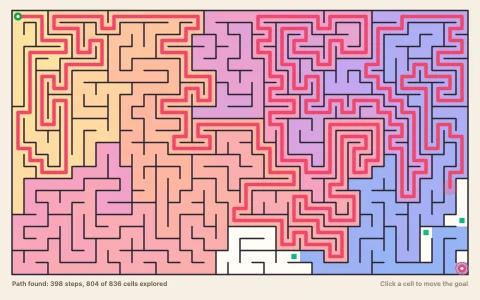
Tilting the board accelerates the steel ball at 5/7 g sin(tilt), the rate for a rolling solid sphere, with rolling resistance and dull wooden bounces off the walls; past a hole's rim the contact normal tips inward, so the ball dips, teeters and is pulled in unless it is moving fast enough to escape. Each level is a new maze (randomized depth-first search with a few loops) with holes off-center in the corridors and on the outside of turns, bigger and more numerous every level. The AI runs Dijkstra on a 4 unit grid with a cost that climbs steeply near holes, gives the path a speed profile from its curvature and hole clearance, and tracks it with a PD controller whose tilt commands pass through a rate-limited servo. When a level begins, the overlay replays that search as a wash spreading out from the start, then leaves red halos where the cost climbs near holes and dots the path from amber (creep) to cyan (run) by its planned speed. The board is an orthographic 3D scene: the painted floor is one affine image and the walls are shaded boxes sorted with the ball, with the tilt exaggerated so you can see it.
Try it. Drag on the board (or hold the arrow keys or WASD) to tilt it toward that side. P toggles the planner overlay, N deals a new maze and R puts the ball back at the start. The AI takes over again after five idle seconds.
Paste this into Claude Code, Codex or any coding agent to get a simple version running, then take it wherever you like.
Build a wooden tilt maze game (the kind where you steer a steel ball around holes by tilting the board) with JavaScript and the HTML canvas element. Put everything in a single index.html file with no libraries or build step, so I can open it directly in a browser.

Start simple:
- Make a canvas that fills the window and stays sharp on high-DPI screens.
- Generate a grid maze of about 7 by 5 cells with a randomized depth-first search, and store each wall as a thin rectangle.
- Keep a board tilt (tx, ty). The mouse position relative to the center of the board sets it, up to about 4 degrees.
- Move a ball with acceleration 5/7 times g times sin(tilt) on each axis (a rolling ball, not a sliding one), add a little rolling friction, and update it in several small steps per frame.
- Collide the ball with each wall rectangle: find the closest point on the rectangle, push the ball out, and reflect its velocity with a soft bounce of about 0.3.
- Put a few holes along the route from the start to the finish. When the ball's center gets well inside a hole, it falls in and starts over.

Once that works, make it beautiful:
- Paint the floor like maple, with streaky grain lines, a black guide line with arrows along the solution, and dark holes with a bevelled rim.
- Draw the walls as raised wooden blocks: a lighter top and a darker front face offset upward, drawn from back to front, with soft shadows at their base.
- Make the steel ball shine with a radial gradient, a bright window reflection and a soft shadow, and tilt the whole board slightly on screen so you can see it move.

Explain the key ideas in short code comments. When you're done, tell me how to open it and suggest three directions I could take it next, such as an AI that plans a safe path around the holes and steers with a PD controller, harder levels with bigger holes, or a timer and best scores.