Grounding Computer Use Agents on Human Demonstrations
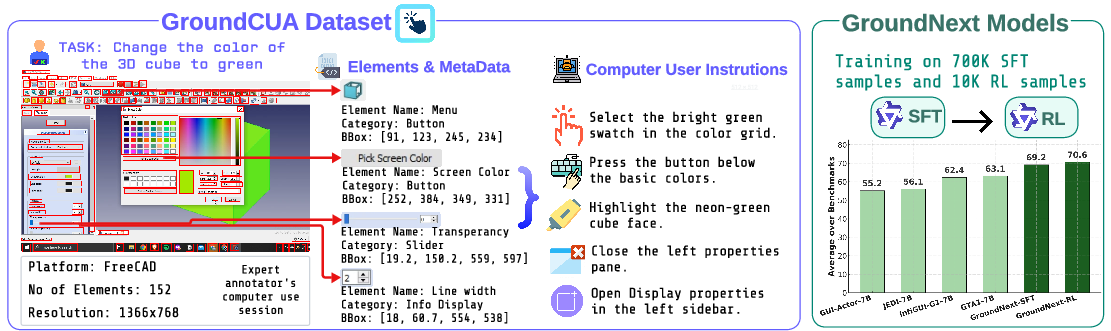
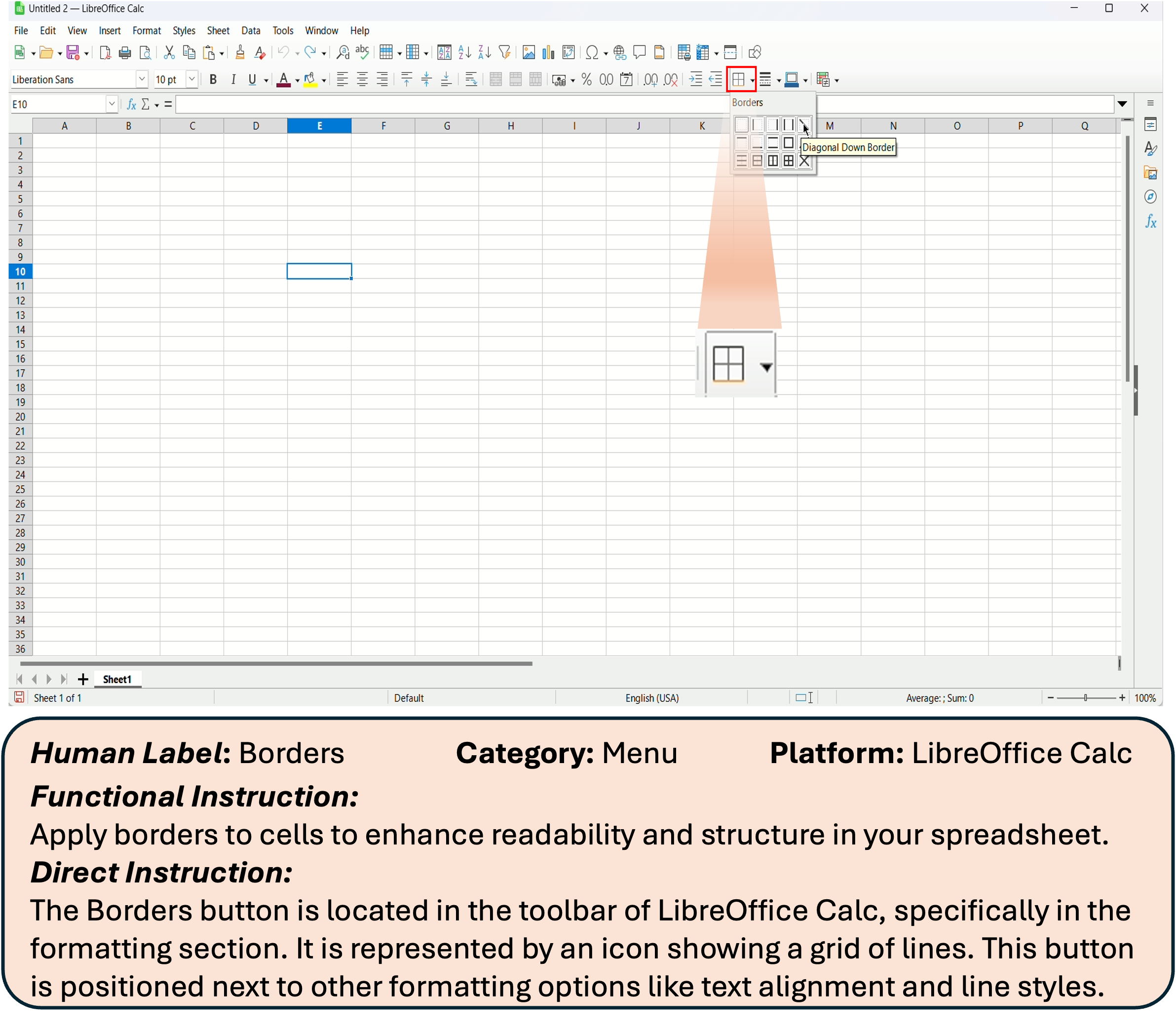
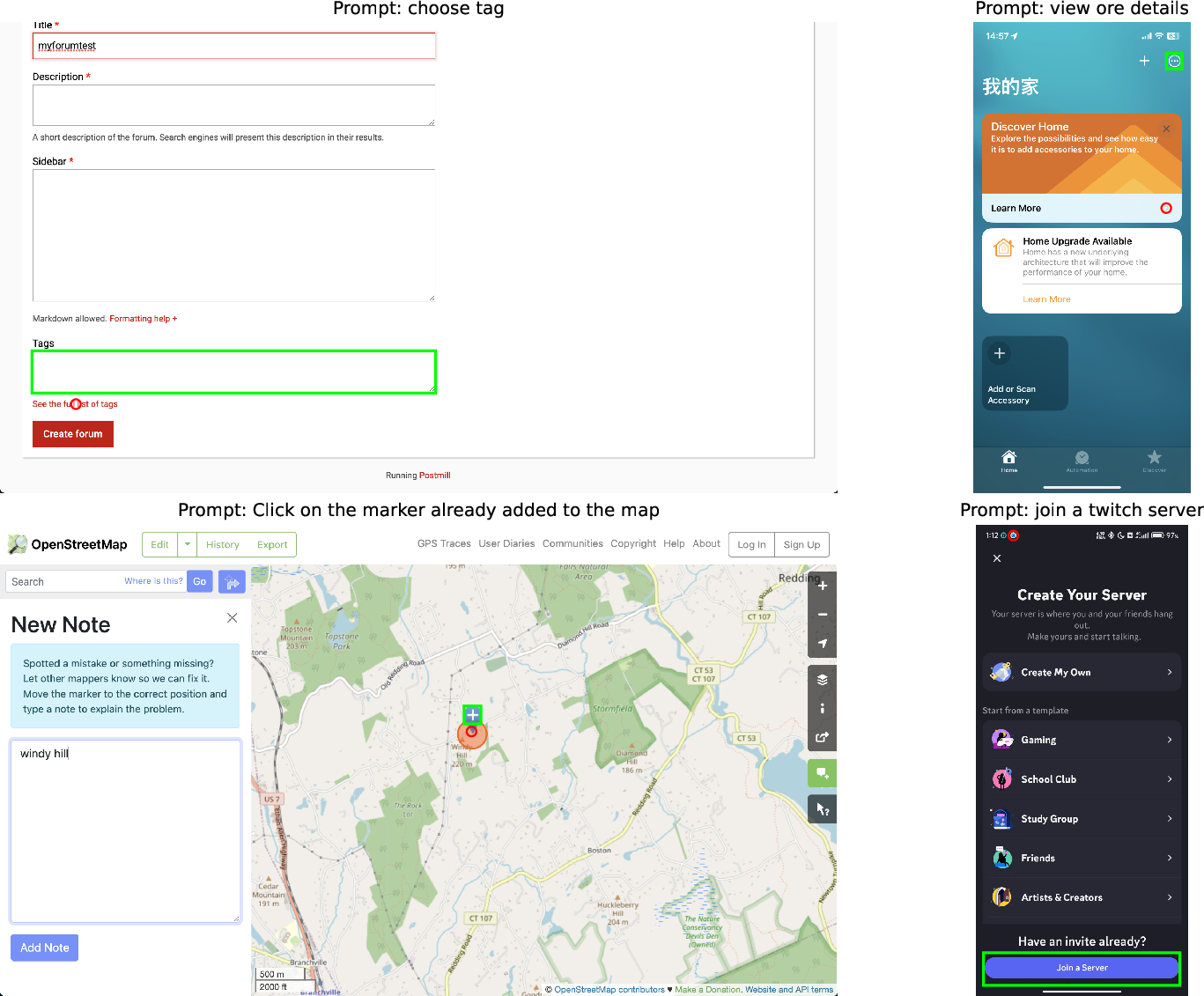
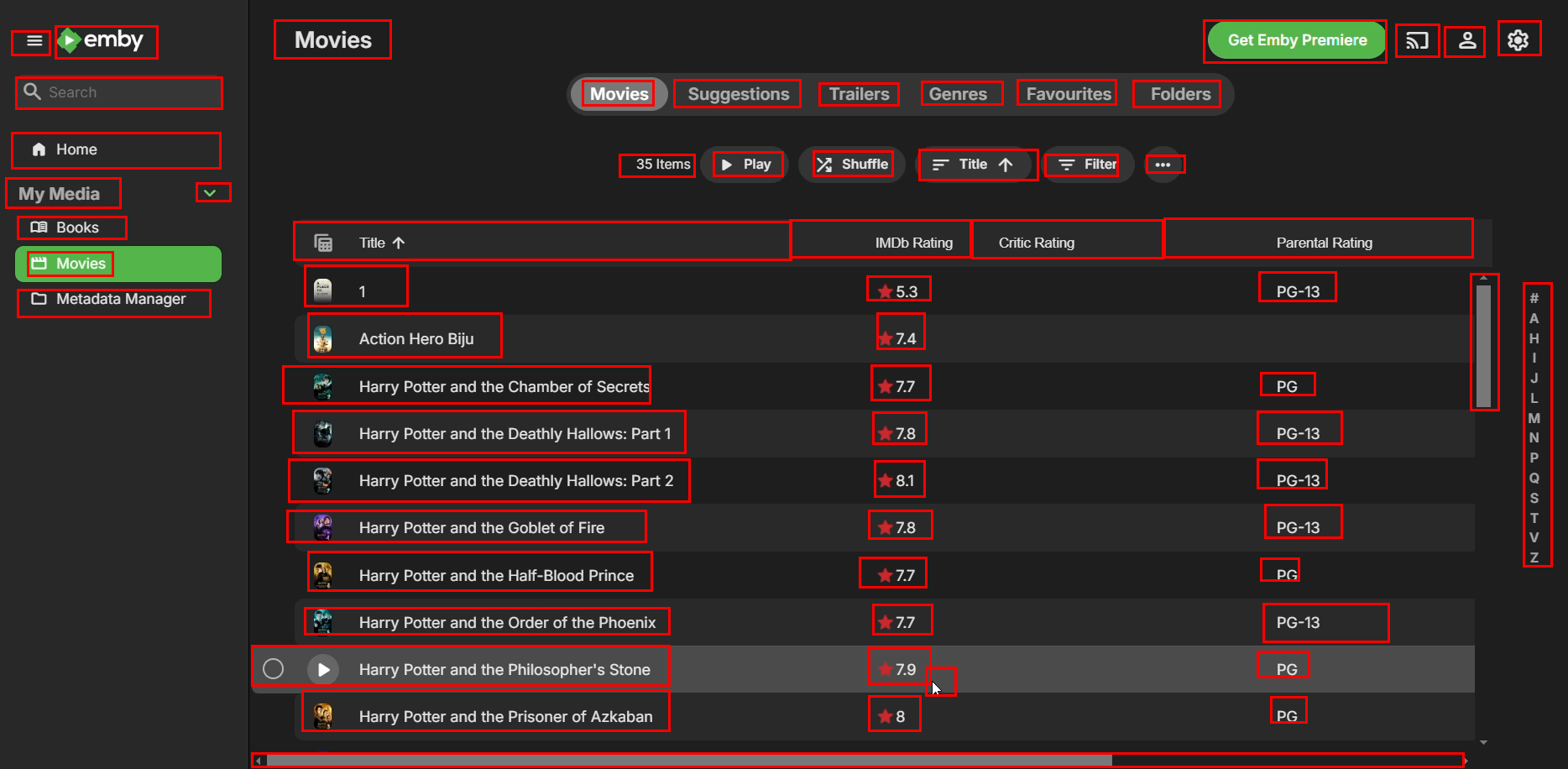
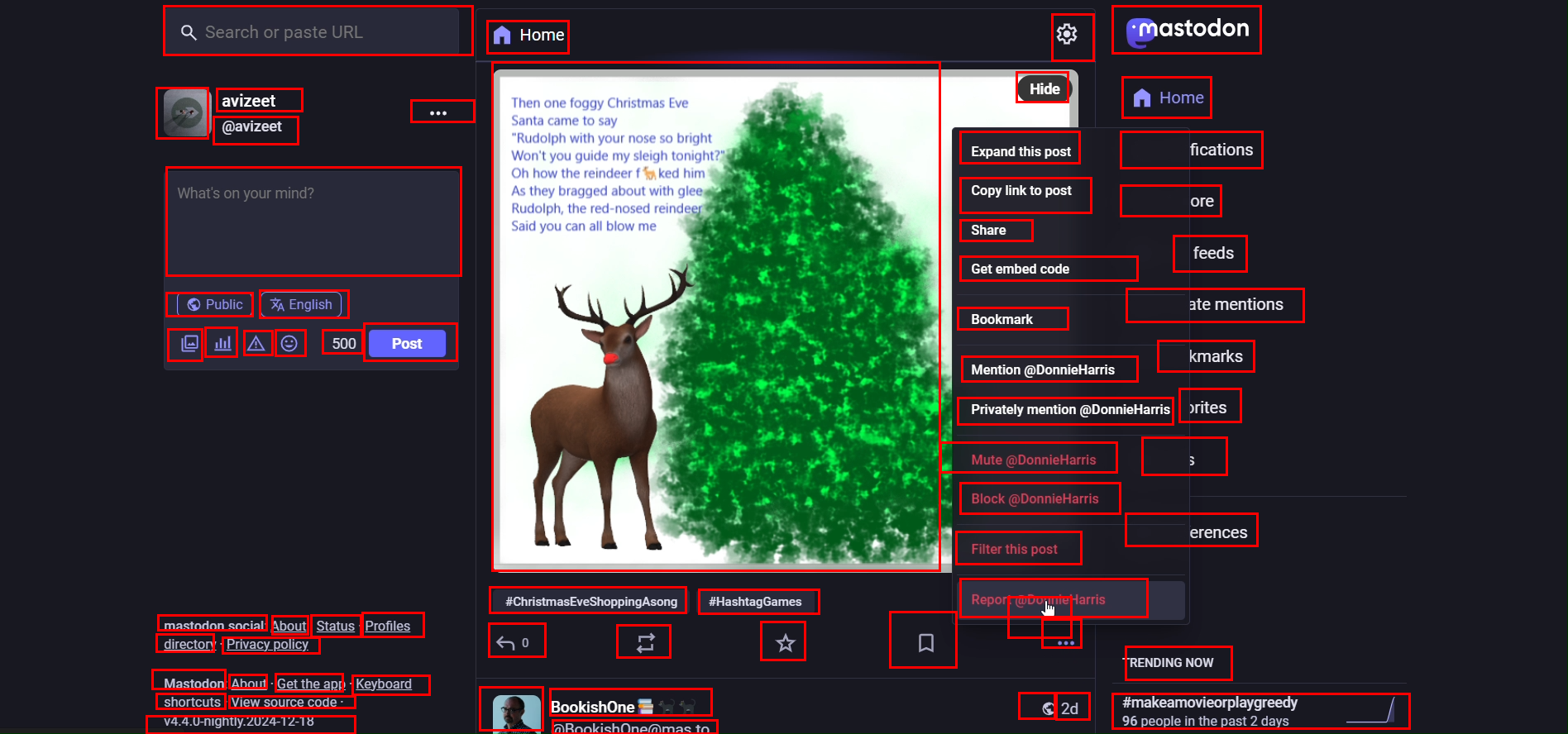
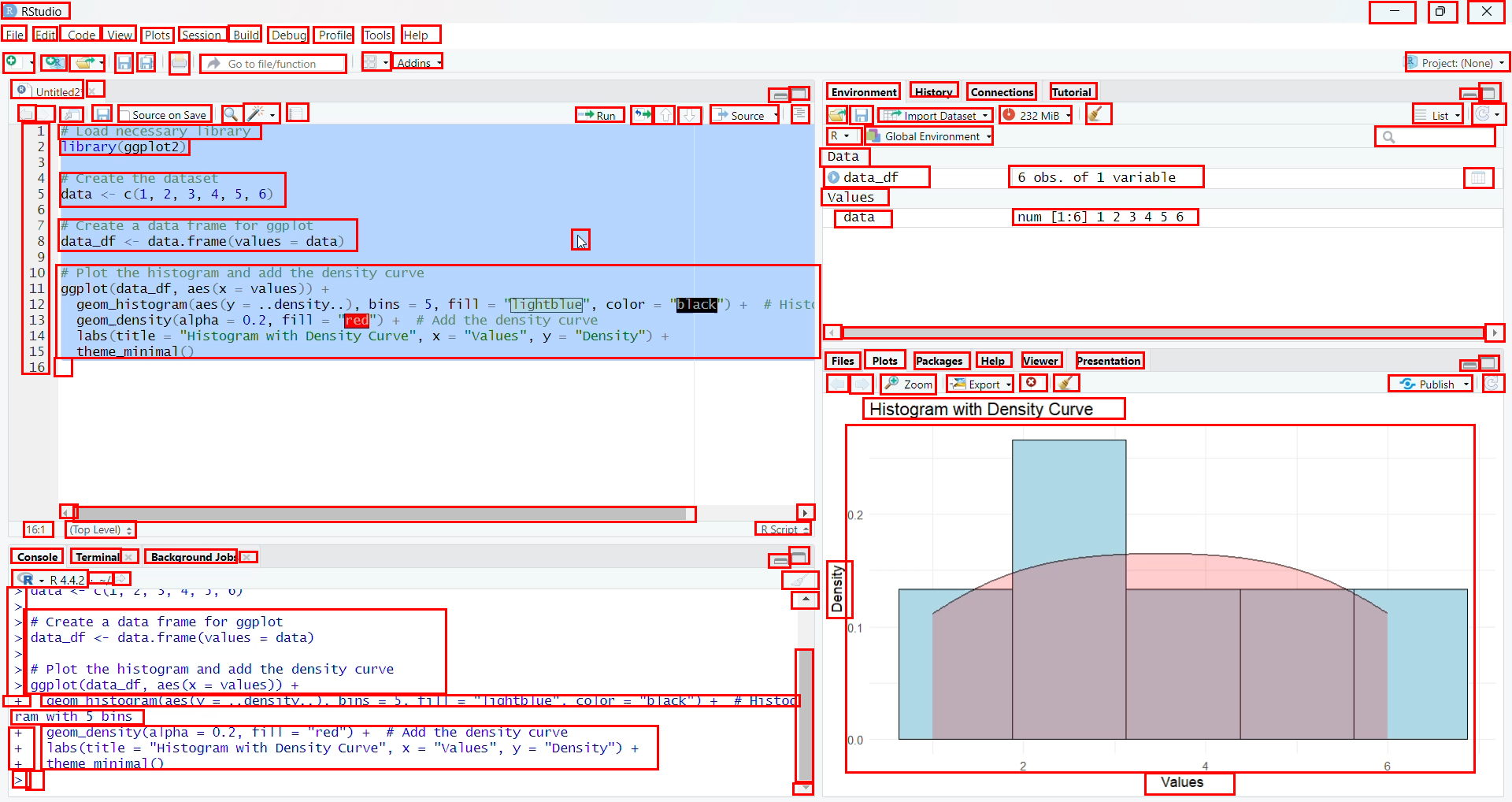
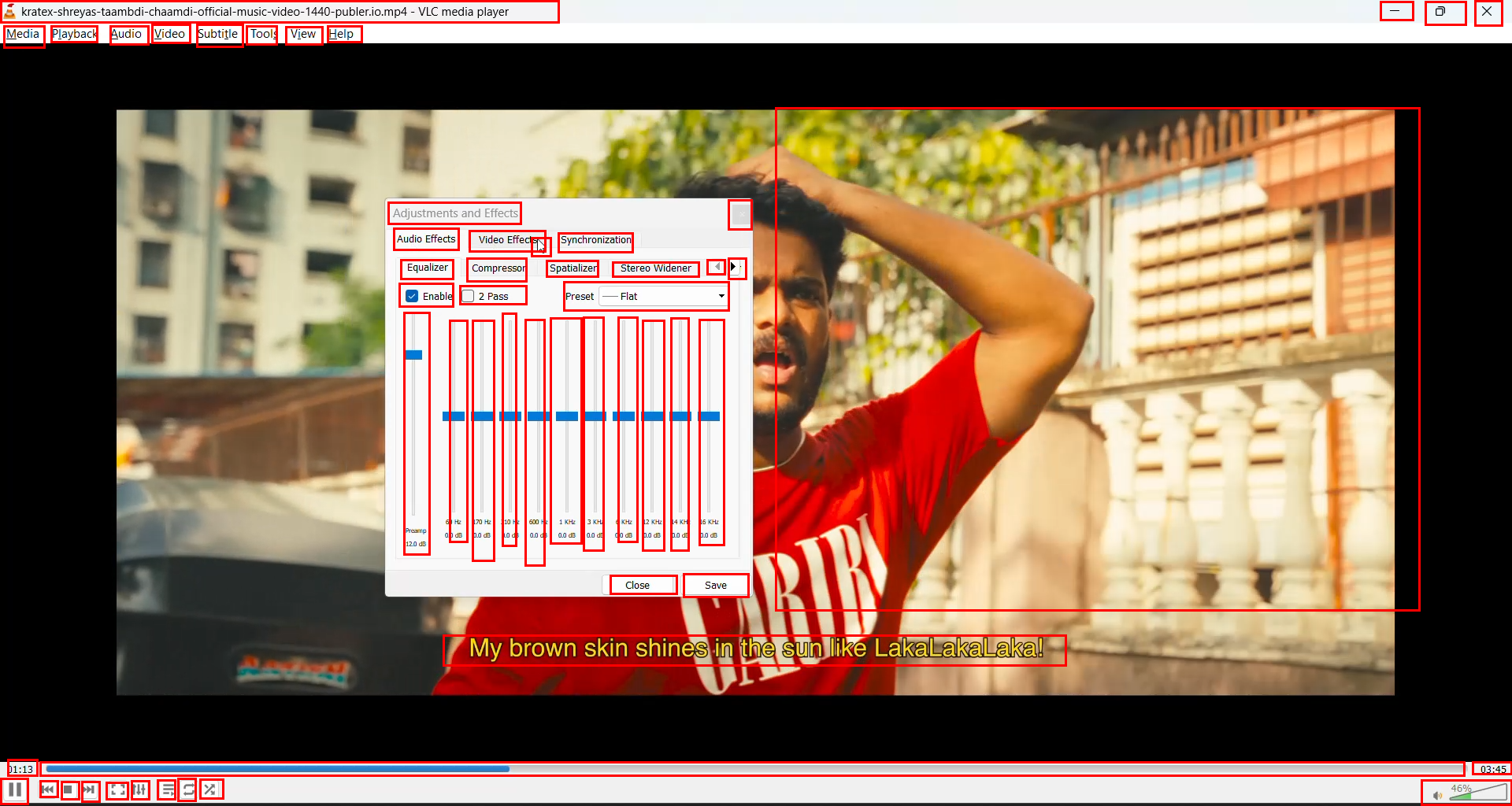
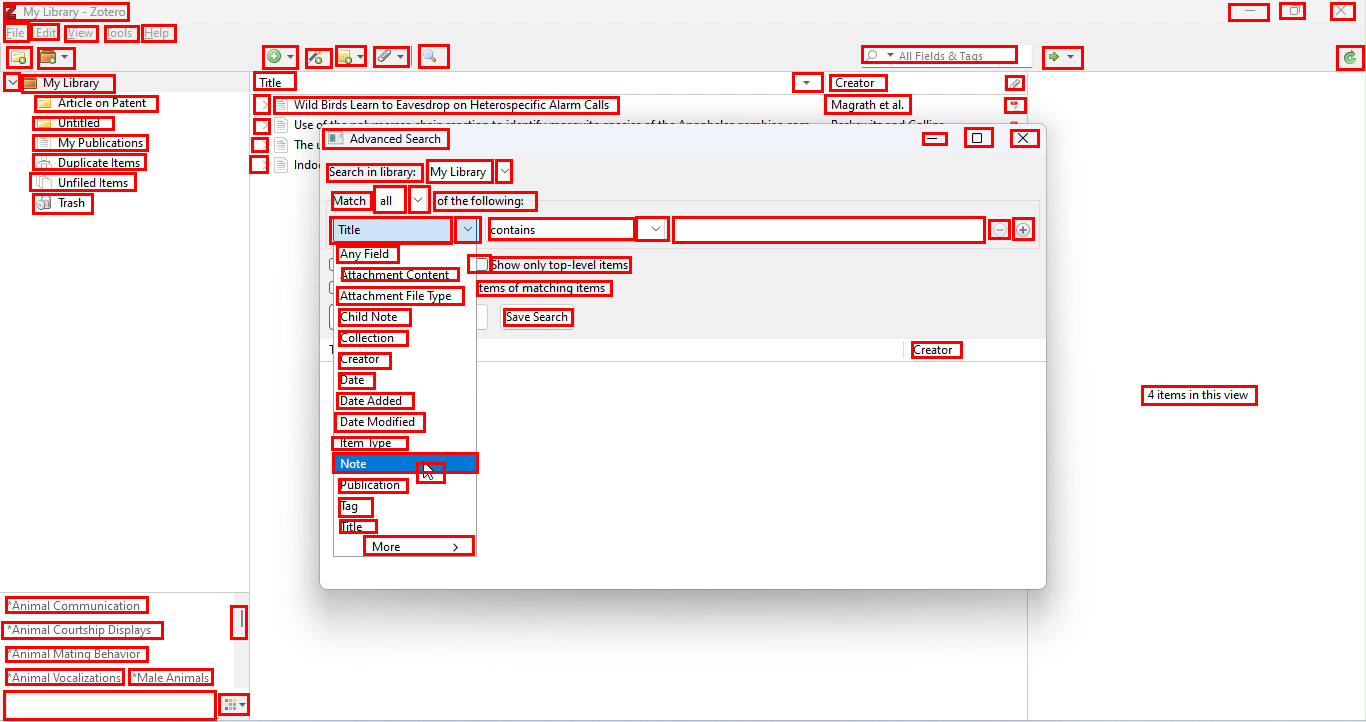
Abstract: Building reliable computer-use agents requires grounding: accurately connecting natural language instructions to the correct on-screen elements. While large datasets exist for web and mobile interactions, high-quality resources for desktop environments are limited. To address this gap, we introduce GroundCUA, a large-scale desktop grounding dataset built from expert human demonstrations. It covers 87 applications across 12 categories and includes 56K screenshots, with every on-screen element carefully annotated for a total of over 3.56M human-verified annotations. From these demonstrations, we generate diverse instructions that capture a wide range of real-world tasks, providing high-quality data for model training. Using GroundCUA, we develop the GroundNext family of models that map instructions to their target UI elements. At both 3B and 7B scales, GroundNext achieves state-of-the-art results across five benchmarks using supervised fine-tuning, while requiring less than one-tenth the training data of prior work. Reinforcement learning post-training further improves performance, and when evaluated in an agentic setting on the OSWorld benchmark using o3 as planner, GroundNext attains comparable or superior results to models trained with substantially more data,. These results demonstrate the critical role of high-quality, expert-driven datasets in advancing general-purpose computer-use agents.
Paper Prompts
Sign up for free to create and run prompts on this paper using GPT-5.
Top Community Prompts
Explain it Like I'm 14
Overview
This paper is about teaching computer helpers (called agents) to use software like a person would. To do that well, the agent must “ground” your words—meaning it has to find the exact button, menu, or box on a busy screen that matches your instruction. The authors built a big, high-quality dataset called ClickNet and trained models called ClickX so these agents can accurately click the right thing on real desktop apps.
The key questions
The researchers focused on a few simple questions:
- How can we help computer agents reliably find the right on‑screen thing (like a tiny icon) when given a written instruction?
- Can a carefully built, expert-quality dataset beat huge but messier datasets?
- Will training on desktop apps also help the agent work on web and mobile screens?
- Does adding a small amount of extra practice with feedback (a kind of training called reinforcement learning) make the agent even more accurate?
How they did it
Building the dataset (ClickNet)
Imagine labeling every button, icon, and menu in screenshots so a student can learn where everything is. That’s what the team did:
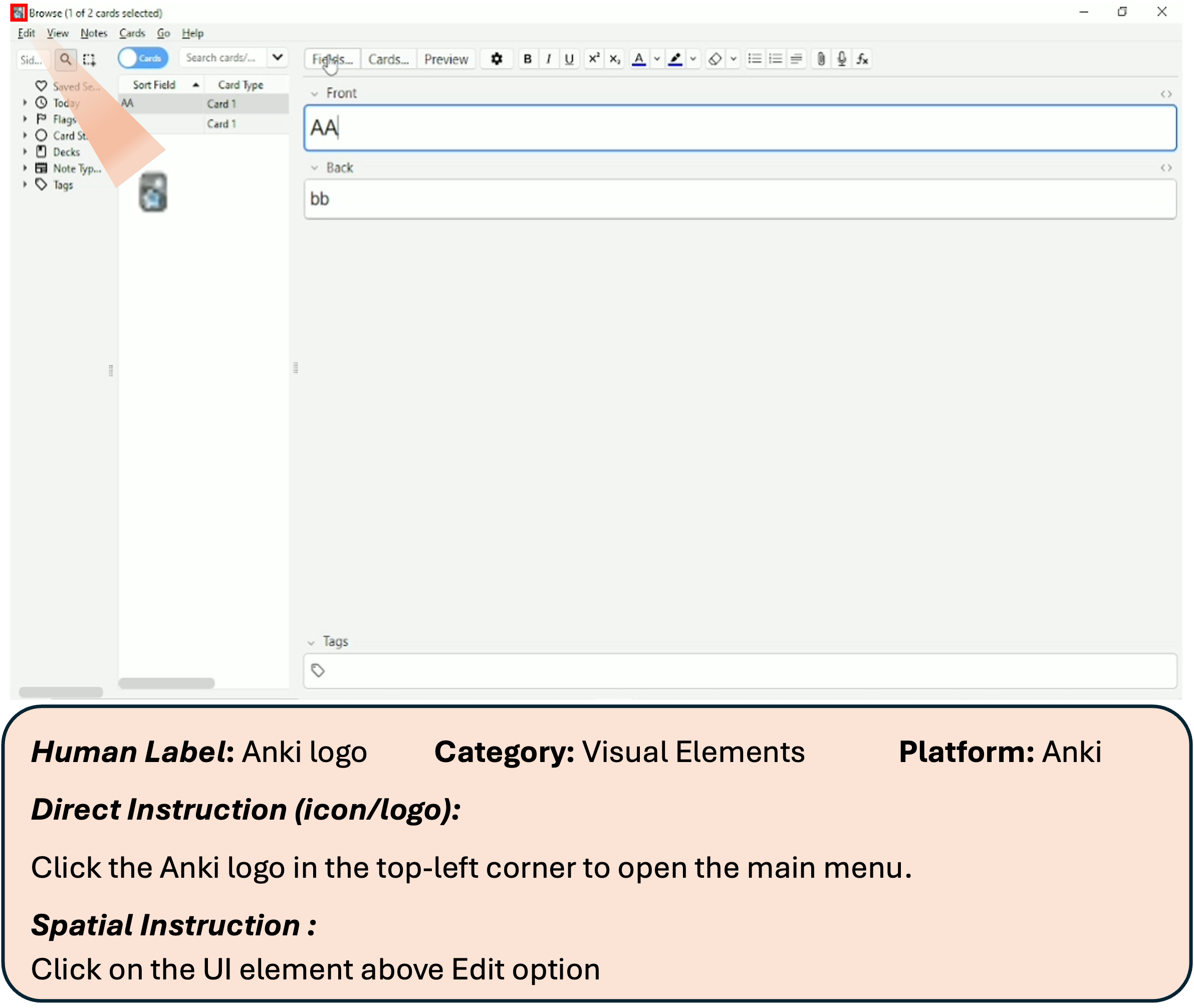
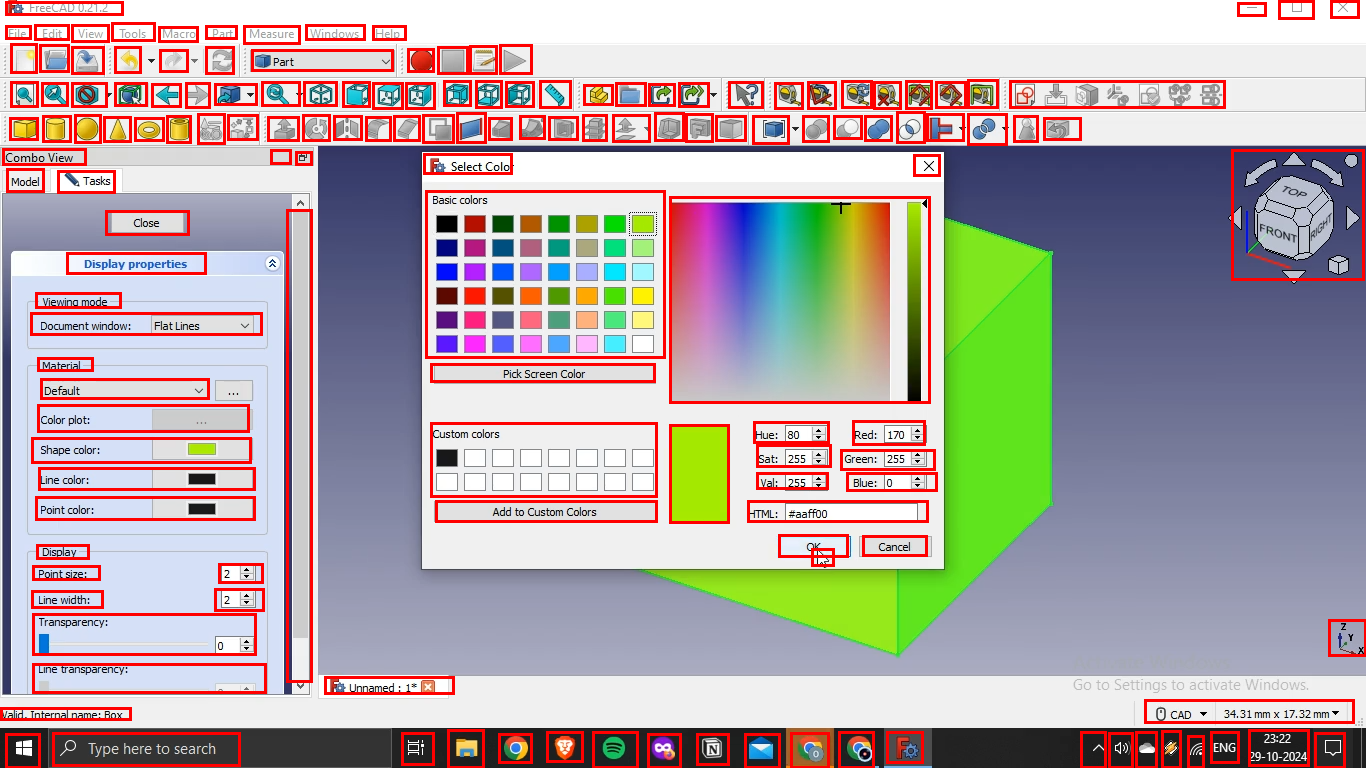
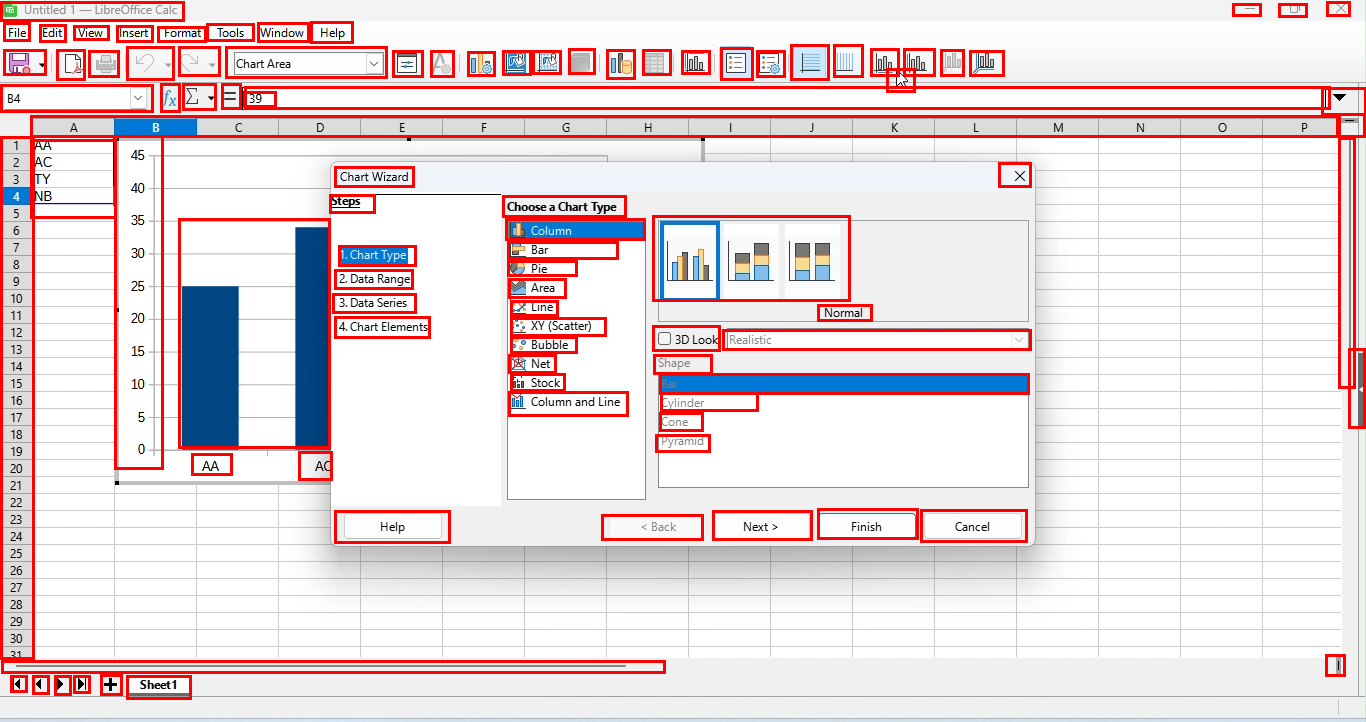
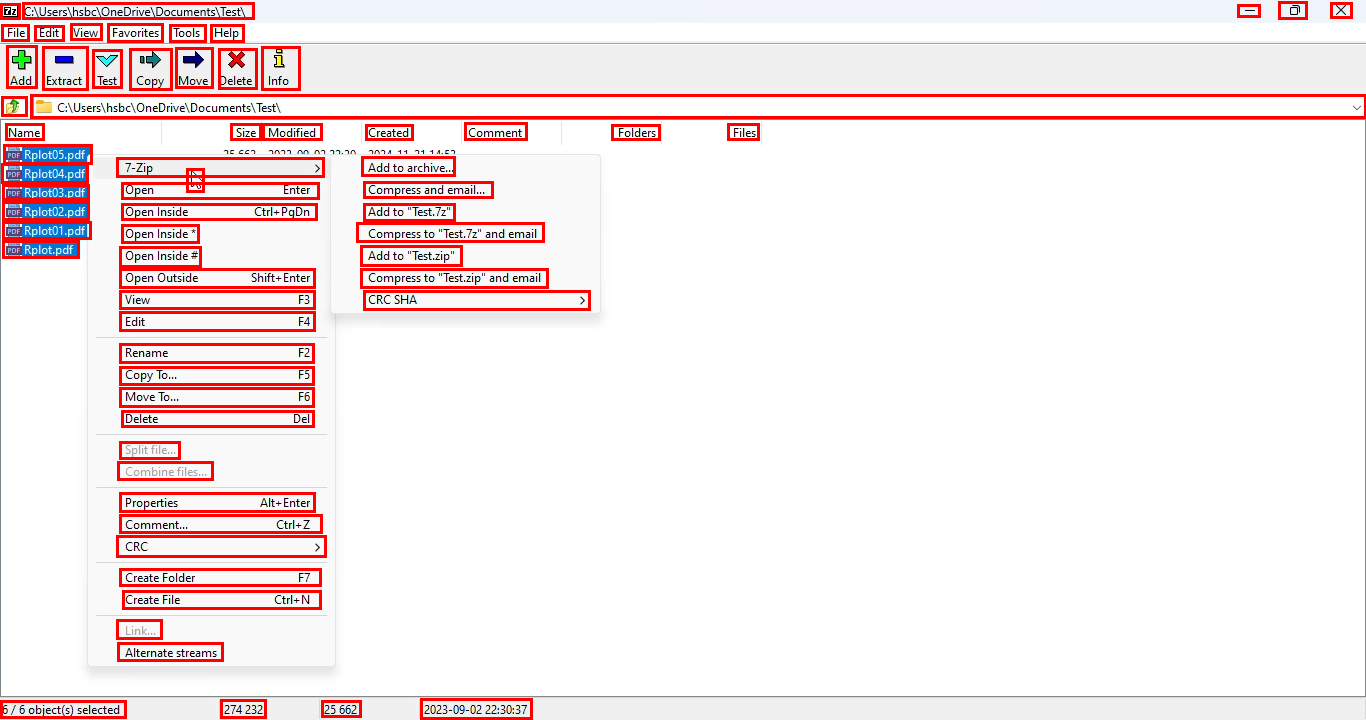
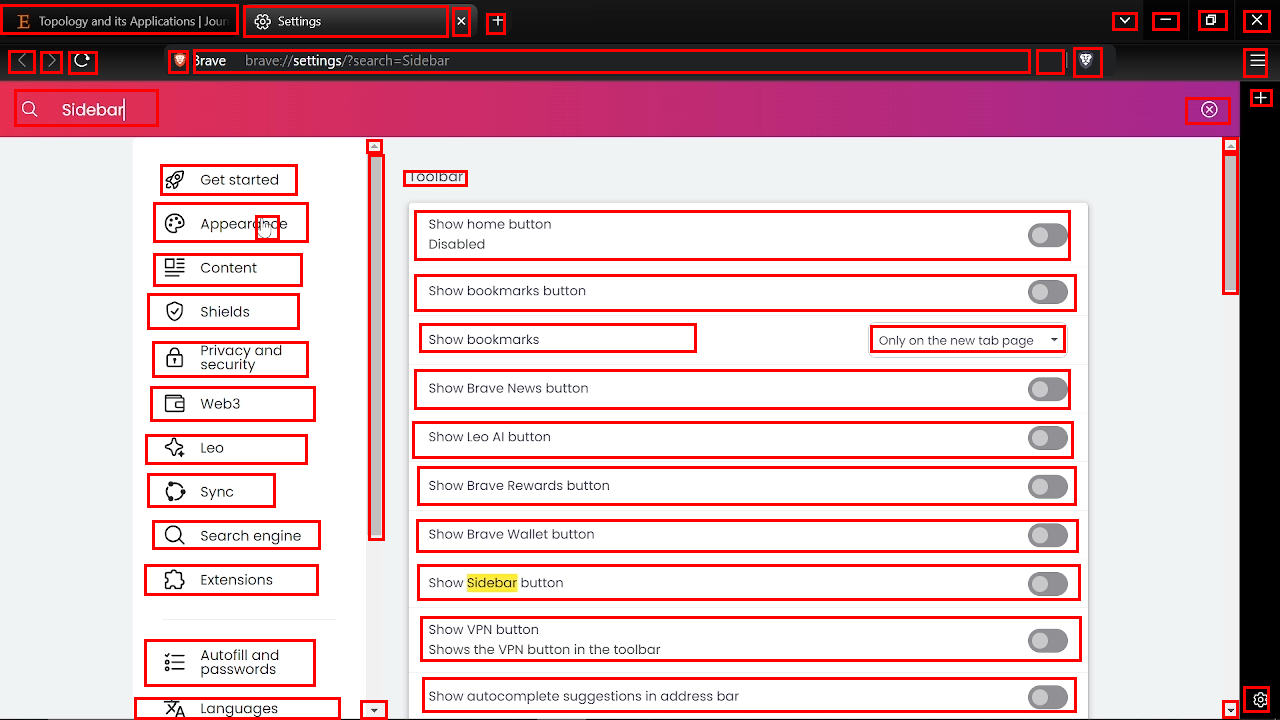
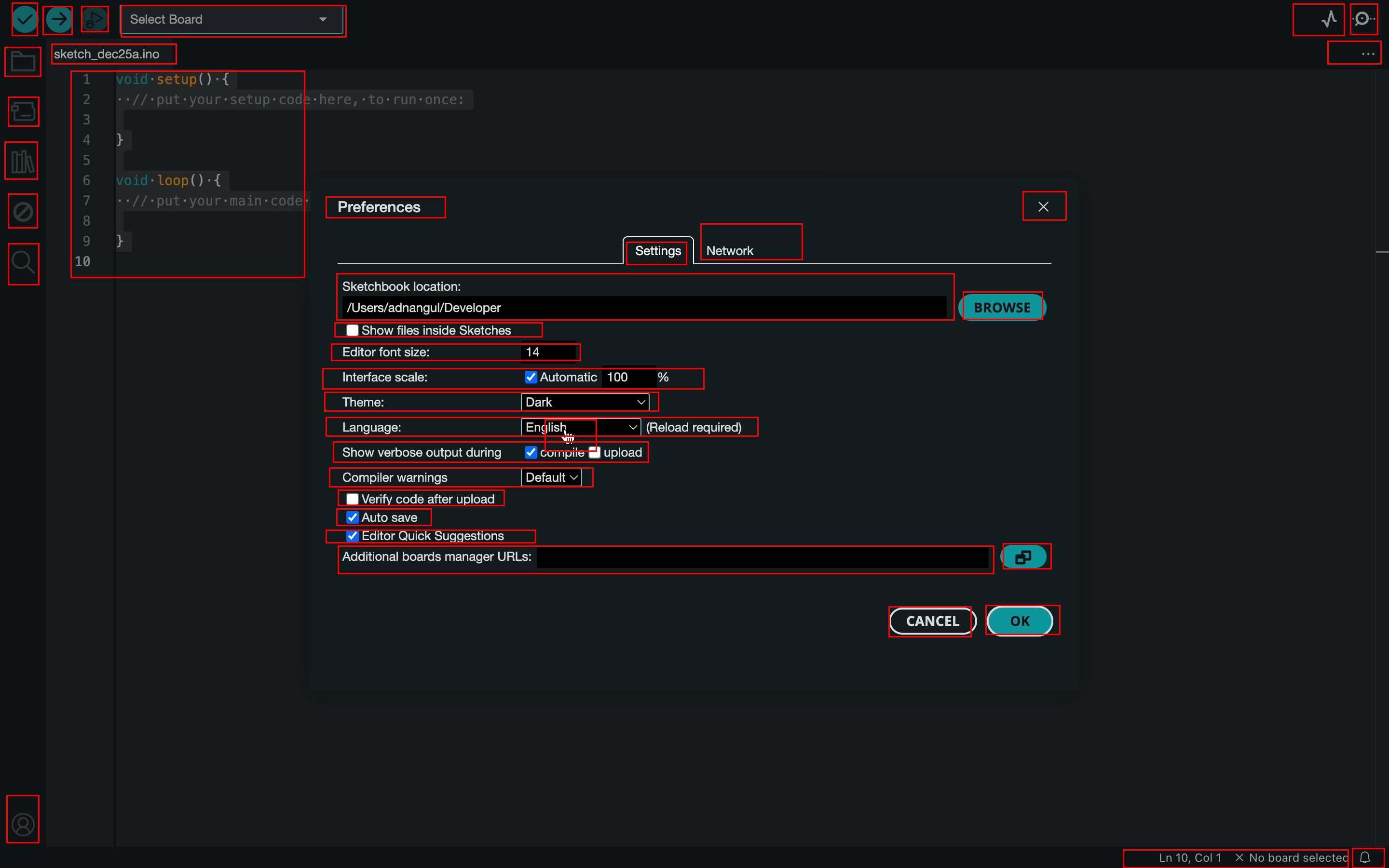
- Expert users recorded themselves doing real tasks (like editing a document or designing in FreeCAD).
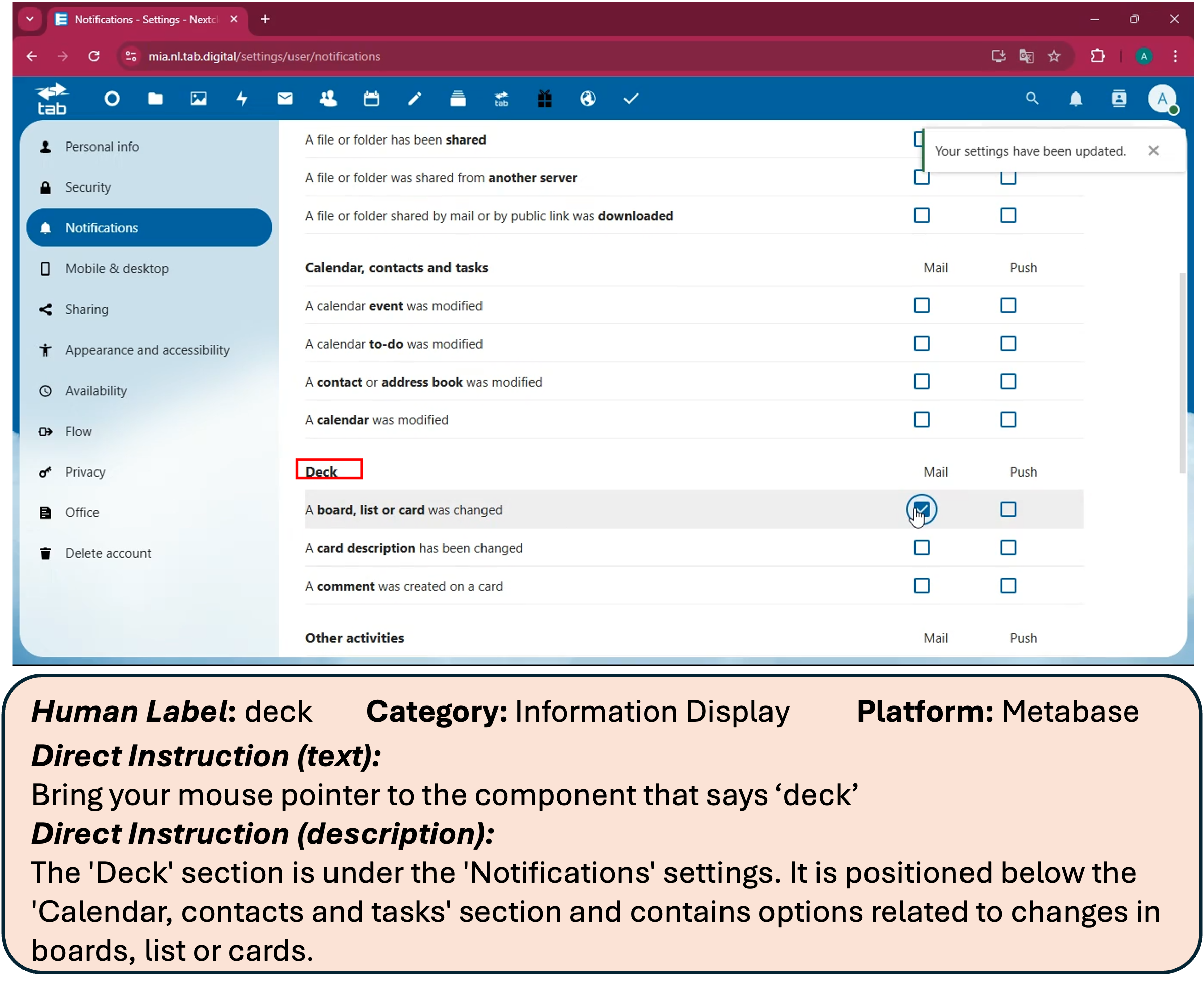
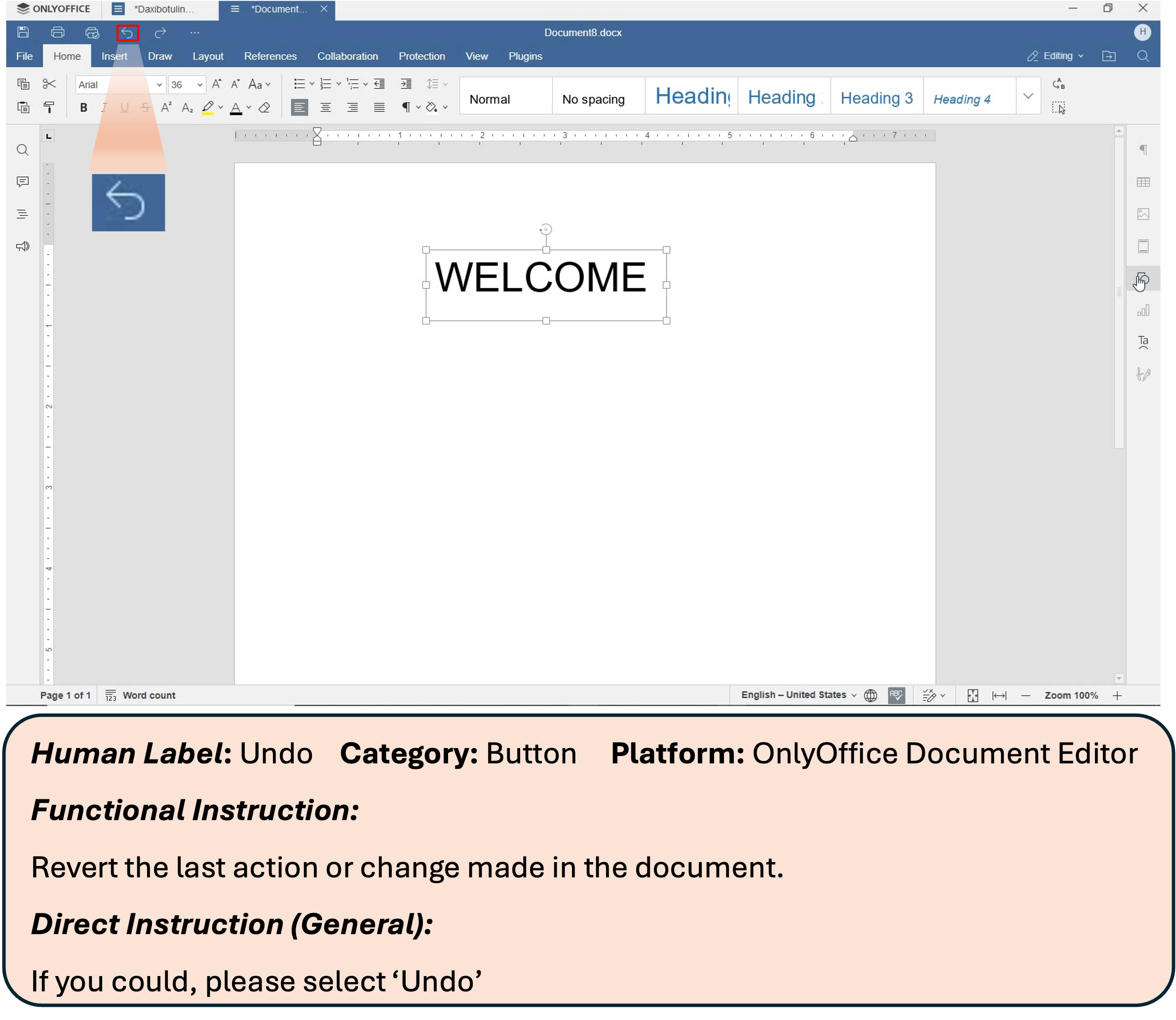
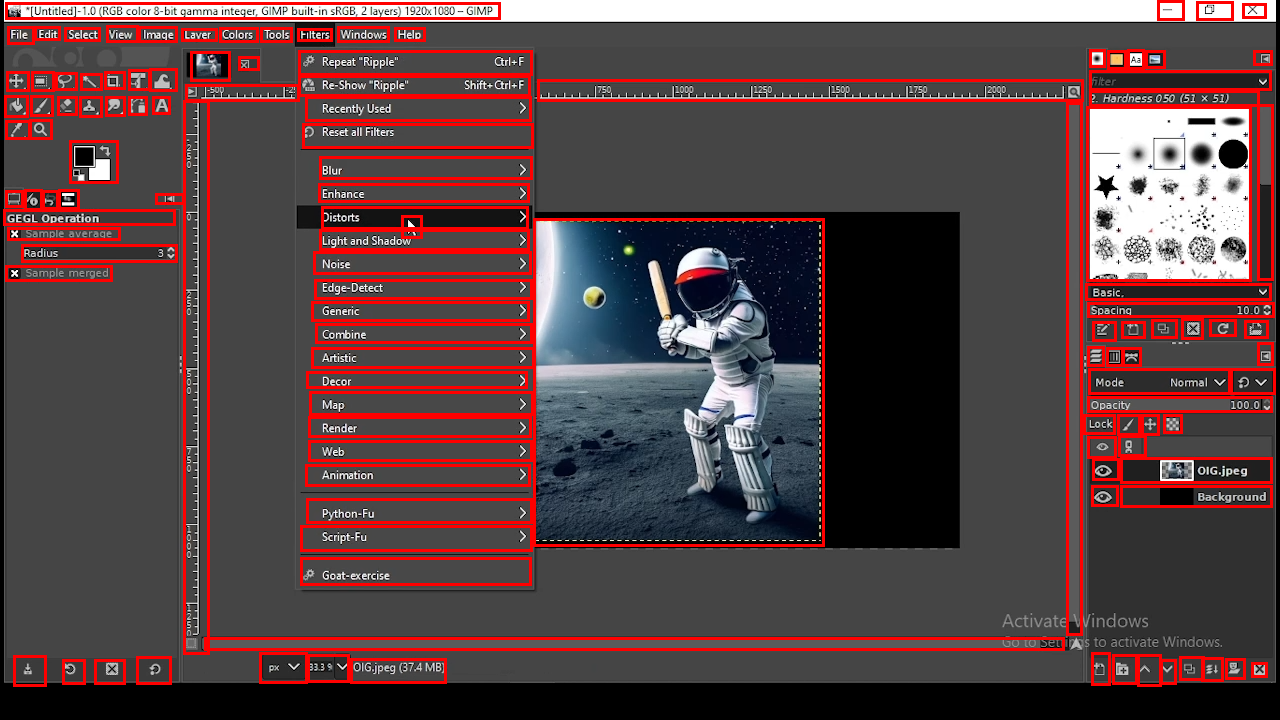
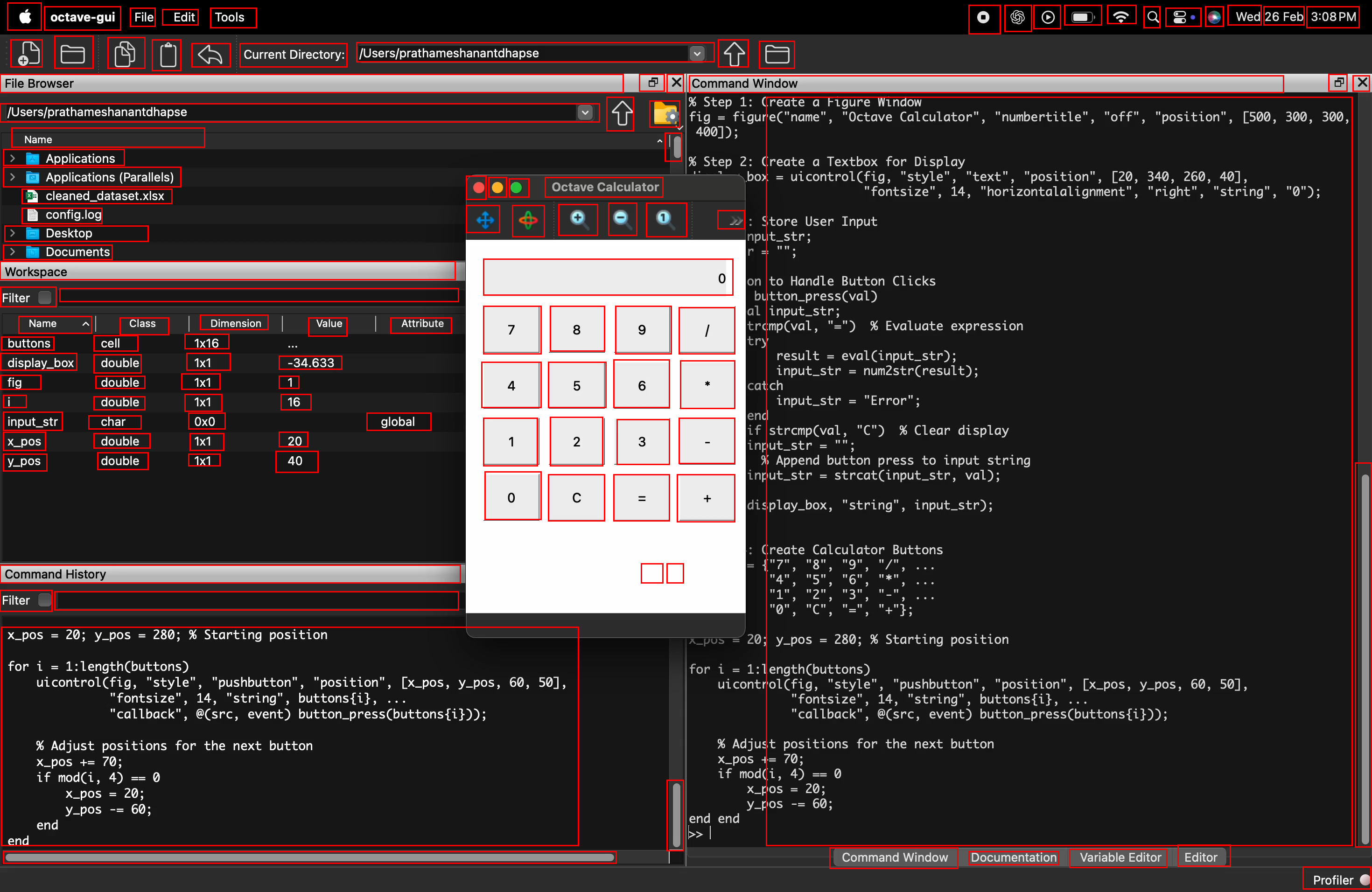
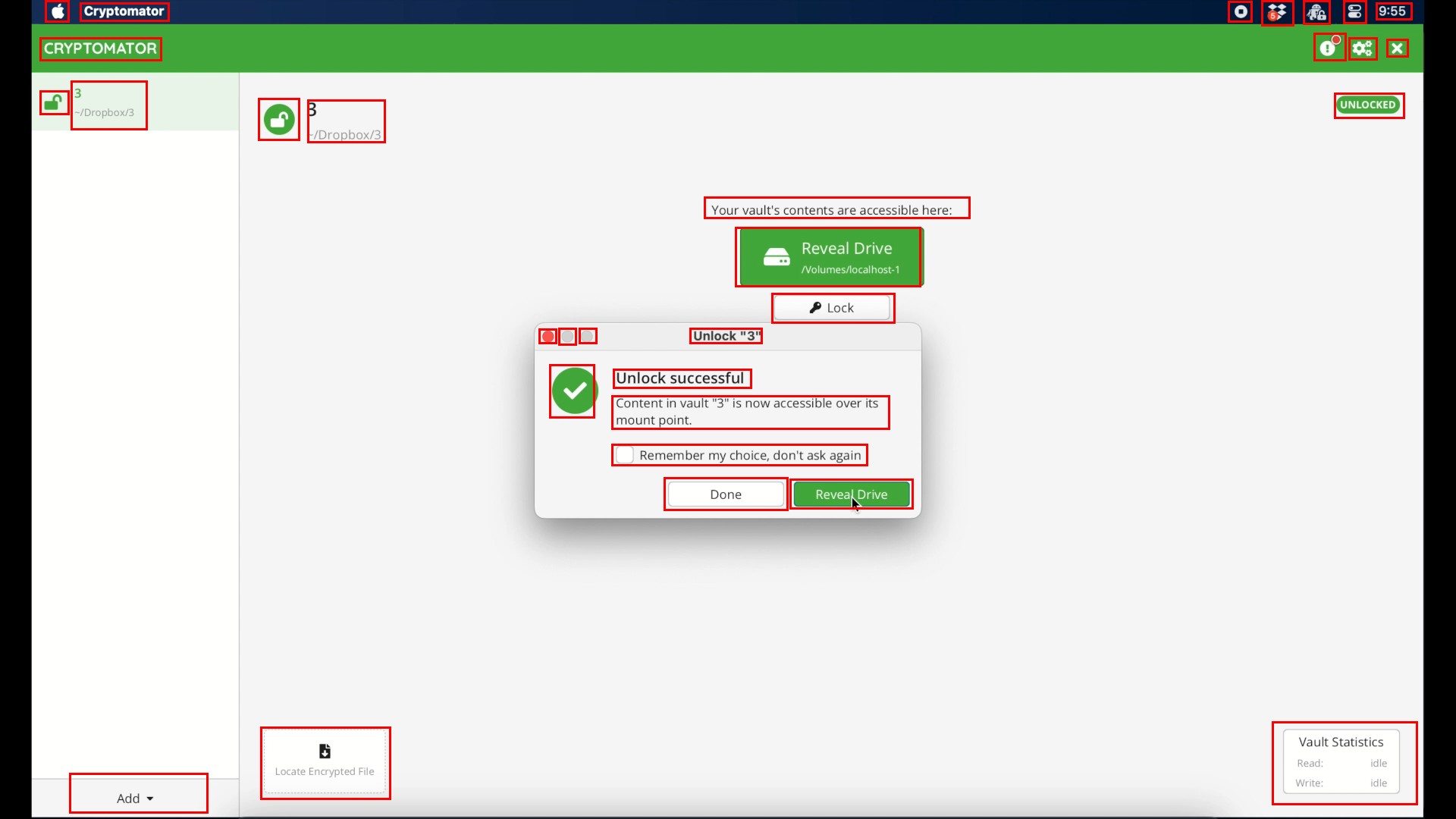
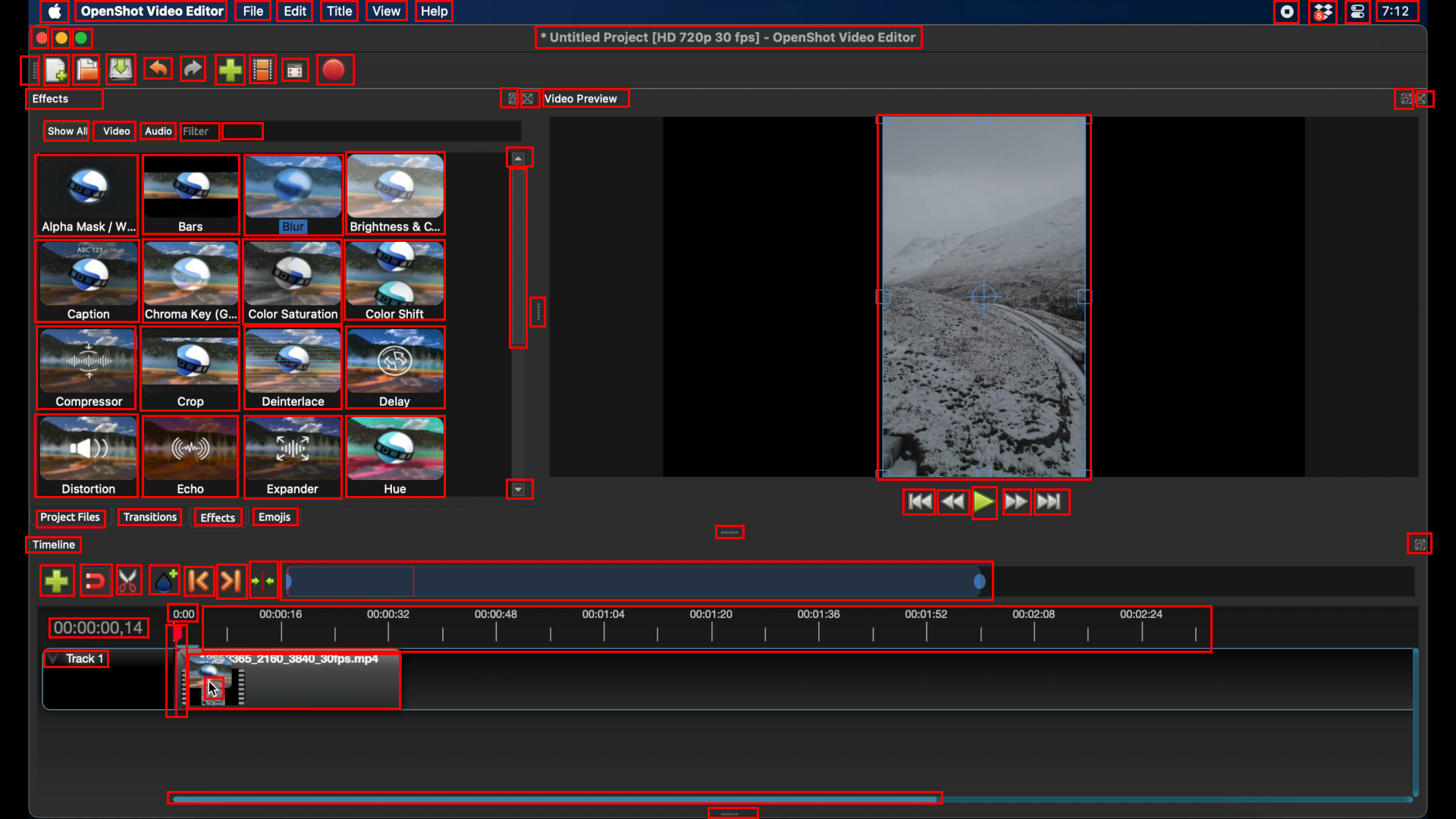
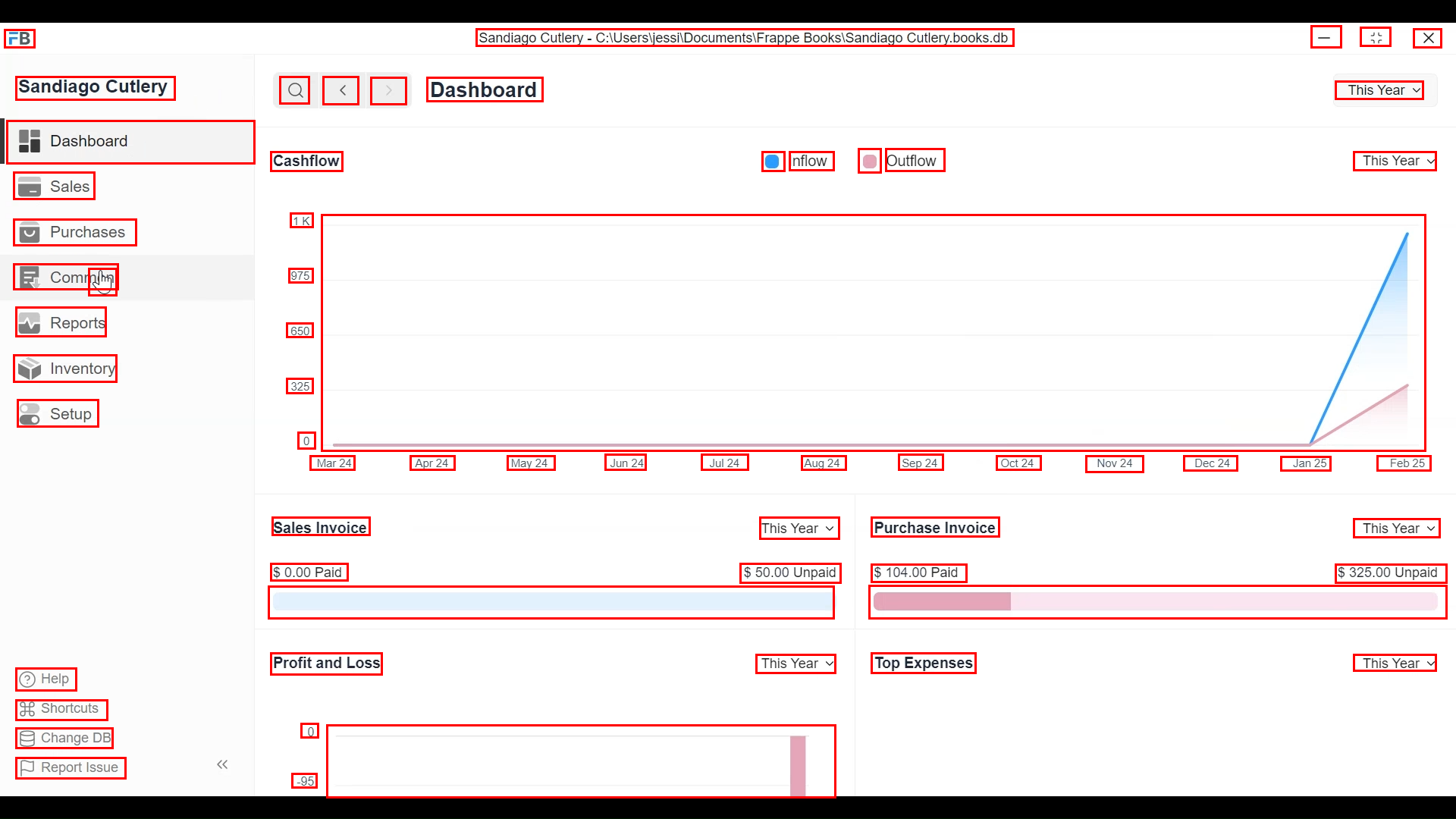
- From these recordings, the team picked key moments and drew rectangles (bounding boxes) around almost every visible on‑screen element—big or tiny—and added names or descriptions.
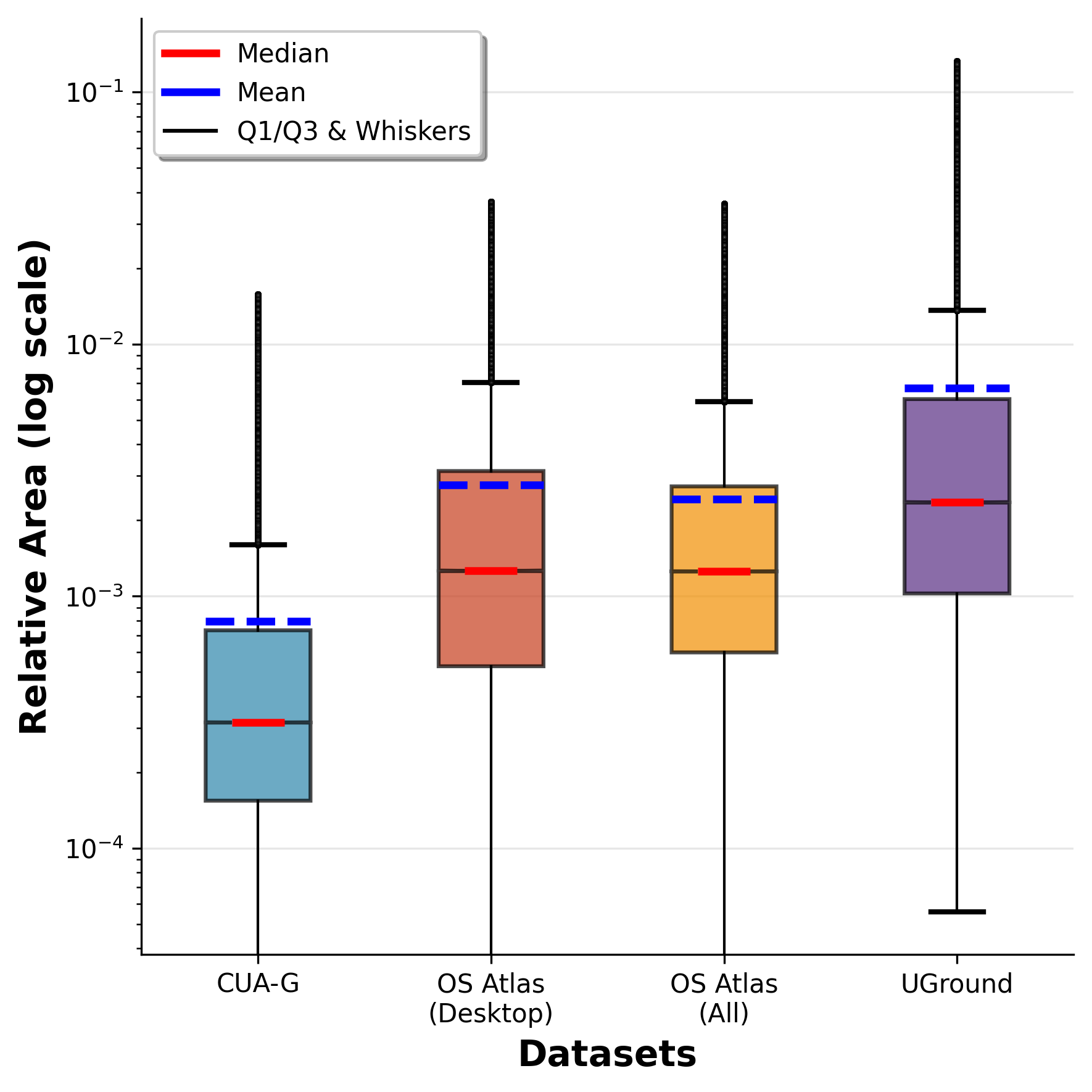
- The result: 56,000 screenshots from 87 desktop apps, with more than 3.56 million human-checked labels. That’s a lot of precise examples, including many small icons that are usually hard to learn from.
- Using these detailed labels, they generated various kinds of instructions, such as:
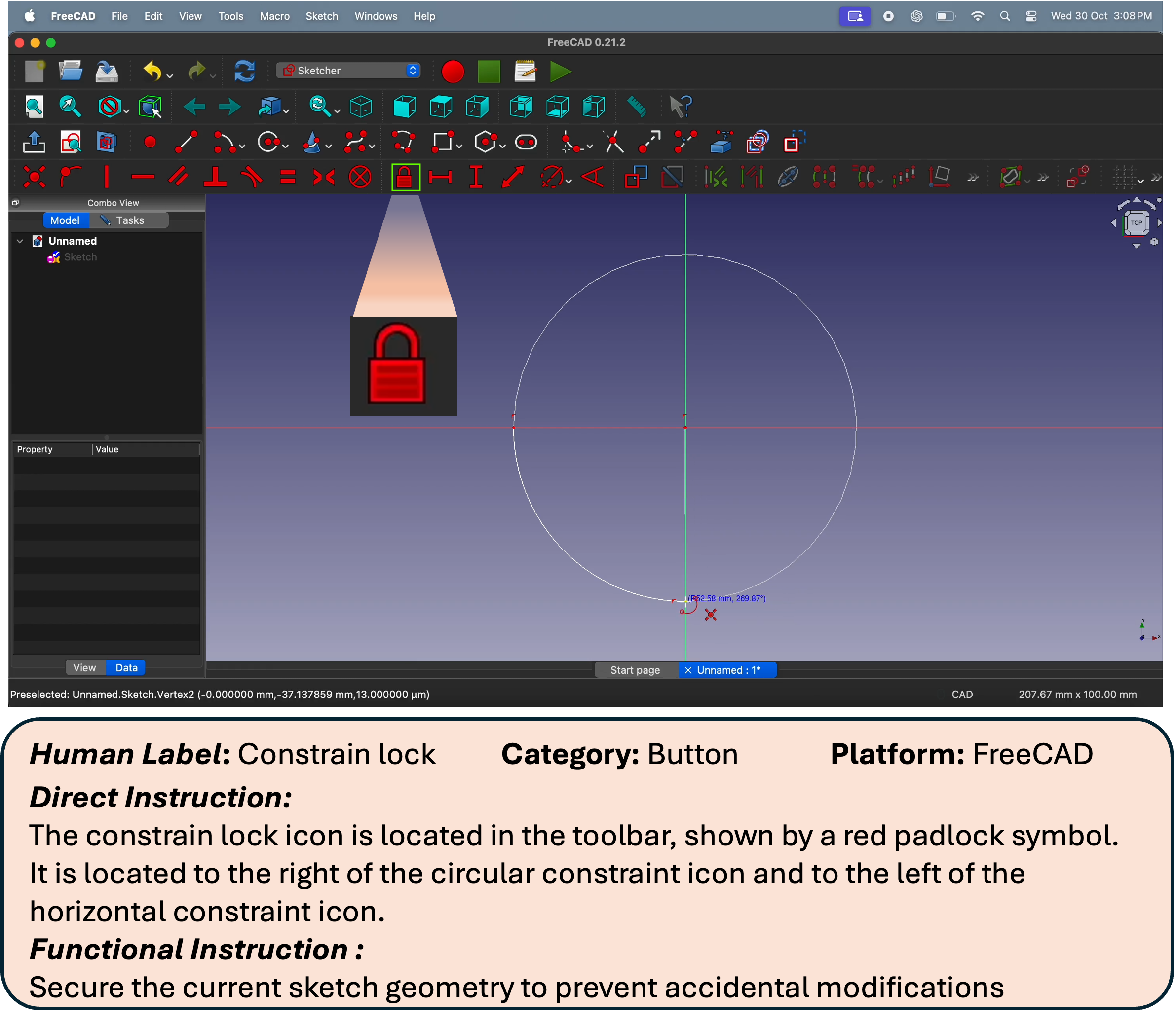
- Direct: “Click the ‘Save’ button.”
- Functional: “Open a new tab.”
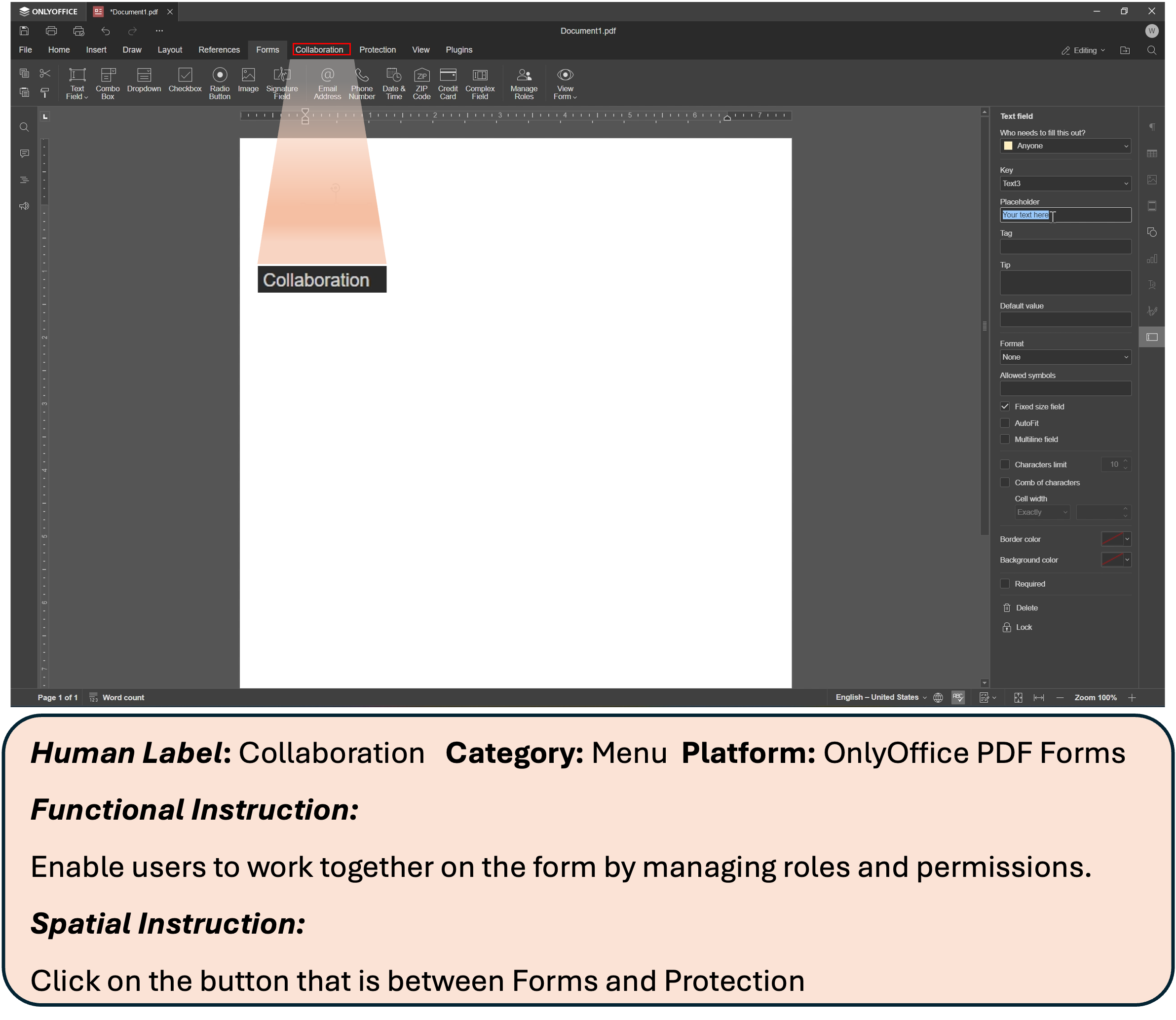
- Spatial: “Click the icon to the left of ‘Files’.”
Why this matters: desktop screens are dense and high‑resolution; many buttons look similar. This dataset teaches the model to handle real-world, tricky situations, not just easy, text-heavy web pages.
Training the models (ClickX)
They trained two sizes of models (think of them like a “standard” and a “bigger” version), both designed to read instructions and look at the screenshot to pick the correct spot to click.
Training happened in two stages:
- Supervised Fine-Tuning (SFT): Like studying with an answer key. The model sees many examples of “instruction + screenshot → correct spot” and learns to imitate the correct answers. They used 700,000 high-quality training examples from ClickNet—much less than some competing projects that use millions.
- Reinforcement Learning (RL): Like a coach giving feedback after each attempt. The model tries to predict the target point; if it’s close to the center of the correct box, it gets a better “score,” and if it’s far away, a worse score. The model learns from this feedback to become more precise. They used a simple, distance-based reward and a method called RLOO to make learning stable without extra complexity.
In everyday terms: SFT teaches the basics; RL polishes accuracy, especially in borderline cases (like clicking just outside the target).
What they found
Here are the main results and why they’re important:
- Strong accuracy with less data: ClickX beat other top models on several tough tests (like ScreenSpotPro, OSWorld-G, and UI-Vision) while using less than one‑tenth the training data some competitors used. This shows that “better” data can beat “more” data.
- Better at tiny, look‑alike icons: Because ClickNet includes dense, high-resolution labels and many small elements, ClickX is especially good at recognizing and selecting small desktop icons that often trip up other models.
- RL helps—just a bit: Starting from strong SFT, adding RL made consistent but modest improvements. In short, the high-quality data did most of the heavy lifting; RL refined it.
- Works beyond desktop: Even though ClickX was trained only on desktop apps, it still performed well on some mobile and web tests. That means it learned general skills that transfer across platforms.
- Real tasks, real gains: In multi-step computer tasks (an “agentic” setting using a separate planner program), the smaller ClickX model matched or beat some much larger models. That’s useful in the real world where speed and cost matter.
Why this matters and what could come next
This research shows that careful, expert-made data can make computer helpers much better at following instructions on complex screens—like a reliable assistant who clicks the right thing the first time. That could:
- Save time by automating routine software tasks (editing documents, organizing files, basic design steps).
- Help people who find software hard to use by turning plain-language instructions into precise actions.
- Enable smaller, faster models that run on cheaper hardware, making this tech more accessible.
Future improvements the authors point to include:
- Scaling up training on the same high-quality data for even better accuracy.
- Designing smarter feedback (rewards) for RL to get bigger boosts.
- Mixing desktop with web and mobile data to improve all-around performance.
- Studying how agents adapt to new apps over time.
In short, the key idea is simple: teach with the right examples, and the agent learns to click exactly what you mean—even on crowded, confusing screens.
Knowledge Gaps
Unresolved Knowledge Gaps, Limitations, and Open Questions
Below is a concise, actionable list of what remains missing, uncertain, or unexplored in the paper’s dataset, methods, and evaluations.
- Coverage of proprietary and OS-native software: The dataset focuses on open-source desktop apps; generalization to closed-source suites (e.g., Microsoft Office/Adobe), OS-native controls (Windows/macOS), and enterprise software remains untested.
- OS and theming diversity: The platform emphasis and evaluation (e.g., Ubuntu) leave uncertainty about robustness across Windows/macOS, dark/high-contrast themes, DPI scaling, accessibility settings, and OS-specific UI patterns.
- Multilingual and localization robustness: No analysis of non-English locales, non-Latin scripts, right-to-left layouts, locale-specific abbreviations, or mixed-language UIs; impact on OCR-driven and icon-heavy instructions is unknown.
- Dynamic UI states: The dataset uses keyframes prior to actions; hover tooltips, transient popovers, expanding menus, disabled/enabled states, modals, and animations are not modeled, yet are common causes of grounding failures.
- Scrollable and off-screen targets: No protocol for targets requiring scrolling, tab-switching, or window focus changes; handling of elements not currently visible is not evaluated.
- Multi-window and multi-monitor contexts: The dataset and evaluations do not explicitly address multiple windows, z-ordering/occlusion, overlapping dialogs, or multi-monitor setups.
- Element ontology completeness: Only ~50% of elements have category labels and there is no richer ontology (roles, states, affordances). How structured UI metadata (type, actionability, hierarchy) improves grounding is unexplored.
- Bounding box-only supervision: Axis-aligned boxes lack precise shapes, z-order, and clickable subregions; absence of segmentation/polygonal annotations may cap precision on small or irregular elements.
- Action semantics beyond “click”: The model predicts a point only; action type (left/right/double-click, hover, drag-and-drop, text entry), duration, and keyboard shortcuts are not grounded or predicted.
- Uncertainty and calibration: The model does not estimate confidence or return multi-candidate hypotheses; how to expose uncertainty to planners for safer execution is not studied.
- Ambiguity handling: Many GUI instructions admit multiple valid targets; evaluation assumes a single ground-truth box and does not support disjunctive correctness or disambiguation strategies.
- Instruction naturalness and bias: Most instructions are LLM-generated from annotations; there is no human evaluation of naturalness/ambiguity, domain realism, or bias introduced by the generator or its prompt template.
- Potential data/model leakage: The base model family (Qwen2.5-VL) and the instruction generator could share pretraining sources; safeguards against self-teaching or contamination are not documented.
- Data overlap and deduplication: The paper acknowledges imperfect separation with UI-Vision; there is no audit of near-duplicates across ClickNet and benchmarks or a robust decontamination protocol.
- Scaling laws and data efficiency: While gains with 700K SFT samples are shown, there is no study of scaling curves (data size vs. performance), diminishing returns, or mixing with other sources (web/mobile) systematically.
- Reward design limits: The discrete distance-based reward ignores semantics (role/actionability), confusion among visually similar decoys, and action correctness; comparative studies of richer, structured rewards are absent.
- RL methodology ablations: RLOO is used with one group size; stability, sensitivity to hyperparameters, KL constraints, off-policy reuse, and sample selection strategies are not systematically explored.
- Sequence-level RL: RL optimizes single-point predictions; end-to-end policy improvement for multi-step tasks (credit assignment across action sequences) remains an open direction.
- Planner dependency: Agentic results depend on the o3 planner; portability to open-source planners, planner–grounder interfaces, and the impact of grounder uncertainty on planning are not analyzed.
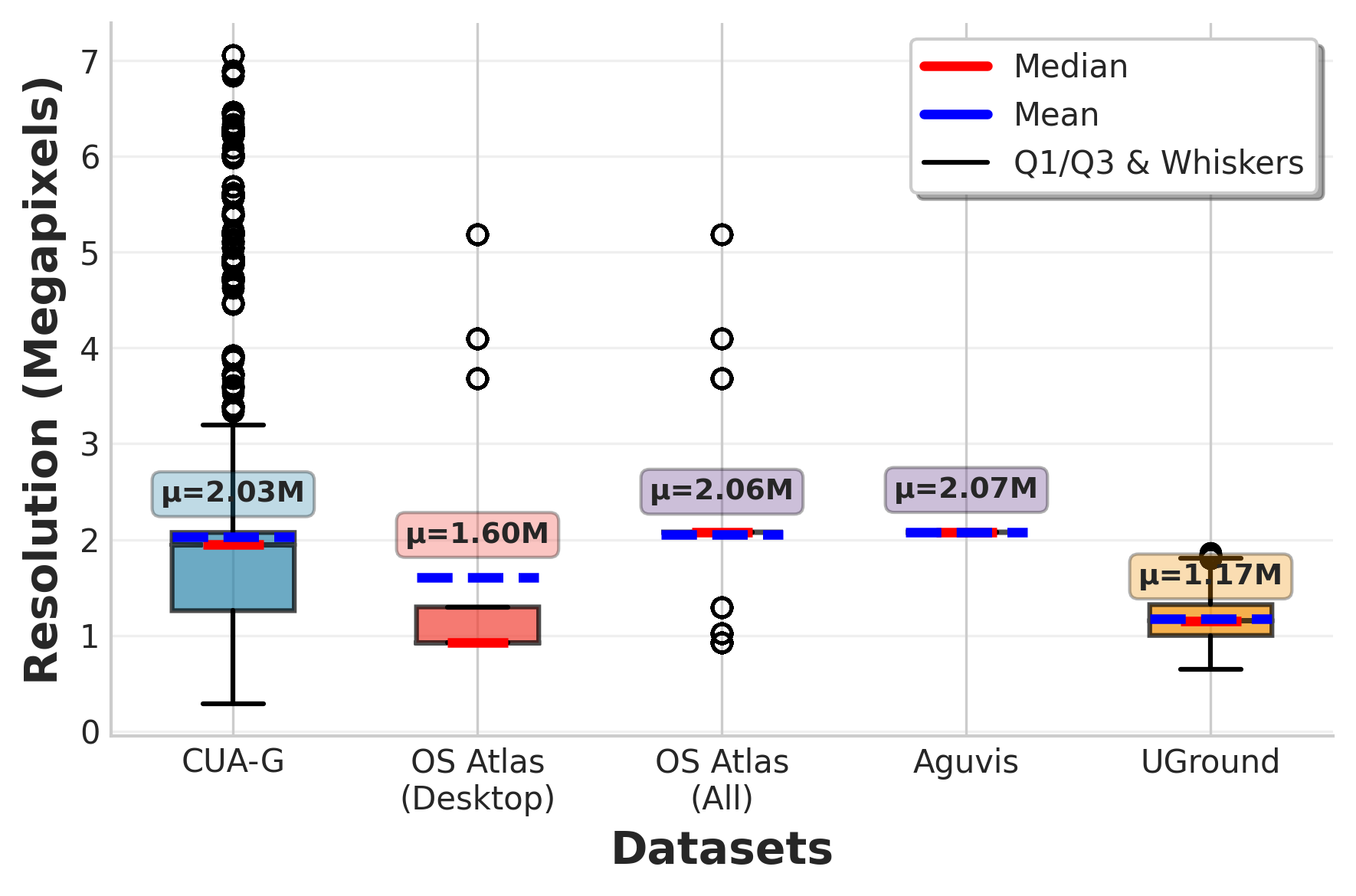
- High-resolution processing strategy: Handling of 0.4–7.0MP inputs (tiling, downscaling, cropping) and its effect on tiny targets is not detailed; no ablations on input resolution vs. accuracy.
- Robustness to visual shifts: No tests for robustness to compression, noise, color shifts, icon theme changes, font substitutions, or UI skinning—common in real deployments.
- Accessibility signal fusion: While accessibility trees are critiqued, fusing partial accessibility or UI hierarchy (roles, names, bounds) with pixels is not attempted or evaluated.
- Per-category and element-size error analysis: Beyond icon-level anecdotes, a thorough stratified analysis by app category, element size, density, and type (menu/button/icon/text field) is missing.
- Inter-annotator agreement and QA: The paper claims expert quality but provides no inter-annotator agreement metrics, label error rates, or auditing procedures for bounding boxes, text labels, and categories.
- Privacy and sensitive content: Releasing task videos/screenshots may expose PII (filenames, emails, local paths); redaction protocols, sensitive-content filtering, and license constraints for embedded icons are not described.
- Multiple valid interaction paths: Many tasks can be executed via alternative elements (menu vs. toolbar vs. shortcut); the dataset and metrics do not account for equivalence classes of correct targets.
- Generalization to web/mobile: Cross-domain results lag on web; concrete strategies to bridge domain gaps (e.g., joint training, domain adapters, UI-hierarchy conditioning) are not proposed or tested.
- Continual and version adaptation: How models adapt to app updates, version changes, new icons, or evolving layouts (lifelong learning) is raised but not operationalized or benchmarked.
- Fairness and representativeness: The dataset composition by category/platform may bias performance; there is no analysis of class imbalance, long-tail categories, or per-domain fairness.
- Failure awareness and recovery: The model/planner pipeline does not detect or recover from wrong clicks (e.g., backtracking, undo, or clarifying questions), a key requirement for robust agents.
- Open-source reproducibility: Key components of the instruction generation (which MLLM, prompts), data selection heuristics for SFT/RL, and preprocessing pipelines are not fully specified for exact replication.
- Evaluation metrics breadth: Accuracy (point-in-box) ignores distance error, center proximity, time-to-success, and top-k candidates; confidence intervals and multiple-run variance are not reported.
- Clickability and state awareness: The ground truth does not distinguish clickable vs non-clickable elements, or enabled vs disabled states; learning when not to click is unaddressed.
- Safety and adversarial UI: No study of adversarially confusing icons, deceptive layouts (e.g., phishing-like dialogs), or safety policies for potentially destructive actions.
Practical Applications
Immediate Applications
Below are practical applications that can be deployed today, given the released ClickNet dataset and ClickX models, their demonstrated accuracy, and the paper’s training/evaluation setups.
- Grounding-as-a-module for existing computer-use agents
- What: Drop-in replacement for the grounding component in LLM agents that operate desktops to improve click/selection accuracy on dense UIs.
- Sectors: Software, enterprise IT, productivity, customer support.
- Tools/products/workflows: An API or SDK wrapping ClickX-3B/7B for pointer prediction; plug-ins for popular agent frameworks (planner + grounding), “agent mode” inference endpoints; guardrails that route ambiguous cases to human review.
- Assumptions/dependencies: Requires a planner/orchestrator (e.g., o3-like) and a secure screen-capture/control layer; acceptable latency on target hardware; sandboxing to avoid destructive actions.
- Reliability uplift for Robotic Process Automation (RPA) on desktops
- What: Replace brittle template/DOM selectors with visual grounding to make desktop RPA resilient to UI tweaks and iconography.
- Sectors: Finance, insurance, operations, HR, procurement.
- Tools/products/workflows: Ui-path/Automation Anywhere-style activities that call ClickX for “find and click” or “locate field” steps; self-healing flows that re-ground elements when selectors fail.
- Assumptions/dependencies: Access to screenshots on virtual desktops; privacy-safe redaction for sensitive UI content; change management for automation governance.
- Test automation and regression detection for desktop applications
- What: Visual element localization for end-to-end UI tests, reducing flakiness on icon- and toolbar-heavy apps.
- Sectors: Software engineering, CAD/EDA, creative tools, scientific software.
- Tools/products/workflows: Integrations with Playwright/WinAppDriver/Sikuli-like tools; failure triage that highlights mis-grounded elements; CI/CD plugins that run grounding-based smoke tests.
- Assumptions/dependencies: Headless or virtual display environments; stable test baselines; dataset adaptation for app-specific icons.
- Accessibility augmentation and assistive overlays
- What: On-screen element identification (esp. small icons) to complement screen readers or create voice/keyboard navigation overlays.
- Sectors: Public sector, education, enterprise IT accessibility programs.
- Tools/products/workflows: “Say and click” helpers; keyboard-driven focus jump to grounded elements; live labeling of unlabeled icons.
- Assumptions/dependencies: Real-time inference performance; user privacy safeguards; fallback for inaccessible canvases.
- IT helpdesk co-pilots and remote support
- What: Agents that can understand a user’s desktop state and guide or perform steps reliably (e.g., “open the color picker,” “set display scaling”).
- Sectors: Enterprise IT, MSPs.
- Tools/products/workflows: Remote-assist flows where ClickX grounds targets and the human/agent executes; auto-screenshot annotation for tickets.
- Assumptions/dependencies: Consent and logging; restricted permissions; enterprise policy compliance.
- Office productivity assistants for routine tasks
- What: Higher-success-rate automation for document formatting, spreadsheet operations, email attachments, file organization.
- Sectors: Knowledge work, SMBs.
- Tools/products/workflows: Macro-like “app-agnostic” actions (e.g., insert table, format axis) routed to ClickX; cross-tool workflows (e.g., copy chart from calc to slides).
- Assumptions/dependencies: Planner quality; app availability; non-destructive operations with undo/transactional safeguards.
- Data labeling bootstrap for internal UI datasets
- What: Use ClickNet’s annotation protocol and ClickX to accelerate dense labeling of proprietary UIs for further fine-tuning.
- Sectors: Software vendors, enterprises with internal tools.
- Tools/products/workflows: Semi-automatic bounding-box proposals; active learning loops to curate hard cases; continual fine-tuning pipelines.
- Assumptions/dependencies: Annotator training; privacy handling; versioning of UI states.
- Cross-platform grounding for hybrid estates
- What: Immediate reuse on desktop, with demonstrated transfer to mobile/web (e.g., MMBench-GUI, ScreenSpot-v2) to unify agent stacks across devices.
- Sectors: Field services, sales, operations using mixed devices.
- Tools/products/workflows: A unified “find element” API; device-agnostic action libraries for common patterns (search, save, export).
- Assumptions/dependencies: Some domain shift persists; further tuning improves web-heavy interfaces.
- Benchmarking and model selection for GUI grounding research
- What: Adopt ClickNet and the paper’s evaluation suite to compare grounding models and training recipes.
- Sectors: Academia, industry labs.
- Tools/products/workflows: Standardized benchmark harnesses; ablation templates for SFT/RL data size, reward shaping, and instruction types.
- Assumptions/dependencies: Reproducible hardware settings; careful de-duplication to avoid benchmark leakage.
- Small-model deployment for resource-constrained settings
- What: Use ClickX-3B to achieve near 7B performance in many cases for edge/on-device or VDI scenarios.
- Sectors: Call centers, BPOs, SMEs, education labs.
- Tools/products/workflows: CPU/GPU-light inference with batching and resolution-aware tiling; cost-controlled serving.
- Assumptions/dependencies: Latency budgets; screen resolution normalization (500K–7M px variability).
- Curriculum and teaching aids for HCI/AI courses
- What: Use ClickNet’s dense, labeled screenshots to teach UI semantics, grounding, and agent evaluation.
- Sectors: Education, research training.
- Tools/products/workflows: Assignments on instruction design (direct/functional/spatial), reward design labs using RLOO.
- Assumptions/dependencies: Student compute availability; dataset licensing respected.
- Privacy-preserving redaction pipelines for screen data
- What: Apply OCR-aided region detection to redact sensitive text/fields while retaining grounding signal for training or logging.
- Sectors: Healthcare, finance, legal.
- Tools/products/workflows: Redaction middleware driven by bounding boxes; audit logs of masked regions.
- Assumptions/dependencies: High OCR quality; policy for image retention; DLP integration.
Long-Term Applications
These require additional research, scaling, safety engineering, or ecosystem development beyond the paper’s current results.
- Fully autonomous, app-agnostic desktop agents for complex workflows
- What: Agents that plan, ground, and recover from errors across multi-app, multi-window tasks reliably (e.g., month-end close, data migrations).
- Sectors: Finance, operations, engineering, media.
- Tools/products/workflows: End-to-end “AgentOps” stacks (planner + grounding + verifier + rollback); confidence-aware execution with human-in-the-loop checkpoints.
- Assumptions/dependencies: Stronger verification/recovery strategies; robust undo/sandbox; enterprise-grade auditability.
- Domain-specialized agents for regulated environments
- What: Safe navigation of EHRs, claims systems, trading terminals, or LIMS with high precision and compliance.
- Sectors: Healthcare, insurance, capital markets, pharmaceuticals.
- Tools/products/workflows: Institution-tuned grounding models trained on redacted internal UIs; policy engines that constrain allowed actions; immutable logs.
- Assumptions/dependencies: Strict privacy and consent; adversarial testing; certification regimes.
- Standardized UI semantics and agentability guidelines
- What: Best practices and standards that make UIs easier to ground and automate (consistent iconography, affordances, metadata).
- Sectors: Software, public sector procurement, accessibility bodies.
- Tools/products/workflows: “Agent-ready UI” checklists; conformance tests; procurement requirements for agent-compatible apps.
- Assumptions/dependencies: Industry adoption; collaboration with standards groups; measurable conformance metrics.
- Reward-model and verifier-based training for grounding
- What: Move beyond distance-based rewards to learned judges and programmatic verifiers for richer correctness signals.
- Sectors: AI research, platform vendors.
- Tools/products/workflows: Synthetic counterfactual UIs; weak-to-strong supervision pipelines; self-play for grounding improvements.
- Assumptions/dependencies: Reliable reward models (current judges are unreliable per paper); scalable data generation.
- Continual and federated learning for evolving UIs
- What: Agents that adapt safely as apps update, without centralized data aggregation.
- Sectors: Enterprise IT, SaaS vendors.
- Tools/products/workflows: On-device fine-tuning with privacy-preserving telemetry; drift detection; selective replay of hard screens.
- Assumptions/dependencies: Federated infrastructure; robust privacy-by-design; evaluation of catastrophic forgetting.
- Universal accessibility overlay for legacy software
- What: System-wide layer that detects and labels unlabeled controls, enabling screen readers and voice control on apps lacking accessibility trees.
- Sectors: Government, education, enterprises with legacy tools.
- Tools/products/workflows: OS-level services that export a virtual accessibility tree inferred by grounding; voice command routing to grounded targets.
- Assumptions/dependencies: Real-time performance; OS integration; legal and UX validation.
- Safety, compliance, and audit frameworks for GUI agents
- What: Policy toolkits for approvals, least-privilege execution, incident response, and explainability of actions.
- Sectors: Risk/compliance, public sector, critical infrastructure.
- Tools/products/workflows: Action whitelists/blacklists; replayable action logs with bounding boxes; red-team suites for UI deception.
- Assumptions/dependencies: Cross-functional governance; clear liability models; standardized telemetry.
- Cross-platform “single policy” agents spanning desktop, web, and mobile
- What: Unified agents that seamlessly transfer grounding across device classes at production quality.
- Sectors: Field operations, retail, logistics, support.
- Tools/products/workflows: Multi-resolution perception stacks; device-aware action planners; profile-based UI priors.
- Assumptions/dependencies: Broader training data for web/mobile; robust domain adaptation methods.
- Self-healing automation that survives major UI redesigns
- What: Automation that detects changed layouts, re-identifies functions via iconography and context, and repairs flows autonomously.
- Sectors: SaaS-heavy enterprises, BPOs.
- Tools/products/workflows: Change-point detectors; functional goal recognition; A/B rollouts with safe fallback to humans.
- Assumptions/dependencies: Strong functional grounding (beyond visual); confidence calibration; safety monitors.
- Agent-based QA for software design and HCI research
- What: Automated studies of discoverability, icon confusion, and density trade-offs using grounding success/failure analytics.
- Sectors: HCI, product design, usability labs.
- Tools/products/workflows: Heatmaps of mis-groundings; simulation of novice vs. expert strategies; design iteration loops informed by agent performance.
- Assumptions/dependencies: Representative test cohorts; ethical review for user data.
- On-device personal agents with privacy-by-design
- What: Local models that help with creative tools (photo/video editing), coding IDEs, or CAD without sending screens off-device.
- Sectors: Consumer productivity, creators, engineers.
- Tools/products/workflows: Optimized 3B-class models, sparse updates, tiling; secure local caches of app-specific embeddings.
- Assumptions/dependencies: Hardware acceleration; power/thermal limits; seamless OS permissions.
- Training consortia and public benchmarks for GUI agents
- What: Shared corpora and standardized evals to accelerate progress and comparability.
- Sectors: Academia, open-source foundations, industry alliances.
- Tools/products/workflows: Versioned benchmark suites (desktop/web/mobile); challenge tasks with verified success criteria.
- Assumptions/dependencies: Licensing clarity; governance for contributions; reproducibility standards.
Notes on key dependencies and assumptions (cross-cutting)
- Planner requirement: The paper shows best agentic results when pairing ClickX with a capable planner (e.g., o3). Production agents need robust planning, memory, and recovery.
- Privacy and security: Screen data can include sensitive information. Deployments need consent, redaction, data loss prevention, and detailed logging.
- Domain shift: ClickNet covers 87 open-source desktop apps. Proprietary or highly customized enterprise UIs may require additional fine-tuning.
- Performance constraints: High-resolution screens and dense elements stress inference; batching, tiling, and hardware acceleration affect feasibility.
- Safety and governance: Mis-grounding can trigger destructive actions. Sandboxes, undo/redo, and human-in-the-loop gates are critical.
- Licensing and openness: ClickNet is permissively licensed; ensure compliance when mixing with proprietary data.
- Evaluation rigor: Avoid leakage between training and eval; adopt verified benchmarks (e.g., OSWorld-Verified) and agentic task success criteria.
Glossary
- Accessibility tree: A structured representation of UI elements used by assistive technologies and tooling. Example: "assembles desktop splits via accessibility-tree traversal"
- Agentic setting: An evaluation context where a model plans and acts over multiple steps like an autonomous agent. Example: "when evaluated in an agentic setting on the OSWorld benchmark using o3 as planner"
- Axis-aligned bounding box (AABB): A rectangle aligned with the image axes used to localize objects. Example: "Let denote the axis-aligned ground-truth bounding box for the target element."
- Bounding box: A rectangle specifying the location/extent of an element in an image. Example: "Annotators labeled every visible element in each keyframe using bounding boxes."
- Cross-platform generalization: A model’s ability to transfer across desktop, mobile, and web UI domains. Example: "Additionally, ClickX excels in cross-platform generalization"
- Critic model: A learned value estimator used in some RL methods to reduce variance in policy gradients. Example: "avoiding the need for training a separate critic model."
- Dense annotations: Exhaustive, fine-resolution labeling of many elements per image. Example: "ClickNet features dense annotations that support semantics- and context-aware instructions"
- Discrete reward: A reward signal that takes values from a finite set rather than being continuous. Example: "We designed a customized discrete reward based on the normalized distance"
- DOM (Document Object Model): A tree-structured representation of web pages enabling programmatic access to elements. Example: "automated harvesting from HTML/DOM"
- Fine-grained supervision: Highly detailed labels enabling precise learning signals. Example: "providing dense, high-resolution, and fine-grained supervision for robust computer-use agents."
- Hyperparameters: Training configuration values (e.g., batch size, learning rate) not learned by the model. Example: "Additional hyperparameter details are provided in Appendix~\ref{app:sft_details}."
- Instruction tuning: Supervised training using paired instructions and targets to improve following ability. Example: "we construct a 700K image-instruction pair instruction-tuning set that mimics real-world semantic interactions."
- Keyframe: A selected frame capturing a salient UI state before an action changes it. Example: "we extracted keyframes that capture the state of the interface immediately before a user action"
- Megapixel: One million pixels; a unit measuring image resolution. Example: "with a range from $0.39$ to $7$ megapixels."
- Multimodal LLM: A LLM that processes multiple modalities (e.g., text and images). Example: "our approach involves prompting a multimodal LLM with annotated bounding boxes, application names, element labels, and surrounding context."
- Normalized distance: A distance scaled to a fixed range to make rewards or metrics comparable. Example: "We designed a customized discrete reward based on the normalized distance"
- OCR (Optical Character Recognition): Technology that extracts text from images. Example: "We also extracted OCR using PaddleOCR"
- OSI-style permissive license: Open-source licenses allowing broad reuse with minimal restrictions. Example: "Perm = permissive OSI-style license (e.g., Apache-2.0, MIT)"
- PaddleOCR: An OCR toolkit used to extract text from UI screenshots. Example: "We also extracted OCR using PaddleOCR"
- Policy optimization: The process of updating a policy to maximize expected reward in RL. Example: "For policy optimization, we employed the Relative Leave-One-Out (RLOO) method"
- Relative Leave-One-Out (RLOO): A variance-reduced policy gradient estimator comparing each rollout to the mean of its peers. Example: "For policy optimization, we employed the Relative Leave-One-Out (RLOO) method"
- Reinforcement learning (RL) post-training: An RL stage applied after SFT to refine model behavior. Example: "Reinforcement learning post-training further improves performance"
- Reward function: A mapping from outputs to scalar scores used to guide RL training. Example: "Reward Function."
- Reward model-based approaches: Methods that use learned reward models as proxies for human feedback. Example: "We exclude reward model-based approaches due to the unreliable nature of current judges"
- Rollout: A sampled trajectory or output from a policy used to compute rewards/gradients. Example: "compares the reward of each rollout to the average reward of other samples within the same group"
- Supervised fine-tuning (SFT): Training on labeled pairs to adapt a pretrained model to a target task. Example: "first, supervised fine-tuning (SFT) on 700K curated datapoints from ClickNet"
- Synthetic interface generation: Creating artificial UI screens to scale training data. Example: "JEDI~\citep{xie2025scaling} achieves scale through synthetic interface generation"
- Token sequence: An ordered list of discrete symbols produced/consumed by LLMs. Example: "each corresponds to a sequence of tokens representing the predicted coordinates"
- UI grounding: Mapping natural language instructions to specific on-screen UI elements. Example: "instruction tasks for UI grounding"
- Vision-LLM (VLM): A model jointly processing visual and textual inputs. Example: "We introduce the ClickX series of vision-LLMs, designed for precise grounding across desktop applications."
- Zero-shot instruction-following: Executing instructions without task-specific training examples. Example: "enabling zero-shot instruction-following across desktop, web, and mobile interfaces"
Collections
Sign up for free to add this paper to one or more collections.