A SCARA plotter arm inks hatched, hidden-line drawings along a 2-opt optimized route.
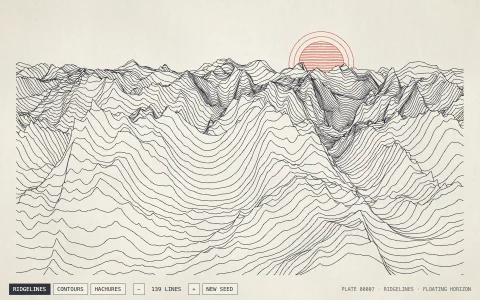
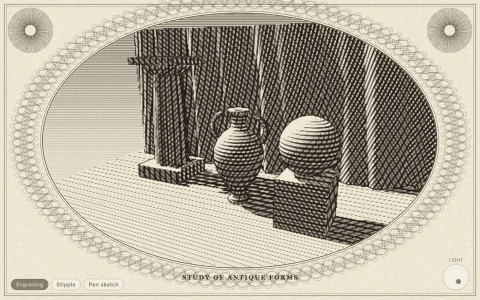
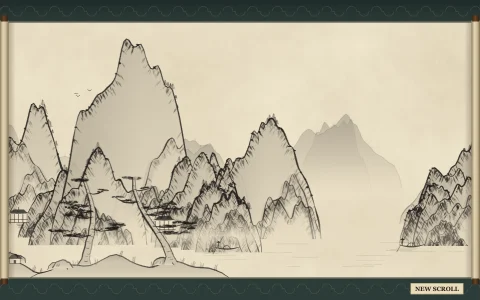
Three generative compositions are built as vector strokes with hidden lines removed: an isometric city whose faces are hatched by how much light they catch, every stroke clipped exactly against the silhouettes of the boxes in front; shaded spheres hatched along their own latitude circles, kept only where an ordered dither says the surface is dark enough; and ridgelines drawn with a floating horizon, with a sun behind them all. Before plotting, each pen's strokes are routed to cut pen-up travel: file order first, then nearest neighbor (flipping strokes as needed), then 2-opt, which reverses runs of strokes while that shortens the trip, running a few milliseconds per frame. A two-link SCARA arm, solved with inverse kinematics, then swaps pens from the rack and plots layer by layer, pooling a little ink where the pen lands and fading as each pen runs dry.
Try it. Choose Blocks, Orbs or Ridges (or 1 to 3, N for a new seed), drag the speed slider or use the arrow keys, show or hide the dashed pen-up moves (T), and switch between the optimized route and file order (O) to watch the wasted travel come back. Click the paper to replot.
Paste this into Claude Code, Codex or any coding agent to get a simple version running, then take it wherever you like.
Build a pen plotter simulator with JavaScript and the HTML canvas element: generate a line drawing, plan the pen's route, and animate a pen drawing it. Put everything in a single index.html file with no libraries or build step, so I can open it directly in a browser.

Start simple:
- Make a canvas that fills the window and stays sharp on high-DPI screens (scale by devicePixelRatio). Draw a cream sheet of paper on a dark background.
- Generate a drawing as a list of strokes, each an array of points: about 60 ridgelines across the page, each a row of points whose height comes from a small noise function you write yourself.
- Remove hidden lines with a floating horizon: draw the nearest ridge first and keep an array with the highest point drawn so far in each column. A point of a later ridge is kept only if it is above that, and a ridge splits into separate strokes where it disappears.
- Animate a pen: it travels to the start of the next stroke with the pen up, then draws along it at a steady speed onto an offscreen canvas that is never cleared. Show the pen as a small circle.

Once that works, make it beautiful:
- Plan the route to cut pen-up travel: chain strokes by nearest neighbor (allowing each stroke to be drawn backward), then improve with 2-opt, reversing a run of strokes whenever that shortens the trip. Show the total pen-up distance before and after.
- Draw the pen-up moves as faint dashed red lines, and add a toggle that plots in the original order so you can see the difference.
- Use two or three pen colors plotted one after another, with a little dot of ink where the pen lands.

Explain the key ideas in short code comments. When you're done, tell me how to open it and suggest three directions I could take it next, such as an isometric city with hatched faces and exact hidden-line clipping, a two-link robot arm driven by inverse kinematics, or exporting the plan as SVG for a real plotter.