ShowUI-$π$: Flow-based Generative Models as GUI Dexterous Hands
Abstract: Building intelligent agents capable of dexterous manipulation is essential for achieving human-like automation in both robotics and digital environments. However, existing GUI agents rely on discrete click predictions (x,y), which prohibits free-form, closed-loop trajectories (e.g. dragging a progress bar) that require continuous, on-the-fly perception and adjustment. In this work, we develop ShowUI-$π$, the first flow-based generative model as GUI dexterous hand, featuring the following designs: (i) Unified Discrete-Continuous Actions, integrating discrete clicks and continuous drags within a shared model, enabling flexible adaptation across diverse interaction modes; (ii) Flow-based Action Generation for drag modeling, which predicts incremental cursor adjustments from continuous visual observations via a lightweight action expert, ensuring smooth and stable trajectories; (iii) Drag Training data and Benchmark, where we manually collect and synthesize 20K drag trajectories across five domains (e.g. PowerPoint, Adobe Premiere Pro), and introduce ScreenDrag, a benchmark with comprehensive online and offline evaluation protocols for assessing GUI agents' drag capabilities. Our experiments show that proprietary GUI agents still struggle on ScreenDrag (e.g. Operator scores 13.27, and the best Gemini-2.5-CUA reaches 22.18). In contrast, ShowUI-$π$ achieves 26.98 with only 450M parameters, underscoring both the difficulty of the task and the effectiveness of our approach. We hope this work advances GUI agents toward human-like dexterous control in digital world. The code is available at https://github.com/showlab/showui-pi.



Paper Prompts
Sign up for free to create and run prompts on this paper using GPT-5.
Top Community Prompts
Explain it Like I'm 14
ShowUI-π: teaching a computer to move a mouse like a skilled human
1) Overview: What’s this paper about?
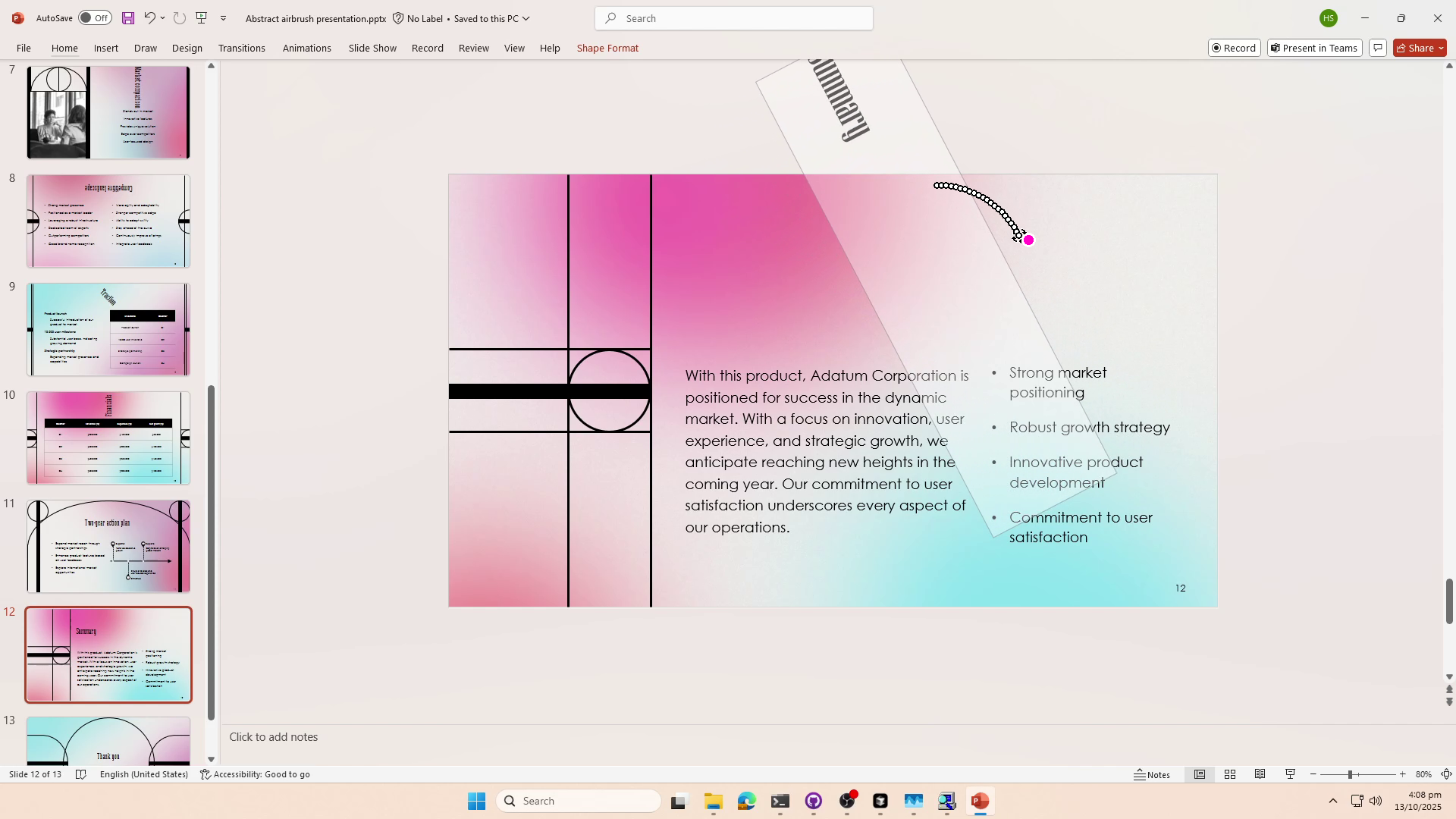
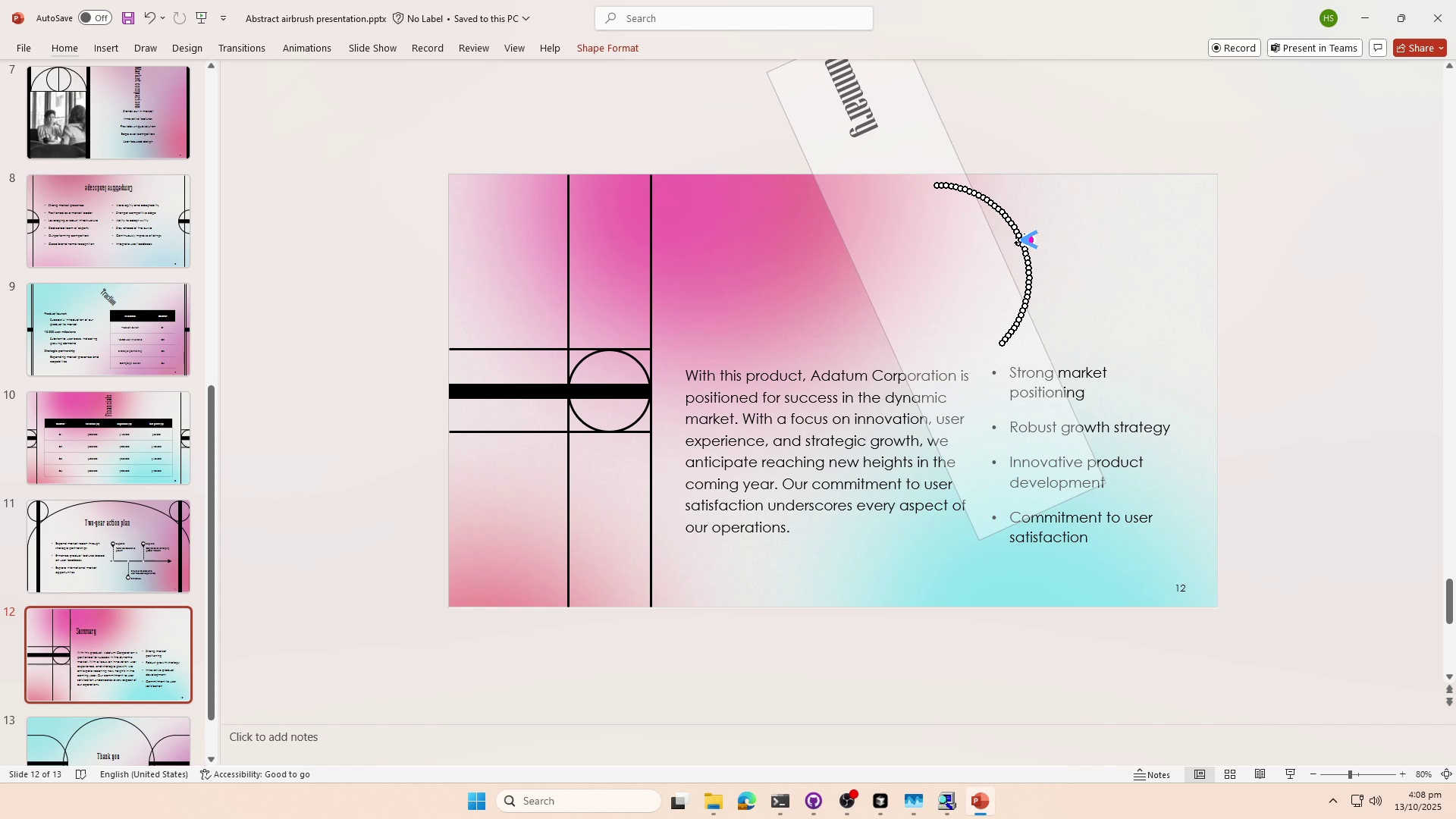
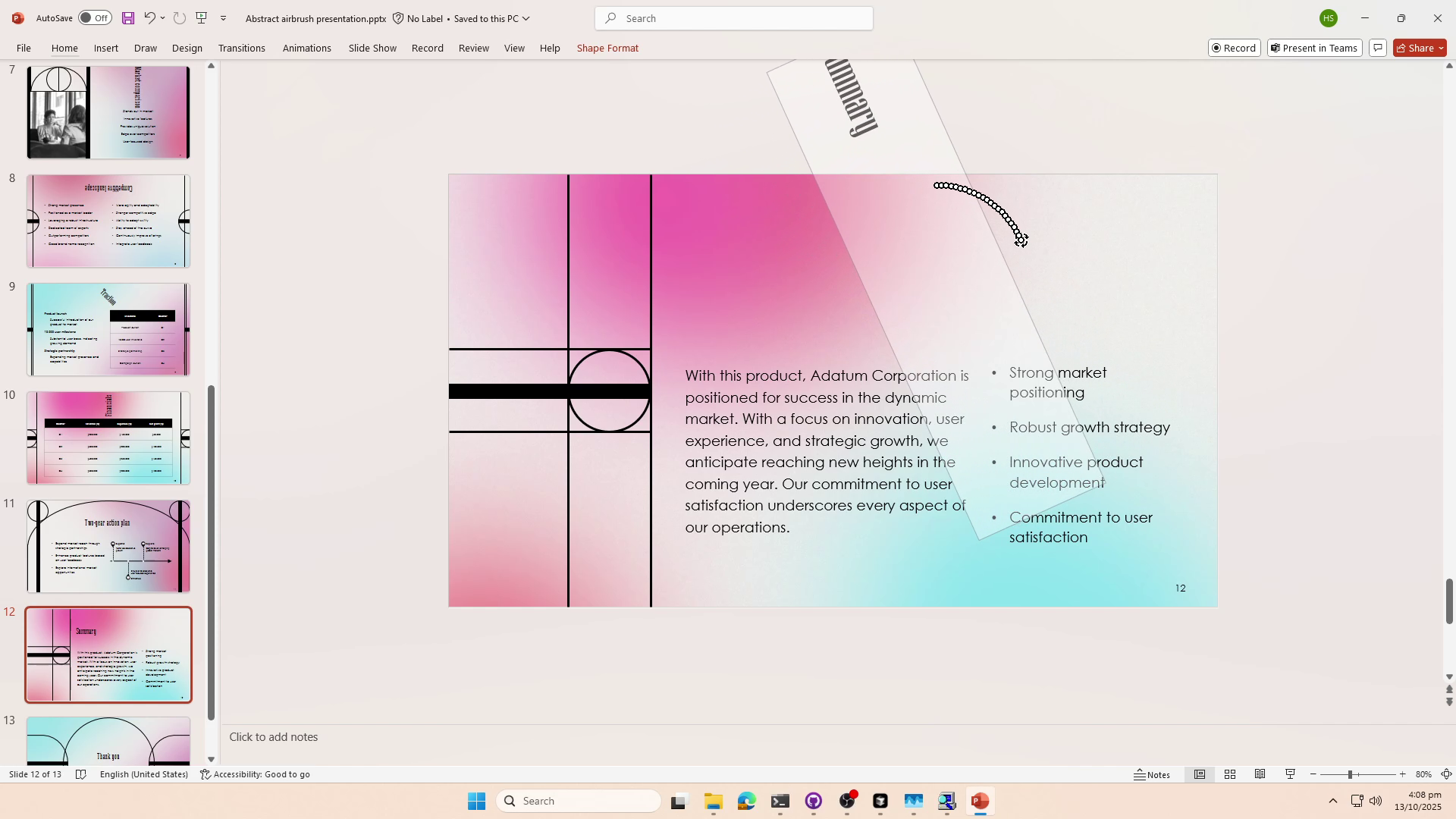
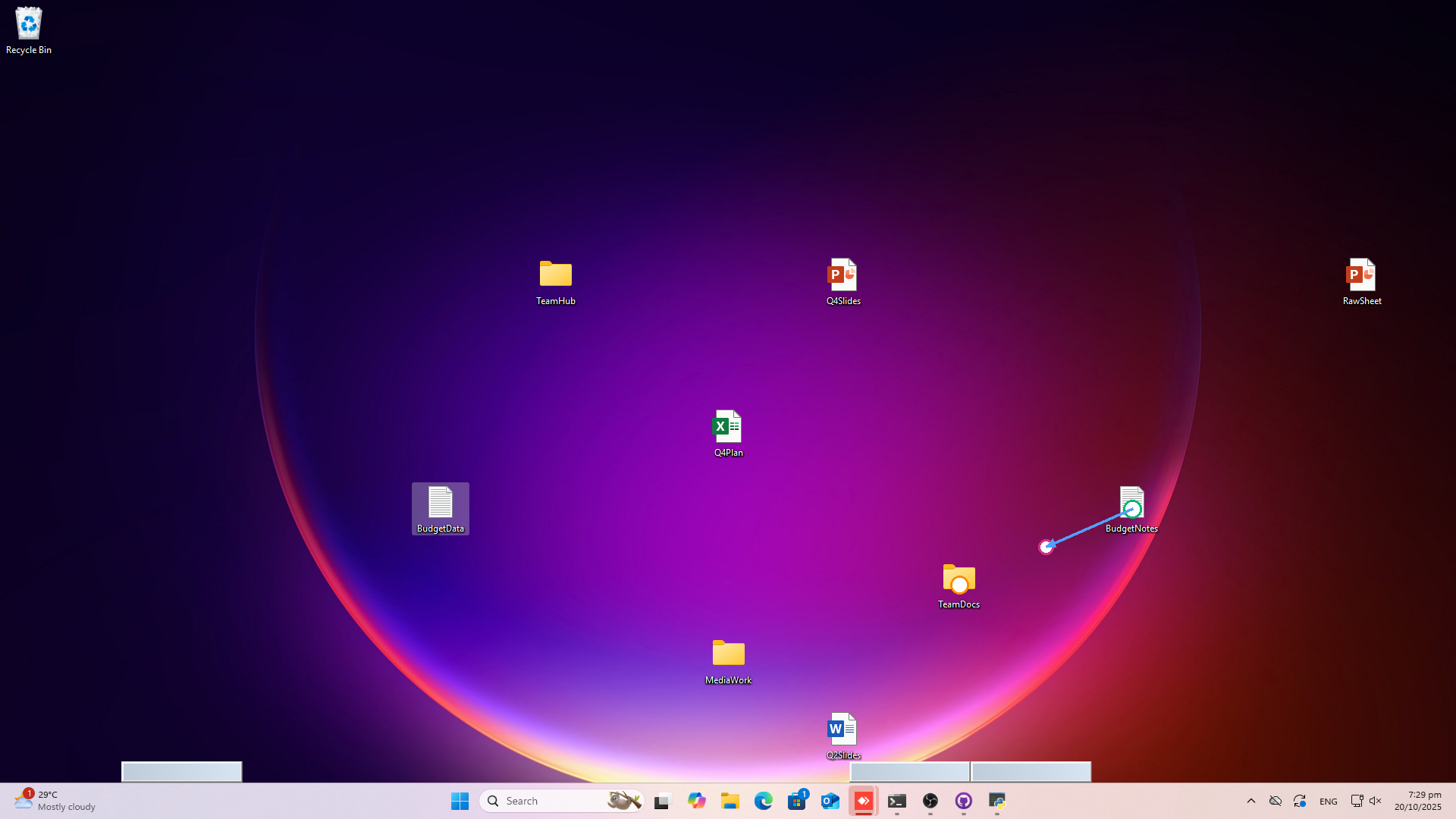
This paper is about building a computer agent that can move a mouse on the screen smoothly and precisely—like a human hand. Instead of just clicking once at a spot, the agent can do tricky “drag” actions: drawing, rotating a knob, sliding a bar, or solving a rotation puzzle. The authors created a new model called ShowUI-π and a new benchmark called ScreenDrag to train and test these skills.
2) The key questions
The researchers set out to answer a few simple questions:
- Why do most current computer-use AIs struggle with dragging, drawing, or rotating things on screen?
- Can we build a model that watches the screen in real time and generates a smooth path for the mouse, step by step?
- Can we treat simple clicks and long drags in one unified way so the model learns both together?
- How do we fairly test these skills across many real apps and tasks?
3) How it works (in everyday terms)
Here are the main ideas, explained simply:
- One action format for everything
- A click is just a super-short drag: press down, then release at the same spot.
- A drag is the same but with many tiny steps while the button is held down.
- So both clicks and drags can be represented as a sequence of points like: (x, y, mouse-down or mouse-up).
- This “single format” makes the model’s job simpler and more flexible.
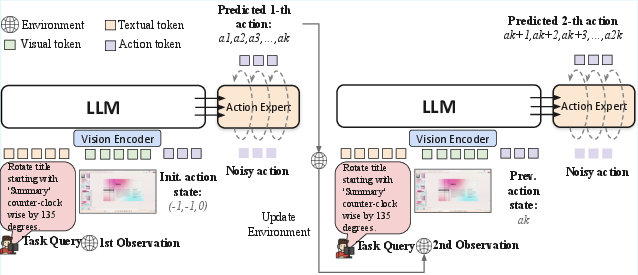
- Flow-based action generation (think “move a little, check, then move again”)
- The model looks at the current screenshot and the instruction (like “rotate the picture 45°”).
- It then predicts the next tiny mouse movement, not the entire path at once.
- After moving a little, it looks again and adjusts—like tracing a line while constantly watching your pen tip.
- The training method, called “flow matching,” teaches the model the direction and speed of these tiny steps so it can move smoothly from start to finish.
- Two extra training tricks make it steadier:
- Temporal weighting: care more about getting the start and the end of the drag exactly right.
- Directional regularization: make sure the pointer moves in the correct direction (reducing wobble or wrong turns).
- A new dataset and testbed: ScreenDrag
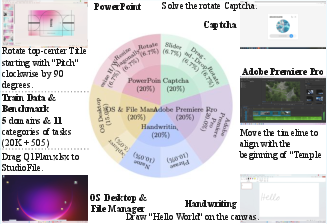
- They built a collection of 20,000 drag examples across 5 domains:
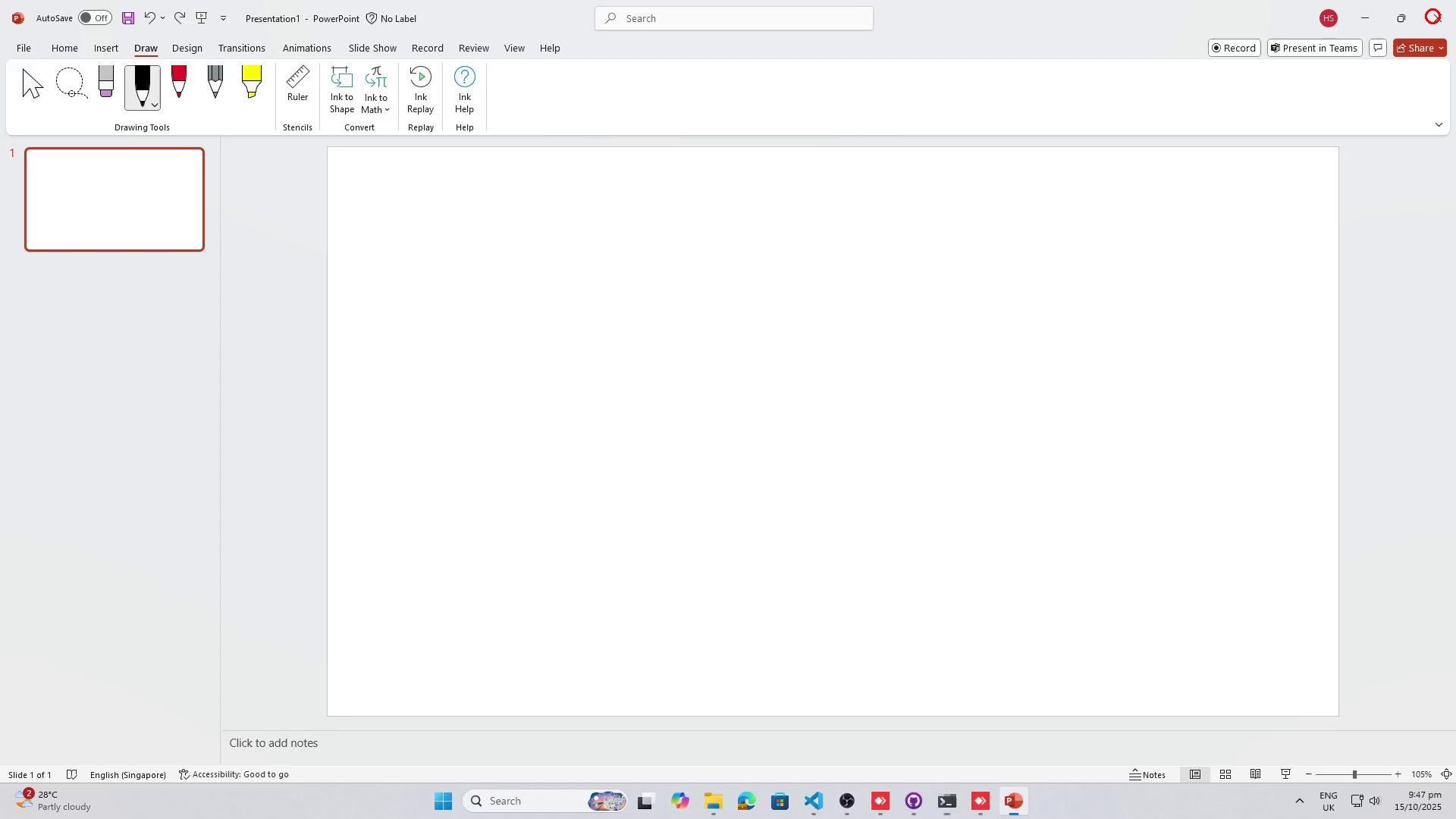
- PowerPoint (e.g., rotate/resize objects)
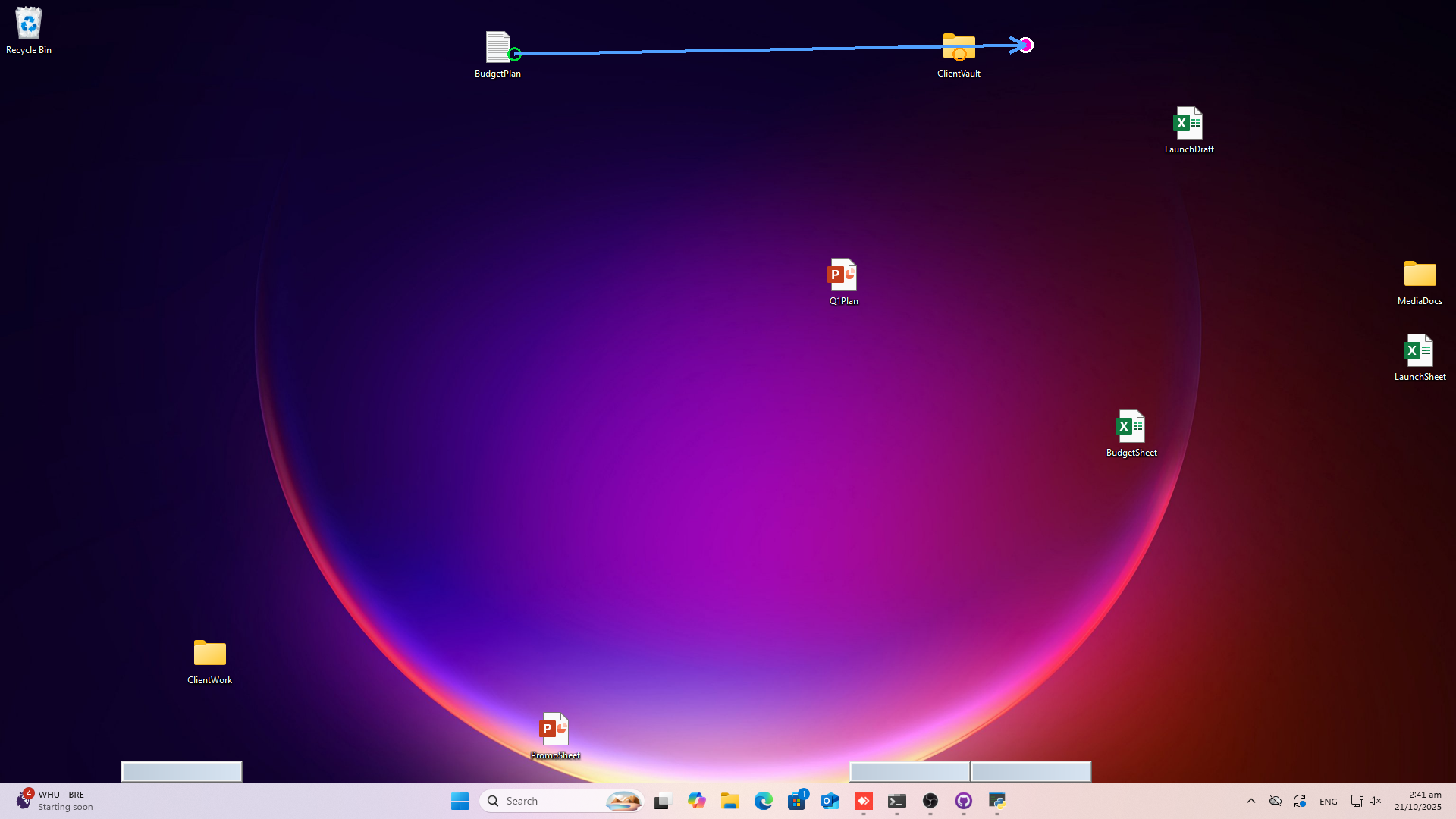
- Desktop/File manager (dragging files)
- Handwriting on a canvas
- Adobe Premiere Pro (dragging clips/effects)
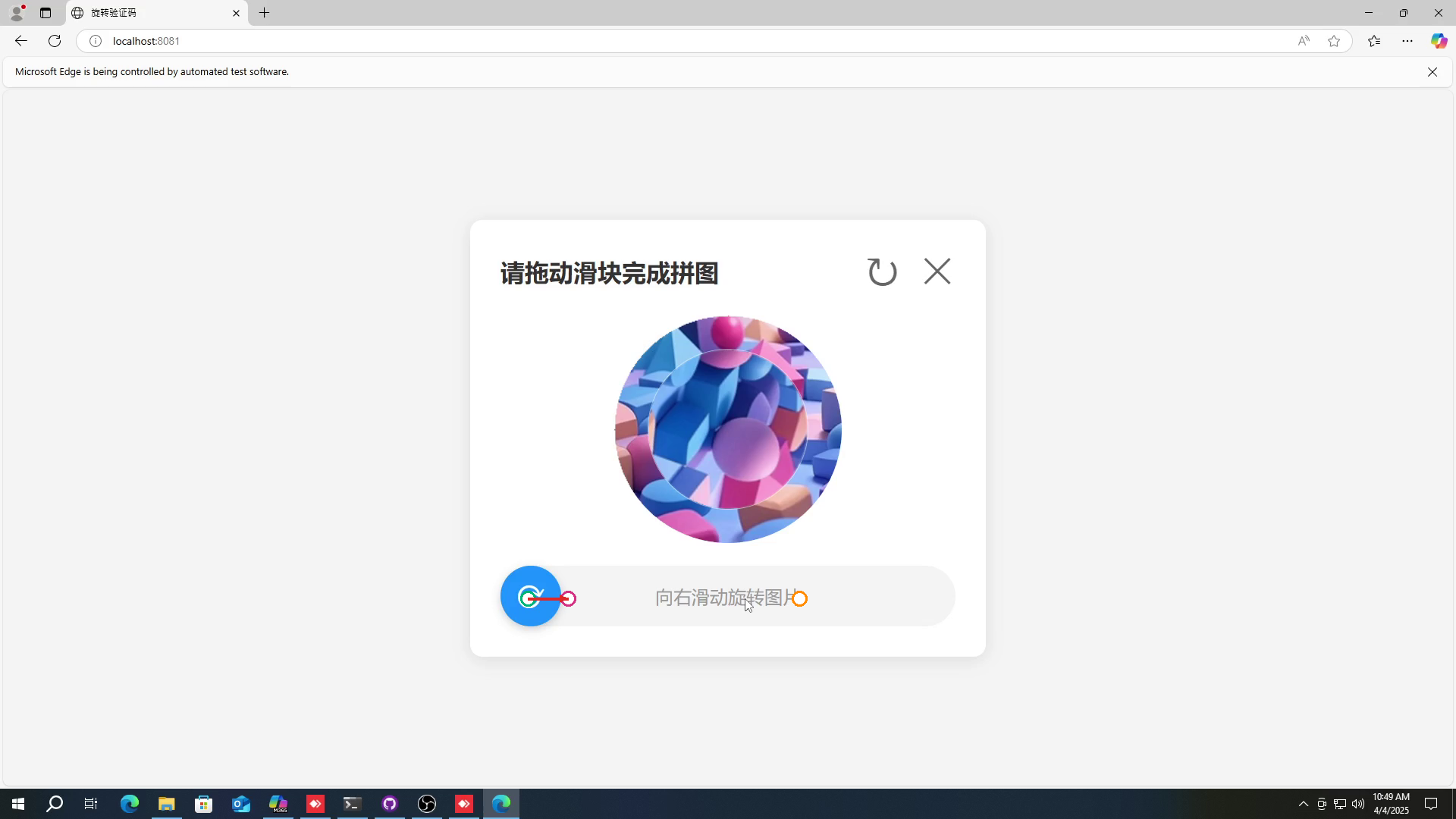
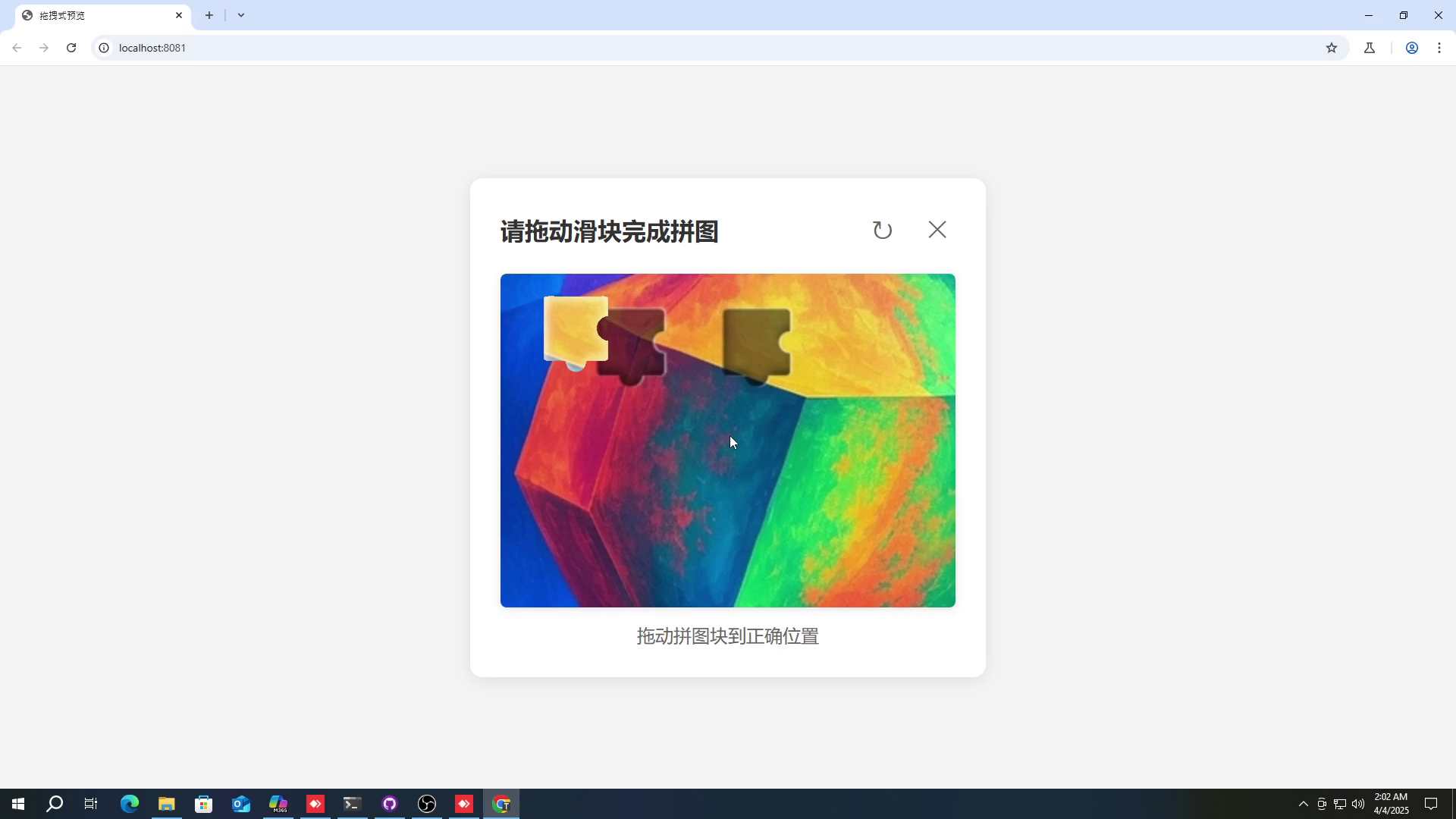
- Captcha rotation puzzles
- How they created the data:
- Read the app’s UI elements (like buttons and sliders) automatically.
- Ask a LLM to propose realistic drag tasks and even generate drag code with dense paths.
- Execute that code to create real trajectories, and check that the screen changed as expected.
- They also recorded human demonstrations.
- How they test models:
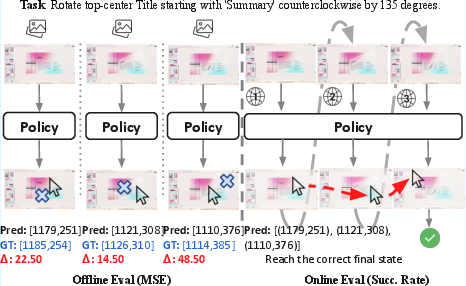
- Offline (open-loop): Compare the model’s predicted path to a recorded “ground-truth” path (measure step-by-step error and whether it ends at the right spot).
- Online (closed-loop): Let the model interact step by step, see the updated screen, and continue moving (measure task success rate). This is closer to how real use works.
4) Main results and why they matter
- Performance
- On the online test (the realistic, interactive one), ShowUI-π achieved a 26.98% overall success rate.
- Competing systems, including powerful proprietary ones, scored lower on this benchmark (for example, around 13–22%).
- On offline tests, ShowUI-π had the best accuracy and lowest path error across domains.
- It especially shined on tasks that truly need smooth, continuous control, like handwriting, rotating objects in PowerPoint, and Captcha rotation puzzles.
- Why this is important
- Most existing agents treat actions as “text commands” or “single clicks,” which makes them clumsy for long, delicate moves.
- ShowUI-π proves that treating mouse movement as a continuous, step-by-step process—always watching and adjusting—works much better for drag-heavy tasks.
- It does this with a relatively small model (about 450 million parameters), showing that smart design beats just making models bigger.
- What design choices mattered (from their ablation studies)
- Unifying clicks and drags in one action format: simpler and just as accurate as using separate heads, and it improved interactive success while keeping the model smaller.
- Temporal weighting: focusing extra on the first and last steps made a big difference (especially for puzzles like Captcha).
- Directional regularization: helped avoid jitter and wrong-way motions, improving success across all domains.
- Flow matching vs. other methods: flow-based training beat both “actions as language” and diffusion-style controllers for these tasks.
5) What this could mean going forward
This work is a step toward computer agents that can use software like skilled humans—precisely dragging, rotating, and drawing with confidence. That could help:
- Productivity: automate tricky UI chores in creative apps or video editors.
- Accessibility: assist people who need help with fine cursor control.
- Research: provide a strong testbed (ScreenDrag) to advance future agents.
Limitations and future directions the authors note:
- The current model is mid-sized and trained on a limited scale. They plan to scale up both the model and the training data.
- They also want to connect this “dexterous hand” with smarter planning systems, so the agent not only moves well but also decides what to do next even better.
In short, ShowUI-π treats the mouse like a real, dexterous hand, watches the screen as it moves, and learns smooth paths step by step. That simple shift—from single clicks to continuous motion—lets it tackle real, human-like computer tasks that other agents struggle with.
Knowledge Gaps
Knowledge gaps, limitations, and open questions
Below is a single, focused list of what remains missing, uncertain, or unexplored, written to be concrete and actionable for future research.
- Cross-platform generalization is untested: ScreenDrag and the pipeline rely on Windows UI Automation; no evidence for robustness on macOS, Linux, mobile, or touch interfaces (e.g., multi-touch, gestures like pinch/zoom).
- Limited action space: Actions are represented only as
(x, y, m)withm ∈ {down, up}; there is no support for scroll wheel, right/middle click, double-click timing, keyboard shortcuts, hover, long-press, multi-button drags, or modifier keys—all critical in real GUI use. - No explicit time or velocity modeling: Trajectories lack timing/speed profiles (e.g., jerk, acceleration), which are important for human-like control and triggering time-sensitive UI affordances.
- Unified head may degrade simple click tasks: Online OS domain success is low (13.11%), suggesting unified drag-click modeling may hurt click-centric tasks; when and how to switch or specialize remains open.
- Real interactive environments are approximated: The “data-driven” closed-loop uses nearest recorded states within an ε-radius; this may penalize valid but novel trajectories and does not capture true environment dynamics, delays, or stochastic UI behavior.
- Sensitivity to ε and acceptance regions is unstudied: Choice of ε (e.g., 20 px) and acceptance region design likely affects success; no sensitivity analysis or principled calibration is provided.
- Fairness of baseline comparisons: Baselines are limited to three interaction steps and, offline, only endpoints are evaluated for language-action models; standardized, equitable evaluation protocols are needed.
- Runtime performance and latency are unreported: Real-time throughput, end-to-end interaction latency, and responsiveness under streaming input (critical for closed-loop control) are not measured.
- Coverage of tasks is narrow: Dataset focuses on five domains and 11 categories; missing tasks include scrolling, text selection and editing, window management, context menus, menu navigation, lasso/multi-select, timeline scrubbing with constraints, zooming, and multi-app workflows.
- Robustness to UI variability is unknown: No tests for different resolutions/DPI, multi-monitor setups, theme/skin changes, occlusions, pop-ups/modals, dynamic content, or OS settings like pointer acceleration.
- Limited semantic verification: Success criteria emphasize spatial endpoints; there is no evaluation of instruction-level semantics (e.g., correctness of “write ‘Starlit grin’” beyond trajectory shape, or verifying the specified rotation angle).
- Data quality and composition are unclear: The ratio of human vs. synthesized trajectories, potential biases, and the fidelity of LLM-generated code/verifications (UI metadata change checks) are not quantified.
- Generalization to unseen apps/UI patterns is untested: Results are confined to the curated domains; transfer to novel applications, custom-rendered UIs, web canvases, or accessibility layers is unknown.
- No analysis of failure modes: There is no systematic categorization of errors (e.g., drift, overshoot, mis-click, wrong element, mode-switch errors) to guide targeted improvements.
- Training objective choices are ad hoc: Temporal weights (start/end emphasis) and directional regularization parameters (e.g., λ=0.1, weight=10) lack theoretical grounding; adaptive or learned weighting remains unexplored.
- Directional loss formulation is potentially suboptimal: The “directional regularization” uses points rather than velocity vectors; evaluating vector-based alignment or trajectory-level angular consistency may improve control.
- Limited comparison to alternative continuous-control methods: Beyond diffusion vs. flow matching, rectified flow, ODE/SDE variants, model-based control, RL with policy gradients, or hybrid IL+RL approaches are not assessed.
- Hierarchical integration with planners is missing: The paper hints at “text-centric planning” but does not explore multi-level policies (planner–controller separation), memory, or task decomposition for long-horizon workflows.
- Multi-modal event handling is absent: No modeling of asynchronous events (dialogs, notifications), tool switching, or feedback channels beyond vision (e.g., accessibility trees, system events) that could improve reliability.
- Ethical and policy alignment for Captcha tasks: The model solves Captchas that some baselines refuse on safety grounds; governance, compliance, and responsible-use policies are not discussed.
- Safety and sandboxing are not addressed: Executing GUI actions can be destructive (file moves, app settings); safeguards, permissioning, and recoverability mechanisms are unreported.
- Metrics for trajectory “human-likeness” are absent: Smoothness measures (jerk, curvature continuity), speed profiles, and user studies comparing human vs. model traces are not provided.
- Co-training with click-only datasets is unvalidated: Claims of unified modeling’s benefits are not supported by results on established click benchmarks (e.g., Mind2Web, OSWorld); transfer across task types remains an open question.
- Adaptive chunking/execution control is missing: Chunk size and execution steps are fixed; online adaptation based on UI dynamics, uncertainty, or confidence could improve performance but is not explored.
- Reproducibility and environment configuration details are sparse: Exact OS versions, app builds, UI scaling settings, and dataset licensing/redistribution constraints are not specified, hindering repeatability.
- Handling non-parseable/custom UIs: The pipeline relies on Windows UI Automation metadata; coverage gaps for custom-rendered elements (e.g., game engines, electron canvases) and fallback strategies are not evaluated.
- Interaction with text input fields is untested: Integration of keyboard typing, cursor selection, and text editing—core to automation—remains outside the current action space and benchmarks.
Glossary
- Acceptance region: The set of positions considered correct for a predicted action or goal, within a tolerance. "where $\hat{\mathbf{a}_t$ is the predicted intermediate action state, is the ground-truth intermediate action state, is the corresponding acceptance region, is the timestamp, and is the number of timesteps."
- Action expert: A lightweight model component specialized to predict actions from observations. "employs a lightweight action expert to incrementally predict cursor adjustments from continuous visual observations"
- Average Trajectory Error: A metric measuring the mean Euclidean distance between predicted and ground-truth coordinates across a trajectory. "Average Trajectory Error evaluates the mean square error of the entire trajectory"
- Chunk size: The number of action steps predicted in one model output before re-observation. "Ablation on Chunk Size and Execution Steps."
- Closed-loop: An interaction or evaluation setting where actions update the environment and the agent uses new observations in subsequent decisions. "online closed-loop evaluation using task success rate"
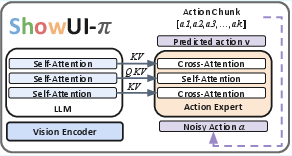
- Cross-attention: An attention mechanism where one sequence attends to another (e.g., actions attend to visual-language features). "interleaved self-attention and cross-attention"
- Data-driven online environment: A rollout environment constructed from recorded trajectories and states rather than a live OS, enabling reproducible closed-loop interaction. "In this data-driven online environment, the agent receives the current visual observation and task instruction"
- Dexterous manipulation: Fine-grained, precise control over actions or motions, analogous to human hand dexterity. "Building intelligent assistants capable of dexterous manipulation is essential"
- Diffusion Policies: Continuous generative control methods that transport distributions via score-based denoising. "Diffusion Policies instantiate the transport via score-based denoising"
- Directional regularization: A loss term that encourages predicted trajectory directions to align with ground truth. "we introduce a directional regularization loss term"
- Discrete, tokenized actions: Representing actions as discrete text-like tokens rather than continuous trajectories. "predicting discrete, tokenized actions from language decoding"
- Flow-based action head: A model component that uses flow-based methods to generate continuous actions, integrated with a VLM backbone. "combining a flow-based action head with VLM backbones for smooth, real-time continuous control"
- Flow-based generative model: A model that generates outputs by learning a velocity field to transport a base distribution to data. "ShowUI-$ is a lightweight flow-based generative model for GUI Automation"
- Flow matching: A training objective that regresses a time-conditioned velocity field to align generated trajectories with target paths. "the action expert is trained with flow matching to generate stable and precise action trajectories"
- High-degree-of-freedom dragging: Drag interactions requiring continuous, fine-grained control across many possible motion directions and magnitudes. "complex high-degree-of-freedom dragging"
- ODE-based sampling: Deterministic sampling of trajectories by integrating an ordinary differential equation defined by a learned velocity field. "eliminating explicit score estimation and iterative denoising for deterministic ODE-based sampling"
- Offline evaluation: Open-loop assessment of a policy’s stepwise accuracy without interactive environment updates. "Offline Evaluation is performed as an open-loop assessment of the policy"
- Online evaluation: Closed-loop assessment where the agent interacts sequentially with updated observations during rollout. "ScreenDrag introduces two complementary evaluation modes for drag tasks: {offline evaluation} and {online evaluation}."
- Open-loop: Evaluation where predictions are assessed against ground truth without feeding back their effects into the environment. "an offline open-loop evaluation using average trajectory error and endpoint accuracy"
- Probability path: The predefined trajectory in distribution space along which flow-based methods transport samples. "along a predefined probability path"
- PyAutoGUI: A Python library used to programmatically control mouse/keyboard for GUI automation. "we synthesize drag PyAutoGUI code containing dense trajectory coordinates"
- Rectified Flow: A flow-based framework that simplifies trajectory modeling and improves sample efficiency by rectifying the probability path. "Rectified Flow directly regress a time-conditioned velocity field along a predefined probability path"
- Reweighting scheme: A training strategy that assigns higher loss weights to critical trajectory steps (e.g., start and end). "we introduce a reweighting scheme that increases the contribution of both the initial and terminal segments of the trajectory"
- Rollout: A full sequence of interactions where the agent executes actions and receives subsequent observations to complete a task. "We measure performance primarily through binary task success (success or failure) per rollout"
- Score-based denoising: A diffusion modeling technique that iteratively reduces noise using the score (gradient of log-density). "instantiate the transport via score-based denoising"
- ScreenDrag benchmark: A dataset and evaluation suite for continuous GUI drag tasks across multiple domains. "ScreenDrag, a benchmark specially for continuous GUI tasks"
- Task Success Rate: The proportion of rollouts where the agent achieves the defined goal within tolerance. "Task Success Rate"
- Temporal quantization: Loss of fine-grained temporal precision due to discretizing actions into coarse tokens or bins. "suffers from temporal quantization when fine motor control is needed"
- Trajectory Endpoint Accuracy: The fraction of predicted trajectories whose endpoints lie within a specified tolerance of the ground truth. "Trajectory Endpoint Accuracy emphasizes endpoint precision"
- Trajectory Synthesis: Automated generation and execution of drag code to produce dense trajectory data. "Trajectory Synthesis: Next, we synthesize drag PyAutoGUI code containing dense trajectory coordinates"
- UI Automation of Windows SDK: An API for programmatically accessing UI element metadata in Windows applications. "UI Automation of Windows SDK in order to retrieve the UI element metadata"
- Unified Discrete–Continuous Actions: A single representation that treats clicks as short drags and models both clicks and drags as sequences of triplets. "Unified Discrete–Continuous Actions, integrating discrete clicks and continuous drags within a shared model"
- Vector field: A function mapping states and time to velocities that guide the evolution of actions in flow-based generation. "driven by a lightweight conditional vector field"
- Velocity field: The predicted time-conditioned directional speed that transports actions along the flow. "denotes the predicted velocity field at time "
- Vision-Language-Action (VLA) models: Models that map instructions and visual observations to actions for control tasks. "Vision-Language-Action models~\cite{diffusion_policy, pi_0, pi_0_5} in robotics leverage flow-based generative methods"
- Vision-LLMs (VLMs): Models that jointly process visual and textual inputs for perception and understanding. "vision-LLMs (VLMs)~\cite{qwen2vl, cogagent, seeclick, uground}"
Practical Applications
Immediate Applications
The following applications can be deployed now by leveraging ShowUI-π’s unified discrete–continuous action modeling, flow-based trajectory generation, and the ScreenDrag dataset/benchmark.
- Dexterous RPA for desktop software (software, media)
- Use case: Automate precise drag-and-drop, rotation, slider tuning, timeline scrubbing, and asset manipulation in Office apps (PowerPoint) and creative suites (Adobe Premiere Pro).
- Tool/product/workflow: “Dexterous GUI Agent SDK” that plugs into existing RPA stacks to replace brittle start–end drag macros with closed-loop, human-like trajectories; natural-language macros such as “rotate image 45°” or “align clip to 02:15 on the timeline.”
- Assumptions/dependencies: Windows UI Automation or equivalent app-level APIs; stable screen capture; low-latency inference; per-app calibration for coordinates/DPI; user permissions for on-screen control.
- Accessibility assistant for precise cursor manipulation (healthcare, accessibility)
- Use case: Voice- or switch-controlled “AI cursor” that executes fine-grained drags/sliders (e.g., resizing, docking, timeline adjustment) for users with motor impairments.
- Tool/product/workflow: An assistive overlay that confirms intent (“rotate image by 30°?”) and executes continuous drags with on-the-fly visual feedback; integrates with existing screen readers and voice systems.
- Assumptions/dependencies: Real-time inference on local hardware; clear confirmation UX; robust recovery from mis-drags; privacy-preserving on-device processing where feasible.
- Automated GUI QA for drag interactions (software engineering, testing)
- Use case: CI pipelines that validate interactive components (sliders, draggable lists, canvas tools) using human-like trajectories rather than discrete start–end points.
- Tool/product/workflow: “ScreenDrag Runner” integrates ATE/TEA and online success rate metrics; records intermediate states to detect regressions (e.g., jitter, missed endpoints).
- Assumptions/dependencies: Deterministic test environments or tolerances for visual variance; ability to record and replay intermediate UI states; standardized acceptance radii per component.
- Web automation with sliders and canvases (software, e-commerce, analytics)
- Use case: Adjust multi-knob filters on analytics dashboards, drag price ranges in e-commerce filters, sketch annotations in web canvases.
- Tool/product/workflow: Headless browser + screenshot-to-trajectory control; replace tokenized “drag(start,end)” with closed-loop flow-based control for robustness.
- Assumptions/dependencies: DOM-to-pixel mapping; cross-browser differences; anti-bot policies and rate limits; careful handling of authentication and PII.
- Natural-language slide and layout authoring (education, productivity)
- Use case: Generate fine-grained slide adjustments via text prompts: “shrink the image width by 40% from the right edge,” “rotate the logo clockwise by 30°,” “reflow elements to align centers.”
- Tool/product/workflow: PowerPoint add-in that uses ShowUI-π to perform complex manipulations continuously; logs changes for undo/versioning.
- Assumptions/dependencies: App-level plugin APIs; per-document coordinate normalization; conflict resolution with app auto-snapping behaviors.
- Timeline/track operations in NLEs (media production)
- Use case: Drag clips across tracks, adjust effect handles, scrub timelines to exact frames with visual confirmation.
- Tool/product/workflow: Premiere Pro helper that interprets text prompts and executes precise drags on bins/tracks; optional “teach mode” to record and replay expert trajectories.
- Assumptions/dependencies: Sufficient training coverage for target NLE; robust closed-loop observation under GPU acceleration; handle UI latency and tool switching.
- Handwriting and signature automation on digital canvases (legal, productivity)
- Use case: Generate realistic pen strokes for e-signatures or labels on canvases.
- Tool/product/workflow: “AI pen” that converts typed signatures into natural stroke trajectories; supports style templates and audit logs.
- Assumptions/dependencies: Legal acceptance of generated signatures; watermarking or audit trail; guardrails against fraud.
- Captcha red-teaming for internal security assessment (policy, security)
- Use case: Evaluate slider/rotation Captcha robustness and improve defenses.
- Tool/product/workflow: Internal-only test harness measuring success rate under different tolerances; helps calibrate difficulty and detect exploit patterns.
- Assumptions/dependencies: Strict ethical policies; never deploy for bypassing Captcha protections in production systems; require approvals and data minimization.
- Academic adoption of ScreenDrag (academia)
- Use case: Benchmarking continuous GUI manipulation, reproducing baselines, and conducting ablations on flow-based training, weighting, and directional regularization.
- Tool/product/workflow: Use the released dataset, online/offline protocols, and automated data collection pipeline (Windows UI Automation + LLM task proposal + trajectory synthesis) to extend to new apps.
- Assumptions/dependencies: Windows-centric UI metadata; access to LLMs for task generation; consistent verification modules for metadata change detection.
- Developer integration into existing computer-use agents (software)
- Use case: Replace discrete tokenized drags/clicks with a unified continuous action head for finer control without increasing model size substantially.
- Tool/product/workflow: Drop-in action expert with flow matching; interfaces to popular VLM planners to preserve reasoning while upgrading motor control.
- Assumptions/dependencies: Latency budgets; action-chunk sizing tuned to app dynamics; safe fallback to clicks for simple tasks.
Long-Term Applications
These applications require further research, scaling, and ecosystem development (e.g., larger models, broader datasets, multi-OS support, stronger guardrails).
- General-purpose computer-use autopilot with dexterous control (software, enterprise)
- Use case: Multi-step workflow agents that plan with LLMs and execute precise continuous actions across diverse apps and OSes.
- Tool/product/workflow: “Desktop Autopilot” combining text-centric planning with ShowUI-π-style action expert; unified head handles clicks + drags; persistent memory of UI states.
- Assumptions/dependencies: Larger models and training sets spanning many apps; robust multi-OS (Windows/macOS/Linux) UI automation; strong safety, consent, and audit trails.
- Cross-OS and web standardization of continuous GUI evaluation (policy, standards)
- Use case: Industry-wide benchmarks and certifications for continuous UI interaction quality and safety (ATE/TEA/online success metrics).
- Tool/product/workflow: W3C or ISO-like standard for trajectory-based evaluation; conformance tests for software vendors and RPA tools.
- Assumptions/dependencies: Broad stakeholder engagement; reproducible, open environments; privacy-respecting data collection; regulatory alignment.
- Industrial HMI manipulation and control rooms (energy, manufacturing)
- Use case: AI operator assists with SCADA dashboards: adjusting sliders/knobs, dragging setpoints, tuning parameters under supervision.
- Tool/product/workflow: “Dexterous HMI assistant” with certified safety layers, human-in-the-loop confirmation, and deterministic trajectories.
- Assumptions/dependencies: Domain-specific certification, fail-safe design, real-time guarantees, and rigorous testing under abnormal conditions; explicit logging and rollback.
- Advanced accessibility with eye-tracking and BCI (healthcare, accessibility)
- Use case: Intent-to-action mediator that interprets gaze or neural signals and executes fine motor tasks on-screen reliably.
- Tool/product/workflow: Low-latency pipeline combining ShowUI-π’s action expert with signal decoding; adaptive models for individual users.
- Assumptions/dependencies: Tight latency constraints; personalized calibration; medical-grade reliability and privacy; fallback mechanisms.
- In-app instructional tutors and training simulators (education, professional upskilling)
- Use case: Interactive lessons inside complex tools (Premiere, CAD) where the agent demonstrates and then assists user execution via continuous drags.
- Tool/product/workflow: “Trajectory tutor” records, annotates, and replays expert paths; provides stepwise guidance and error correction.
- Assumptions/dependencies: Plugin APIs; curriculum content; alignment of agent actions with instructional goals; user consent for telemetry.
- Trajectory-based fuzzing for UI robustness (software testing, security)
- Use case: Systematically explore edge-case drags (rapid reversals, micro-oscillations) to uncover jitter, race conditions, and state-desync bugs.
- Tool/product/workflow: Fuzzing suite generating diverse continuous paths; integrates with telemetry and crash repro.
- Assumptions/dependencies: Coverage metrics for continuous interaction spaces; scalable replay infrastructure; differential testing across versions.
- Bot detection using trajectory signatures (security, policy)
- Use case: Develop detectors that distinguish human vs agent trajectories on sliders/canvases; improve Captcha or fraud detection.
- Tool/product/workflow: Classifiers trained on human and synthetic trajectories; deploy as part of risk scoring.
- Assumptions/dependencies: Ethically sourced datasets; privacy-preserving telemetry; minimize false positives; transparent policies.
- Transfer to physical robotics and teleoperation (robotics)
- Use case: Apply insights from flow matching and directional regularization to fine-grained physical manipulation or remote robot control UIs.
- Tool/product/workflow: Shared VLA backbone for screen-based and physical tasks; simulation-to-real adaptations for velocity fields.
- Assumptions/dependencies: Cross-domain generalization; sensor fusion; safety in physical environments; extensive validation.
- Finance and operations dashboards (finance, ops)
- Use case: Agents adjust parameters across trading or ops dashboards (e.g., scenario sliders), maintaining auditability.
- Tool/product/workflow: “Audit-ready desk assistant” that logs trajectory intents and outcomes; integrates with compliance tools.
- Assumptions/dependencies: Strict governance, role-based permissions, immutable logs, and rollback; careful handling of live systems.
- Governance and compliance frameworks for desktop automation (policy, enterprise)
- Use case: Establish organizational guidelines and guardrails for deploying dexterous GUI agents (e.g., task whitelists, human confirmation for risky actions).
- Tool/product/workflow: Policy kits with allowed actions, logging standards, red-team procedures, and monitored deployment playbooks.
- Assumptions/dependencies: Stakeholder buy-in; measurable risk thresholds; integration with identity and access management.
Notes on feasibility across applications:
- Portability: Current pipeline is Windows-centric; macOS/Linux support requires equivalent UI automation hooks.
- Performance: Real-time closed-loop control depends on fast screen capture and inference; hardware acceleration may be needed for high-FPS tasks.
- Generalization: The 20K trajectory dataset spans five domains; broader deployment likely needs additional app-specific data and fine-tuning.
- Safety and ethics: Captcha-related capabilities must be restricted to authorized testing; ensure user consent, privacy, and transparency in all automation.
- Integration: For multi-step tasks, coupling ShowUI-π with text-centric planning is essential; ensure robust fallback behaviors and undo/redo support.
Collections
Sign up for free to add this paper to one or more collections.

