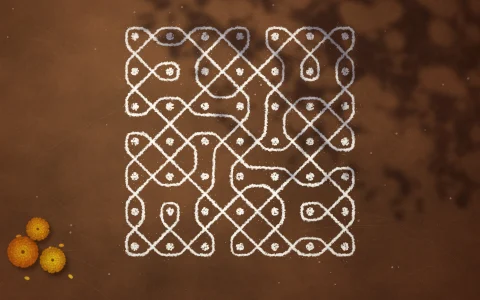
Paint once and any of the 17 plane symmetry groups repeats the stroke across the plane.
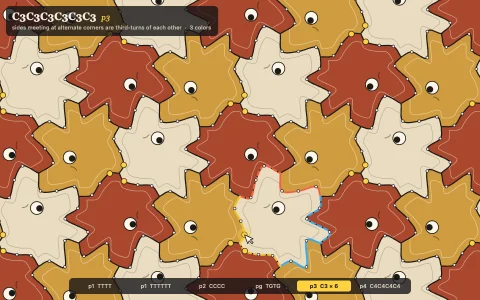
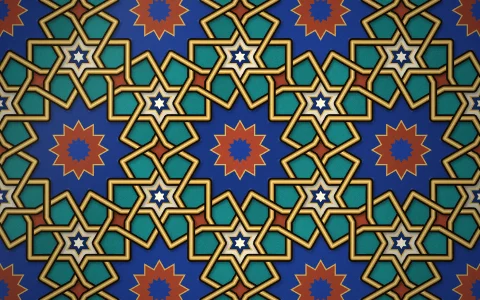
Each of the 17 wallpaper groups is a lattice plus a few isometries: rotations, mirrors and glide reflections. A brush stroke is stored once as a tapered polygon and painted through every isometry into one rectangular repeat of the lattice, wrapped at its edges, and that repeat fills the screen as a pattern, so copies meet without seams at any zoom. The overlay is computed, not placed: composing each isometry with nearby lattice translations gives the rotation centers (marked with the crystallographic symbol for their order) and the reflection axes, solid when some composition slides zero along them (a mirror) and dashed otherwise (a glide). Switching group re-tiles the same strokes instantly, labeled with the IUCr name and Conway's orbifold signature.
Try it. Draw with the mouse or a finger. Click the group chips or use the arrow keys to re-tile the same drawing under another group (on a phone, tap near the left or right edge). C cycles the textile and tile palettes, O toggles the symmetry overlay, Backspace undoes and Space clears. Left alone, a brush paints while the groups cycle.
Paste this into Claude Code, Codex or any coding agent to get a simple version running, then take it wherever you like.
Build a symmetry drawing toy with JavaScript and the HTML canvas element: whatever I draw is repeated across the whole screen by one of the 17 wallpaper groups. Put everything in a single index.html file with no libraries or build step, so I can open it directly in a browser.

Start simple:
- Make a canvas that fills the window, stays sharp on high-DPI screens (scale by devicePixelRatio), and resizes with the window. Use a warm cream background.
- Create an offscreen canvas for one square cell of the pattern, about 160 pixels on a side. Fill the main screen with it using createPattern so it repeats.
- Represent a group as a list of isometries x -> M x + t (a 2 by 2 matrix and a translation, in cell units). Start with four square groups: p4 (rotations by 0, 90, 180 and 270 degrees), p4m (those plus four mirrors), pmm and pgg.
- When I drag the mouse, convert each new line segment to cell coordinates and draw it into the cell through every isometry, using ctx.setTransform. Wrap each copy back into the cell and also draw it shifted by one cell in each direction so lines crossing the border do not get cut off.
- Number keys switch the group; keep the strokes in a list so switching redraws the same drawing under the new group.

Once that works, make it beautiful:
- Draw strokes as tapered brush shapes with a dark outline in a tile palette (cobalt, emerald, ochre, terracotta), like Moroccan zellige.
- Overlay the symmetry: solid red mirror lines, dashed glide lines, and small squares at the quarter-turn centers.
- Show the group's name in big type.

Explain the key ideas in short code comments. When you're done, tell me how to open it and suggest three directions I could take it next, such as adding the hexagonal groups (p3, p31m, p6m) with a rectangular repeat that holds two lattice points, labeling groups in orbifold notation, or computing the overlay automatically from the isometries.