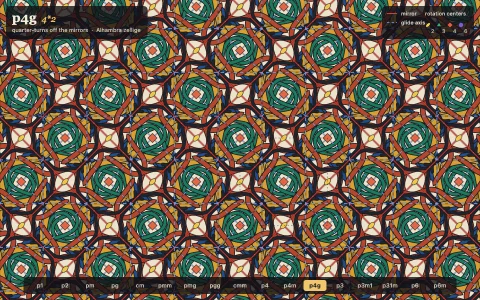
Drag one edge of an Escher-style creature and every copy reshapes while still tiling.
Six of Heesch's isohedral types, from TTTT (translations) and CCCC (half-turns) to TGTG (glide reflections) and the three- and four-fold C3 and C4 types. Only the master edges are free, Catmull-Rom splines through a few handles; each partner edge is computed from its master by the isometry that pairs them, and C edges are made symmetric under a half-turn about their own midpoint, so the tile always fits its neighbors. A breadth first search over the same isometries fills the screen, and a search over colorings of the form (class + a i + b j) mod n finds the fewest colors with no two neighbors alike. Every creature gets an eye at the point deepest inside the tile, and it watches your pointer.
Try it. Drag the dots on any edge of any tile and its partners move with it everywhere (a drag stops just before the tile would fold over itself). The highlighted tile shows which edges are linked (solid master, dashed copy). Click the type chips or press 1 to 6 or the arrows to change type, Space for a new random creature, R for straight edges and C for another palette. Left alone, a ghost hand sculpts the tiles.
Paste this into Claude Code, Codex or any coding agent to get a simple version running, then take it wherever you like.
Build an Escher-style tessellation editor with JavaScript and the HTML canvas element: the screen is filled with interlocking creatures, and dragging a point on one tile's edge reshapes every copy while they still fit perfectly. Put everything in a single index.html file with no libraries or build step, so I can open it directly in a browser.

Start simple:
- Make a canvas that fills the window, stays sharp on high-DPI screens (scale by devicePixelRatio), and resizes with the window.
- Start with the easiest case: a square tile whose bottom edge is a free curve and whose top edge is the same curve moved up by one tile, and likewise left and right. Store the bottom and left edges as a few draggable control points and draw each as a smooth Catmull-Rom curve.
- Build the tile outline in order: bottom edge, right edge (the left edge shifted right), top edge (the bottom edge shifted up, traversed backwards), left edge.
- Draw the same Path2D at every grid position with ctx.translate, alternating two colors like a checkerboard, with a dark outline.
- Let me drag the control points. Show them as small dots on every tile, and map a dot on any copy back to the master edge it came from.

Once that works, make it beautiful:
- Give every tile an eye placed at the point deepest inside the outline (sample a grid of points and keep the one farthest from the boundary), with a pupil that follows the mouse.
- Use a warm woodcut palette: cream, ochre, rust and slate with near-black ink.
- Add a second tile type where the left and right edges are linked by a glide reflection instead of a translation, so neighboring columns are mirror images.

Explain the key ideas in short code comments. When you're done, tell me how to open it and suggest three directions I could take it next, such as hexagonal tiles with third-turn edges, filling the plane with a breadth first search over the edge pairings, or an autopilot that slowly sculpts the creature.