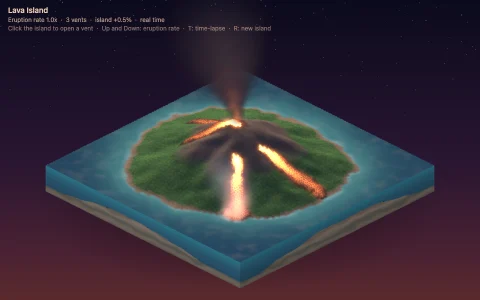
A floating voxel island with baked AO, sun shadows and a waterfall. Click to build.
A sky island of about fourteen thousand voxels: a noise-shaped meadow with a rocky hill, a pond whose stream pours off the edge as a waterfall, a cottage with a smoking chimney, and trees grown by a 3D L-system whose rewritten string is read by a turtle that pitches, rolls and stamps wood and leaves. A software rasterizer fills every camera-facing voxel face as a z-buffered parallelogram, so the island can turn smoothly between its four 90 degree views. Each face corner carries baked ambient occlusion (the classic three-neighbor voxel AO) and a sun shadow from a ray marched through the grid with a 3D DDA, interpolated across the face. Water is composited each frame from the bed beneath it, tinted by the depth of water along the view ray, with sparkles, a flowing stream, a falling waterfall and drifting cloud shadows.
Try it. Click a face to place the chosen block and right-click or Shift-click (or the Remove chip) to dig one out; lighting and shadows rebake instantly. The Tree chip plants a tree that grows voxel by voxel. Q and E or the arrow keys turn the island, 1 to 9 pick a block, and R rebuilds it.
Paste this into Claude Code, Codex or any coding agent to get a simple version running, then take it wherever you like.
Build an isometric voxel island with JavaScript and the HTML canvas element. Put everything in a single index.html file with no libraries or build step, so I can open it directly in a browser.

Start simple:
- Make a canvas that fills the window and stays sharp on high-DPI screens. Give it a soft pastel sky gradient.
- Store the world in a Uint8Array voxel grid, about 32 x 24 x 32, where each cell holds a material id (air, grass, dirt, stone, sand, water, wood, leaves).
- Generate a round island: write a small 2D value noise function, use it for a height map that falls off toward the edge, put grass on top and dirt and stone below, and fill a hollow in the middle with water.
- Draw it isometrically. Each voxel shows three faces (top, left and right). Sort voxels back to front (by x + z, then y) and fill each face as a polygon, with the top lightest and the two sides darker.
- Use a fixed seed so the island looks the same every time.

Once that works, make it beautiful:
- Add voxel ambient occlusion: for each face corner, count the three neighboring voxels around it and darken the corner, then draw the face with a gradient or split it into four shaded triangles.
- Add sun shadows: from each top face, step through the grid toward the sun and darken the face if a voxel blocks it.
- Add a few trees (a trunk and a blob of leaves) and draw the water translucent so the bed shows through.
- Click a face to add a voxel next to it, right-click to remove one, and press Q and E to turn the view by 90 degrees.

Explain the key ideas in short code comments. When you're done, tell me how to open it and suggest three directions I could take it next, such as growing trees with an L-system, animating a waterfall, or replacing the polygon drawing with a z-buffered rasterizer that can turn smoothly.