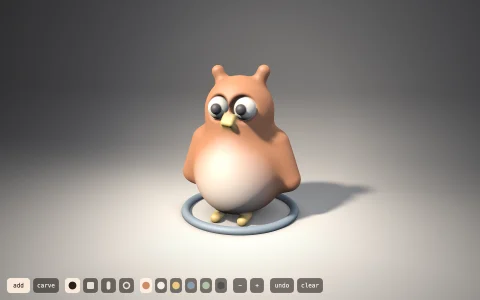
Catmull-Clark turns an editable cube cage into a smooth clay creature, live.
Each Catmull-Clark step adds a point to every face and every edge, moves each old vertex to a weighted blend of its neighbourhood, and splits every n-sided face into n quads; repeated, the mesh converges to a smooth limit surface, which is how animated films model characters. Creased edges follow the DeRose, Kass and Truong rules, keeping a sharp midpoint rule for as many levels as their sharpness before relaxing, so the feet keep soft flat soles. Because every new vertex is a fixed linear blend of the previous level's, each level is compiled into stencils once per topology change and replayed every frame, and morphing between levels slides each vertex from its plain face-split position to its smoothed one so the limit surface visibly emerges. The surface is drawn by a z-buffered triangle rasterizer that interpolates normals into a procedurally painted clay matcap and computes the quad wireframe per pixel; the cage on top is depth-tested against the same buffer.
Try it. Click a cage face to select it, then Extrude (E) or Crease (C) it; drag the white dots to pull vertices, and drag anywhere else to turn the model. Pick a subdivision level from 0 to 4 (or press 0 to 4), toggle the cage (H) and wireframe (W), press Cube (R) to start over, or Grow (G) to watch the autopilot sculpt a creature from a cube.
Paste this into Claude Code, Codex or any coding agent to get a simple version running, then take it wherever you like.
Build a Catmull-Clark subdivision surface viewer with JavaScript and the HTML canvas element: a cube cage that smooths into a rounded shape, level by level, with vertices I can drag. Put everything in a single index.html file with no libraries or build step, so I can open it directly in a browser.

Start simple:
- Store the cage as a list of 3D points and a list of faces (each face lists its corners counter-clockwise from outside). Start with a cube.
- Write one Catmull-Clark step: a face point at the average of each face's corners; an edge point at the average of the edge's two ends and its two neighbouring face points; each old vertex moved to (F + 2R + (n - 3) V) / n, where F averages the surrounding face points, R averages the midpoints of its edges and n is how many edges it has. Then split every face into quads (corner, edge point, face point, edge point).
- Apply it two or three times, rotate the result slowly and draw it with perspective, sorting the quads back to front and shading each by its normal against a light. Draw the cage on top as thin lines with dots at its vertices.
- Add keys 0 to 3 to choose the level.

Once that works, make it beautiful:
- Paint a soft clay look: average face normals into vertex normals and shade with a warm, gently wrapped light, a cool fill and a faint rim, on a dark studio background with a soft shadow.
- Let me drag the cage dots to reshape the surface live, and drag empty space to turn the model.
- Add an extrude button that pushes the selected face out and joins it to the old one with new side faces.

Explain the key ideas in short code comments. When you're done, tell me how to open it and suggest three directions I could take it next, such as sharp creases, a z-buffer rasterizer with a matcap, or morphing smoothly between levels.