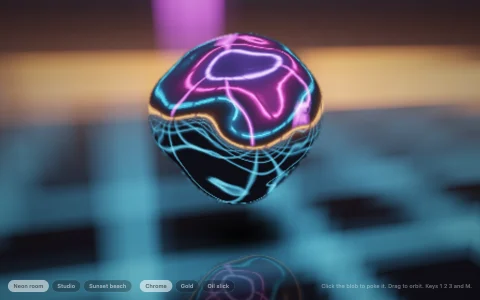
Digital clay: press on soft lumps or carve them away, ray marched in a tiny photo studio.
Every lump, dent and ring on the sculpture is a signed distance primitive (a sphere, rounded cube, capsule or torus), and the sculpture is their running smooth union and smooth subtraction in the order they were made. The smooth minimum blends each new shape into the clay over a short radius instead of leaving a crease, and the same blend weight mixes the colors, so a pale lump pressed into terracotta smears at the seam. To keep it fast, the sculpture's box is cut into a coarse grid and each cell lists only the shapes that can reach it, so the distance is exact where it matters and a cheap safe bound everywhere else. It is lit like a product shot, with a paper backdrop that curves up into a wall, a warm key light with soft shadows, cool fill, a rim light and ambient occlusion, rendered on a small pool of Web Workers and refined with jittered samples whenever the view holds still.
Try it. Click the clay to press on the chosen shape where you point; shift click, right click or the carve tool cuts it away instead. Pick shapes, clays and sizes from the toolbar (or press 1 to 4, A, C, and the bracket keys). Drag to orbit, scroll to zoom, Z to undo, X to start over.
Paste this into Claude Code, Codex or any coding agent to get a simple version running, then take it wherever you like.
Build a tiny clay sculpting toy with signed distance fields, JavaScript and the HTML canvas element. Put everything in a single index.html file with no libraries or build step, so I can open it directly in a browser.

Start simple:
- Make a canvas that fills the window and resizes with it. Render into a small offscreen canvas (about 240 by 150 pixels) with an ImageData buffer, and draw it scaled up to fill the screen.
- Keep the sculpture as a list of spheres, each with a center, a radius and a color. Its distance function combines them with a smooth minimum (the polynomial smin with a blend radius k), so touching spheres melt into one another like soft clay. Add a floor plane underneath.
- Put an orbiting camera around the sculpture and sphere trace a ray for each pixel. Shade hits with a normal from central differences and a warm light from above and to the side.
- When I click, cast one ray through the mouse position. If it hits the clay, add a new sphere at the hit point, pushed out a little along the normal. Grow its radius from zero over a fraction of a second so it squishes into place.
- Drag to orbit the camera. Redraw every frame with requestAnimationFrame.

Once that works, make it beautiful:
- Add a soft shadow toward the light and a few samples of ambient occlusion along the normal.
- Blend colors with the same weight the smooth minimum uses, so a white lump on red clay smears at the seam.
- Let shift-click carve instead, using smooth subtraction.

Explain the key ideas in short code comments. When you're done, tell me how to open it and suggest three directions I could take it next, such as more primitives like rounded cubes and tori, a grid that skips shapes far from each ray step, or sharpening the image whenever the camera holds still.