Raindrops bead, merge and run down a fogged window, each a tiny upside-down city.
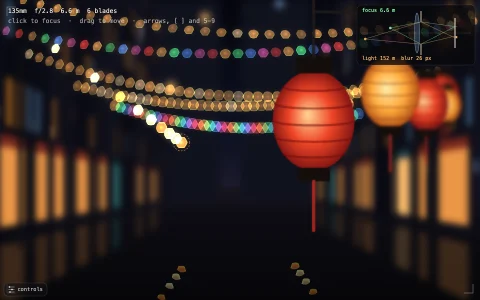
A city at dusk is drawn twice: sharp, and as an out-of-focus plate where every lit window becomes a bokeh disc. Each raindrop is a ball lens, rendered by clipping to its outline and painting the sharp city into it rotated half a turn and shrunk, with a shaded rim and a glint on top. Drops are particles whose weight grows with volume while contact-line pinning grows only with size, so small ones cling and big ones slide, stick, slip and wander along a noise field of grime on the glass. Rain comes in slow showers with the odd fat drip from the frame above, touching drops merge, runners shed beads and clear trails through the condensation, and the fog slowly creeps back.
Try it. Drag to wipe the glass. Tap to land a fat drop that soon runs. Scroll or use the arrow keys to change the rain, F fogs the glass up again and R starts over.
Paste this into Claude Code, Codex or any coding agent to get a simple version running, then take it wherever you like.
Build a rainy window at night with JavaScript and the HTML canvas element: raindrops on glass in front of a blurred city. Put everything in a single index.html file with no libraries or build step, so I can open it directly in a browser.

Start simple:
- Make a canvas that fills the window, stays sharp on high-DPI screens (scale by devicePixelRatio), and resizes with the window.
- Draw a simple city into an offscreen canvas: a dusk sky gradient, dark rectangles for buildings, and small warm rectangles for lit windows. This is the sharp scene.
- For the background, draw it to a canvas a tenth the size and scale it back up, then add soft translucent circles (bokeh) over some of the lit windows.
- Keep an array of drops, each with a position, a radius and a vertical speed. Spawn new drops at random spots over time.
- Draw each drop as a little lens: save the context, clip to a circle, translate to the drop, scale(-1, -1), and drawImage a patch of the sharp scene around the drop, much larger than the drop itself. Real drops show the world upside down and shrunk. Add a dark edge and a white highlight.

Once that works, make it feel real:
- Gravity grows with a drop's volume (radius cubed) but sticking grows with its outline (radius), so only big drops slide. Let sliding drops wander sideways a little and slow down when they get smaller.
- When two drops overlap, merge them into one with the combined volume, so merges set off runs down the glass.
- Cover the glass with a fog layer and let sliding drops and pointer drags clear paths through it with destination-out strokes, then slowly fog it back up.

Explain the key ideas in short code comments. When you're done, tell me how to open it and suggest three directions I could take it next, such as tiny trail droplets left behind by sliding drops, moving car lights in the street, or a slider for how hard it rains.