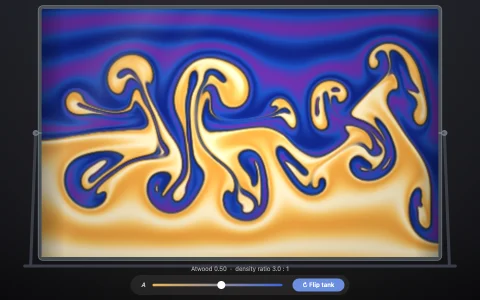
Thousands of particles that slosh, splash and pour like a liquid.
Smoothed particle hydrodynamics treats water as particles that each spread their mass over a small radius. Each step computes density from neighbors, turns density into pressure, and pushes particles apart or together, with a bit of viscosity to calm them. The tank rocks back and forth so the water sloshes, a spout pours in more, and the particles are drawn as one smooth surface that bends the tiles behind it, with a glossy highlight and foam where the water moves fast.
Try it. Drag through the water to push it. Click to pour in more. Use the arrow keys to tilt the tank.
Paste this into Claude Code, Codex or any coding agent to get a simple version running, then take it wherever you like.
Build a particle water simulation with JavaScript and the HTML canvas element. Put everything in a single index.html file with no libraries or build step, so I can open it directly in a browser.

Start simple:
- Make a canvas that fills the window, stays sharp on high-DPI screens (scale by devicePixelRatio), and resizes with the window.
- Fill part of a tank with about 1,500 particles stored in typed arrays.
- Each step: add gravity to the velocities, remember the old positions, move every particle by its velocity, then fix up positions with double density relaxation (Clavet et al.): for each pair closer than a radius h, sum a density and a near density from (1 - r/h) squared and cubed, turn them into pressure and near pressure, and push the pair apart along the line between them.
- Find neighbors with a uniform grid of cell size h instead of testing every pair.
- Clamp particles inside the tank, then set each velocity to its new position minus its old one, divided by the time step. Use two or three substeps per frame.

Once that works, make it beautiful:
- Tilt the tank back and forth by rotating its walls, so the water sloshes.
- Stop drawing dots: add a smooth kernel for every particle into a low-resolution density grid, draw water wherever the density passes a threshold, and scale the image up.
- Use the grid's gradient as a surface normal for highlights, darken with depth, and turn fast water into foam.
- Let me drag through the water to push it and click to pour more in.

Explain the key ideas in short code comments. When you're done, tell me how to open it and suggest three directions I could take it next, such as fake refraction of the background through the surface, viscosity for honey, or floating objects that bob on the waves.