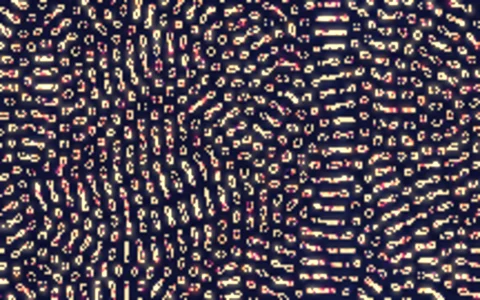
Two chemicals react and diffuse into coral, spots and stripes.
A Gray-Scott reaction-diffusion model tracks two virtual chemicals on a grid. Each step, both diffuse to neighbors at different rates, one consumes the other, and the second is replenished from outside. Those few rules grow organic patterns like the ones Alan Turing proposed for animal markings. The grid lives in typed arrays and is painted into ImageData with a color ramp.
Try it. Drag to drop new chemical seeds. Click the view, then press 1 to 4 to switch between coral, spots, worms and mitosis, or R to reseed.
Paste this into Claude Code, Codex or any coding agent to get a simple version running, then take it wherever you like.
Build a Gray-Scott reaction-diffusion simulation with JavaScript and the HTML canvas element. Put everything in a single index.html file with no libraries or build step, so I can open it directly in a browser.

Start simple:
- Make a canvas that fills the window and resizes with it. Simulate on a small grid (about 256 x 160 cells) and scale it up to fill the screen with drawImage.
- Keep two chemicals, A and B, in Float32Arrays. Start with A = 1 and B = 0 everywhere, then drop 20 or so small square seeds of B = 1 at random spots.
- Each step, compute the Laplacian with a 3x3 kernel (center -1, edges 0.2, corners 0.05) and wrap around the edges. Update with dA = 1.0 * lapA - A*B*B + feed*(1 - A) and dB = 0.5 * lapB + A*B*B - (feed + kill)*B, using two buffers you swap.
- Start with feed = 0.055 and kill = 0.062. Run about 10 steps per animation frame so the pattern grows quickly.
- Draw B into an ImageData buffer on an offscreen canvas, then draw that scaled up.
- Let the mouse paint new B seeds while dragging.

Once that works, make it beautiful:
- Replace grayscale with a color ramp lookup table (say deep navy, teal, coral, cream) precomputed into a Uint32Array so each pixel is one array write.
- Add fake emboss lighting by brightening or darkening each pixel using the difference of B between its upper-left and lower-right neighbors.
- Add presets on the number keys: coral (0.0545, 0.062), spots (0.03, 0.062), worms (0.078, 0.061) and mitosis (0.0367, 0.0649), and ease feed and kill toward the new values so patterns morph.

Explain the key ideas in short code comments. When you're done, tell me how to open it and suggest three directions I could take it next, such as letting feed and kill vary across the screen, running the simulation on the GPU, or seeding it from text or an image.