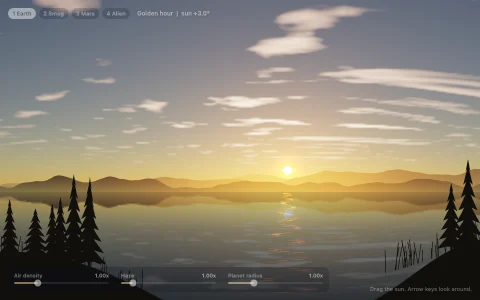
A total solar eclipse from a lakeshore, driven by the real shadow geometry.
The Sun, the Moon near perigee and a turning Earth sit in one frame measured in Earth radii, and the sky you see is computed from the observer's spot: the Moon's offset from the Sun, both angular radii, and the Sun's altitude. Baily's beads come from a rough lunar limb (its relief exaggerated a few times so the beads linger), where each valley leaks the sliver of photosphere between the Moon's edge and the Sun's, until one bead is left as the diamond ring. The corona is baked once from bending helmet streamers, super-radial polar plumes and fine striations, in both a radially filtered and a naked-eye version. The sky is added on top as airlight, so the Moon vanishes against blue and turns black in totality while the horizon glows all the way around; the globe inset shades every pixel with the true umbral and penumbral cones and traces the path of totality.
Try it. Drag on the globe to move the observer (off the path you only get a partial eclipse), drag the timeline to scrub, or use the left and right arrow keys to step and up and down to walk north or south. F switches the corona between radially filtered and as the eye sees it, Space or a click pauses, and R returns to the center line.
Paste this into Claude Code, Codex or any coding agent to get a simple version running, then take it wherever you like.
Build an animated total solar eclipse with JavaScript and the HTML canvas element. Put everything in a single index.html file with no libraries or build step, so I can open it directly in a browser.

Start simple:
- Make a canvas that fills the window, stays sharp on high-DPI screens (scale by devicePixelRatio), and resizes with the window.
- Draw the Sun as a disk with a radial gradient that darkens toward the edge (limb darkening). Draw the Moon as a slightly larger black disk (radius about 1.03 times the Sun's) that slides across it over about 15 seconds, then loops.
- Work out how much of the Sun is still visible with the formula for the area of overlap of two circles. Use the log of that fraction to darken a sky gradient from daytime blue to deep navy.
- Paint the sky after the Sun and Moon using globalCompositeOperation = "lighter". The sky is light scattered in the air in front of the Moon, so the Moon disappears against a bright sky and turns black only when the sky goes dark. That one trick does a lot of the realism.
- Add a simple silhouetted hill line along the bottom.

Once that works, make it beautiful:
- Precompute a corona into an offscreen canvas once: for each pixel outside the Sun, brightness falls off with radius and is modulated by a few Gaussian streamers in position angle plus fine radial streaks from 1D noise in angle. Draw it with "lighter" only when the light level is very low.
- Give the Moon a rough edge by storing a radius for every half degree around it. Where a valley lets a sliver of Sun through near second contact, draw a small glow: those are Baily's beads, and the last one is the diamond ring.
- Slow the animation down near the contacts so the beads last a second or two, and add an orange glow along the whole horizon during totality.

Explain the key ideas in short code comments. When you're done, tell me how to open it and suggest three directions I could take it next, such as computing the eclipse from real Sun, Moon and Earth positions, adding a small globe showing the shadow's path, or pink prominences on the solar limb.