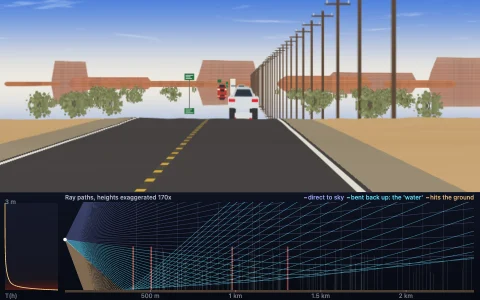
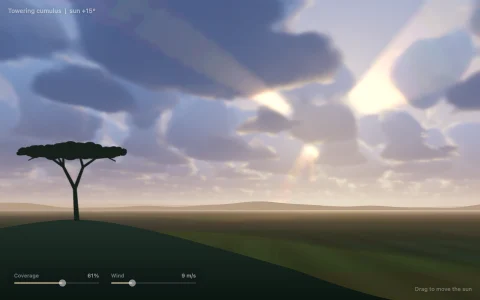
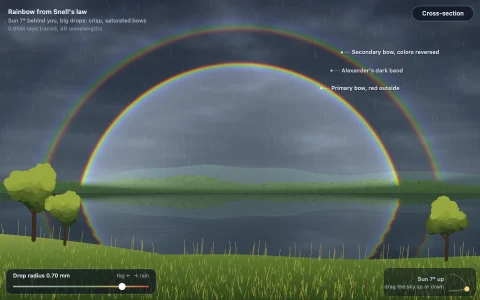
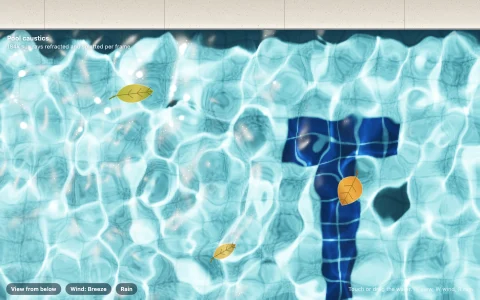
Drag the sun and watch real Rayleigh and Mie scattering paint the sky.
Every color in this sky comes from one integral. Sunlight is dimmed on its way through an exponential atmosphere with an ozone layer, scattered toward the eye by air molecules (Rayleigh, which favors blue) and aerosols (Mie, which glows around the sun), and dimmed again on the way out. A table of column densities toward the sun and a sky-view table packed densely near the horizon make it real time, with the sharp Mie phase applied per pixel. The mountains get the same physics as aerial perspective, and a second-order term lit by the previous frame's skylight keeps twilight blue and violet instead of black.
Try it. Drag anywhere to move the sun, including below the horizon for twilight. Use the sliders for air density, haze and planet radius, the chips or keys 1 to 4 for Earth, smog, Mars and an alien world, the left and right arrow keys to look around, and R to reset.
Paste this into Claude Code, Codex or any coding agent to get a simple version running, then take it wherever you like.
Build a physically based sky renderer with JavaScript and the HTML canvas element. Put everything in a single index.html file with no libraries or build step, so I can open it directly in a browser.

Start simple:
- Make a canvas that fills the window and resizes with it. Render the sky into a small offscreen canvas (about 200 by 120 pixels) with ImageData, then drawImage it scaled up with smoothing on.
- Model the planet as a sphere of radius 6360 km with an atmosphere 60 km thick. Air density falls off as exp(-height / 8 km), and Rayleigh scattering coefficients are about 5.8, 13.5 and 33.1 per 1000 km for red, green and blue.
- For each pixel, build a view ray from a camera standing just above the ground. March 16 steps along it to the top of the atmosphere. At each step, march a few more steps toward the sun to get the optical depth, then add density times exp(-(optical depth toward the eye + optical depth toward the sun)) times the step length.
- Multiply the sum by the Rayleigh coefficients, the Rayleigh phase function 3/(16 pi) (1 + cos^2 theta) and a sun intensity of about 20, then tone map with 1 - exp(-x) and gamma 2.2.
- Let the pointer's height set the sun's elevation so you can drag it from noon to below the horizon.

Once that works, make it beautiful:
- Add Mie scattering from aerosols (scale height 1.2 km, Henyey-Greenstein phase with g = 0.76) for the glow around the sun.
- Precompute a table of optical depth toward the sun by height and sun angle so the inner loop becomes a lookup, then raise the resolution.
- Draw the sun's disk in the color of the light that survives the trip, and dark mountain silhouettes on the horizon.
- Add sliders for air density and haze.

Explain the key ideas in short code comments. When you're done, tell me how to open it and suggest three directions I could take it next, such as an ozone layer for blue twilight, aerial perspective on distant mountains, or a Martian sky.