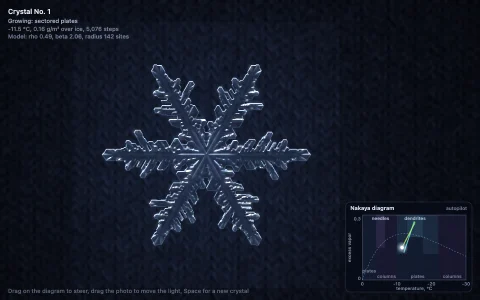
Fold paper into a 12-layer wedge, snip it, and unfold a six-fold snowflake.
A hexagon of paper is folded in half, in thirds and in half again, stacking 12 copies of a 30 degree wedge: the fundamental domain of D6, the hexagon's six rotations and six reflections. Every snip is a real polygon boolean on that wedge: the paper's edges and the cut's edges are split at every crossing, each piece is kept only if it separates paper from not-paper (tested a hair to either side), and the survivors chain back into outer loops and holes. The same routine with intersection gives the scrap that falls away, and any piece the cut severs from the main body drops too, as it would for real. Unfolding replays the folds backward, turning each sector about its crease with an affine map that scales it across the crease by cos(angle), until all twelve images of the wedge lie flat. Left alone, it designs its own flakes, from stellar dendrites with side branches at 60 degrees to star plates and lace, and pins them to the board.
Try it. Drag across the wedge to cut along your path (a loop cuts out a hole, a stroke across the paper slices a piece off), or click to punch a small hole. Press Unfold, Space or Enter to open it, Undo or Backspace to take back a cut, Random or R for a designed set of cuts, and New sheet or N to start over. Click a finished flake to pin it to the board.
Paste this into Claude Code, Codex or any coding agent to get a simple version running, then take it wherever you like.
Build a paper snowflake cutter with JavaScript and the HTML canvas element. Put everything in a single index.html file with no libraries or build step, so I can open it directly in a browser.

Start simple:
- Make a canvas that fills the window, stays sharp on high-DPI screens (scale by devicePixelRatio), and resizes with the window. Paint it a soft blue.
- The folded paper is a 30 degree wedge: the triangle from the center of a hexagon to one corner and the midpoint of the next edge. Show it large in the middle of the screen.
- Keep the wedge as an offscreen canvas filled white. When I drag across it, record my path; on release, close the path and erase it from the wedge with globalCompositeOperation = "destination-out". A quick click punches a small circle.
- Draw the snowflake by stamping the wedge twelve times around the center: six rotations by 60 degrees, each drawn once as is and once mirrored across the wedge's 30 degree edge. Those twelve transforms are the symmetry group of the hexagon.
- Add an Unfold button that switches between the wedge view and the snowflake view.

Once that works, make it beautiful:
- Give the paper a soft drop shadow on the board, and shade the mirrored copies a hair darker so the creases read.
- Animate the unfold: open the folds one at a time, scaling each flap across its crease line by the cosine of its angle so it looks like it turns over.
- Add a Random button that cuts a pleasing design for me, such as a strip left along the arm with side branches at 60 degrees, scallops on the rim and diamonds on the fold lines.

Explain the key ideas in short code comments. When you're done, tell me how to open it and suggest three directions I could take it next, such as doing the cuts as real polygon boolean operations instead of pixels, letting severed pieces fall away, or pinning finished flakes to a gallery.