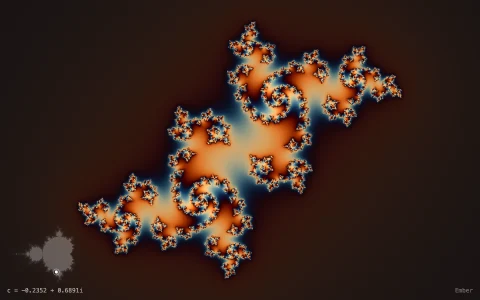
Hover the Mandelbrot set to see and hear orbits: each bulb's period plays as a loop.
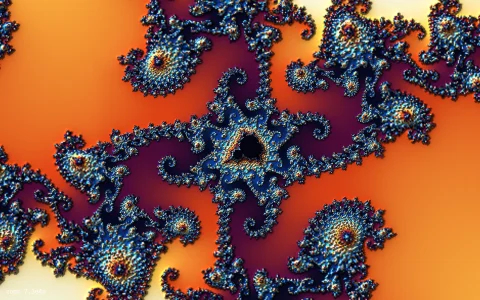
Inside the Mandelbrot set, the orbit of z -> z^2 + c usually settles into an attracting cycle, and each bulb has its own period: the main cardioid pulls orbits to a fixed point, the disc beside it to a 2-cycle, the bulbs above and below to 3-cycles, and so on forever. The interior is colored by that period, found by watching the orbit return to a saved point and then walking once around the cycle, and shaded by the cycle's multiplier, which is 0 at a bulb's center and 1 on its rim. Hovering a point draws its orbit and final cycle and plays it with Web Audio: each step is a note whose pitch comes from where z is, so a fixed point holds one steady tone, a period-n bulb loops an n-note arpeggio, points near the boundary wander, and escaping orbits shoot upward and vanish. Locked orbits keep playing together, so bulbs of different periods make polyrhythmic chords, and a piano roll shows every voice even with the sound off. The set itself renders progressively, coarse to fine, and re-renders as you zoom.
Try it. Hover to trace and hear an orbit (the first click turns sound on), and click to lock up to five orbits into a chord; click a locked marker to remove it. Scroll to zoom and drag to pan into smaller bulbs. M mutes, C clears the locked orbits, Q switches between a pentatonic scale and continuous pitch, [ and ] change the tempo and 0 resets the view.
Paste this into Claude Code, Codex or any coding agent to get a simple version running, then take it wherever you like.
Build a Mandelbrot set you can listen to, with JavaScript, the HTML canvas element and the Web Audio API: hovering a point draws its orbit and plays it as notes. Put everything in a single index.html file with no libraries or build step, so I can open it directly in a browser.

Start simple:
- Make a canvas that fills the window, stays sharp on high-DPI screens (scale by devicePixelRatio), and resizes with the window.
- Render the Mandelbrot set into a smaller offscreen canvas, a few rows per frame, and scale it up, with the outside in dark blues.
- For points inside, find the period of the cycle the orbit settles into: iterate a few hundred times, save z, then keep iterating until z comes back within a tiny distance. The number of steps it took is the period. Color the interior by period (period 1 blue, period 2 purple, period 3 amber and so on).
- When I hover a point c, compute its orbit 0, c, c^2 + c, ... and draw it as a polyline with dots over the set.

Once that works, add sound:
- Create the AudioContext on the first click (browsers require a user gesture) and show a small "Click for sound" hint until then.
- Use one oscillator for the hovered point. Eight times a second, advance the orbit one step and set the oscillator's pitch from z, for example by mapping its real and imaginary parts onto a pentatonic scale.
- If the pitch is the same as the last note, just hold it: inside the main cardioid this gives one steady tone, and a period-3 bulb plays a three-note loop.
- When the orbit escapes, sweep the pitch upward, fade out and restart from z = 0.
- Click to lock a point so it keeps playing alongside the hovered one.

Explain the key ideas in short code comments. When you're done, tell me how to open it and suggest three directions I could take it next, such as shading bulbs by the cycle multiplier, a scrolling piano roll of the notes, or zooming into smaller bulbs.