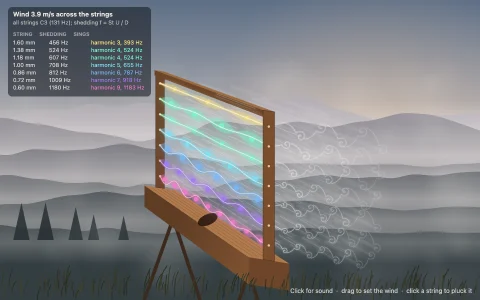
Seven finite-difference strings to pluck, with live harmonics and slow-motion kinks.
Each string is 96 cells stepped with the leapfrog wave scheme at a Courant number of exactly 1, where it has no numerical dispersion, and each runs at its own sample rate (2 x 96 x f) so it is perfectly in tune; the sound is the force on the bridge, written into short AudioBuffers and panned by string. Losses are a tiny smoothing applied to both time levels, which damps high harmonics faster without shifting the pitch. The slow-motion panel is a stroboscope that shows the two kinks of a pluck racing apart and reflecting, and the spectrum projects the live string onto its sine modes, with dots for the ideal sin(n pi p) / n^2 amplitudes, so a pluck at a fifth of the length visibly drops harmonics 5, 10 and 15. In harmonic mode a light finger damps a node for a moment, and only the harmonics with a node there keep ringing.
Try it. Pull a string sideways and let go, or drag across several to strum. Keys 1 to 7 pluck single strings, left and right arrows move the pluck point, H cycles light-touch harmonics at 1/2, 1/3 and 1/4, Space strums, M mutes; sound starts on the first click.
Paste this into Claude Code, Codex or any coding agent to get a simple version running, then take it wherever you like.
Build a plucked string instrument with JavaScript and the HTML canvas element, where each string is a small wave simulation and the sound comes straight from it. Put everything in a single index.html file with no libraries or build step, so I can open it directly in a browser.

Start simple:
- Make a canvas that fills the window, stays sharp on high-DPI screens (scale by devicePixelRatio), and resizes with the window. Draw six horizontal strings between two bridges.
- Model each string as 100 points with fixed ends. Keep the current and previous positions and step with the wave equation at a Courant number of 1: next[i] = current[i - 1] + current[i + 1] - previous[i]. At exactly 1 this scheme is exact, so a plucked triangle keeps its sharp corners.
- When I press on a string and drag, pull it into a triangle with its peak under the pointer; when I let go, set both current and previous to that triangle and let it ring.
- Draw each string by plotting its points across the screen, with the displacement exaggerated so you can see it move.

Once that works, make it sound and look alive:
- Give each string its own pitch by running it at its own sample rate, 2 x 100 x frequency, and on the first click create an AudioContext. Each frame, step each string the right number of times, record the value next to the bridge, and play it as an AudioBuffer at that string's rate, scheduled back to back.
- Draw several snapshots per frame with low opacity so the strings blur like a long-exposure photo.
- Add a harmonic spectrum for the last plucked string by projecting its shape onto sin(n pi x / L), and notice that plucking at one fifth of the length removes harmonics 5, 10 and 15.

Explain the key ideas in short code comments. When you're done, tell me how to open it and suggest three directions I could take it next, such as a slow-motion stroboscope view of the traveling kinks, frequency-dependent damping, or touching a node lightly to play natural harmonics.