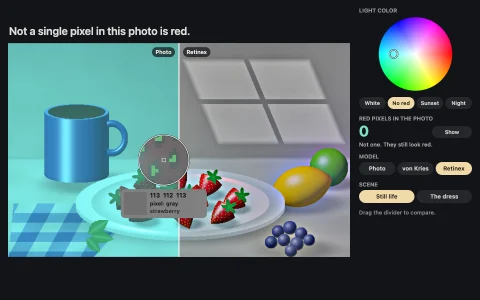
Stare at a surreal landscape, then see full color in a picture that is pure gray.
Each landscape is generated in code, then turned into an adaptor: every pixel goes from linear RGB through XYZ to LMS cone space, the two opponent channels (L minus M, and S minus the mean of L and M) are negated and boosted, and luminance is kept, so the complementary colors line up exactly with the edges of the gray test image. Out of gamut colors are pulled toward gray by bisection on chroma. Stare at the cross while it fills, and when the picture turns gray your tired cones paint the original colors back on, before the real photo fades in. A small model of cone adaptation runs alongside, every cone class at every point adapting with a 4.5 second time constant, and predicts the afterimage you should see by dividing the gray image by that adaptation state.
Try it. Keep your eyes on the cross while the ring fills. New scene (N) generates another landscape, Stare cycles 15, 30 and 8 seconds, Model shows the predicted afterimage as it builds, Space skips to the next phase, and Restart (R) starts staring again.
Paste this into Claude Code, Codex or any coding agent to get a simple version running, then take it wherever you like.
Build a negative afterimage demo with JavaScript and the HTML canvas element: I stare at a strangely colored landscape, it turns gray, and I see it in its real colors. Put everything in a single index.html file with no libraries or build step, so I can open it directly in a browser.

Start simple:
- Make a canvas that fills the window, stays sharp on high-DPI screens (scale by devicePixelRatio), and resizes with the window.
- Generate a simple landscape into an offscreen 480 x 300 ImageData: a blue sky gradient, a sun, green hills and a field of red flower dots. Draw it scaled to cover the canvas.
- Make two more versions of it. The gray version replaces every pixel with its luminance (0.2126 R + 0.7152 G + 0.0722 B, computed in linear light). The inverted version keeps each pixel's luminance but flips its color to the complementary hue.
- Run a timer: show the inverted image with a white fixation cross in the middle for 15 seconds, then the gray image for 8 seconds, then fade in the real colors. Draw a ring around the cross that fills as the seconds pass.

Once that works, make it beautiful:
- Do the inversion in cone space for a stronger effect: convert linear RGB to LMS, form the opponent channels L - M and S - (L + M) / 2, negate them, and convert back. Pull out-of-gamut colors toward gray by searching for the largest chroma that fits.
- Add a New scene button that generates a different landscape, and let me change the stare time.
- Show a small meter of how tired the L, M and S cones are at the cross, building up while I stare.

Explain the key ideas in short code comments. When you're done, tell me how to open it and suggest three directions I could take it next, such as a model that predicts the afterimage, more scene types, or a blank white test card instead of the gray picture.