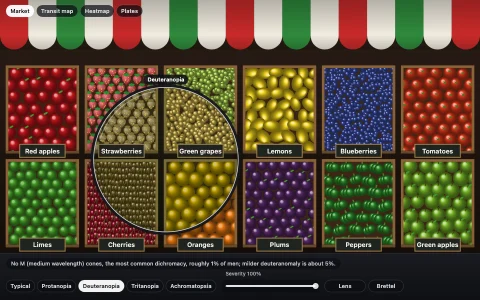
What one eye really captures: a sharp fovea, a blurry gray periphery and a blind spot.
A street cafe as your retina receives it. The image is a Gaussian pyramid composited around the gaze point: each level halves the resolution and is desaturated, and radial masks give each level the ring of the visual field where blur that grows linearly with eccentricity (falling acuity plus crowding) matches it, with a dark hole 15.5 degrees out where the optic nerve leaves the eye. The eye moves like an eye: fixations of 200 to 400 ms on points of interest with inhibition of return, and saccades whose duration follows the main sequence, with a minimum-jerk profile and a dip of saccadic suppression. The cone view samples the scene through a sunflower-spiral photoreceptor mosaic whose spacing grows with eccentricity, with L, M and S cones and no S cones in the central fovea, drawn many times larger than life (the view says by how much) so single cones are visible. The blind spot card is the classic test you can try on yourself, next to a to-scale diagram of where the dot's image lands.
Try it. Move the pointer to look around (click to jump) or leave the eye on autopilot. Switch between Retina, Cones, Scanpath and Blind spot (keys 1 to 4), set how many degrees the canvas spans (up and down arrows), and toggle the blind spot hole (B) and the eccentricity rings. On the card, close your left eye, stare at the cross and move toward the screen; the slider moves the eye in the diagram.
Paste this into Claude Code, Codex or any coding agent to get a simple version running, then take it wherever you like.
Build a foveated vision simulator with JavaScript and the HTML canvas element: it shows a scene the way one eye actually captures it, sharp only where you look. Put everything in a single index.html file with no libraries or build step, so I can open it directly in a browser.

Start simple:
- Make a canvas that fills the window, stays sharp on high-DPI screens (scale by devicePixelRatio) and resizes with the window.
- Draw a detailed scene once into an offscreen canvas with the 2D drawing API: a building with windows, a sign with lettering, some colorful objects and a block of small text. Fine detail matters here.
- Make a few blurred copies of that scene. An easy way: draw it at half size, quarter size and eighth size, so each copy is blurrier when drawn back up at full size.
- Each frame, draw the blurriest copy over the whole canvas, then draw each sharper copy on top, masked by a radial gradient centered on the mouse (sharp copies get smaller circles). The result: sharp where you look, increasingly blurry outward.

Once that works, make it beautiful and more like a real eye:
- Assume the canvas spans about 50 degrees of your view and size the circles so blur grows steadily with distance from the gaze point.
- Desaturate the blurrier copies too: color vision fades in the periphery.
- Add the blind spot: a dark oval about 15 degrees to the right of the gaze point, a bit below it.
- When the mouse is idle, let the eye wander by itself: hold still for 200 to 400 ms, then jump quickly to an interesting spot.

Explain the key ideas in short code comments. When you're done, tell me how to open it and suggest three directions I could take it next, such as a view of the cone mosaic sampling the scene, a printed-card style blind spot test I can try on myself, or a trace of the eye's path over the scene.