A chain of spinning circles traces any drawing you give it.
A discrete Fourier transform turns a closed path into a list of rotating vectors, each with its own frequency, length and starting angle. Laid tip to tail and sorted largest first, those circles redraw the original path as they spin. Fewer circles give a smooth sketch; more add detail.
Try it. Draw a shape with the pointer and the circles will learn it. Arrow keys halve or double the number of circles.
Paste this into Claude Code, Codex or any coding agent to get a simple version running, then take it wherever you like.
Build a Fourier epicycles drawing machine with JavaScript and the HTML canvas element. Put everything in a single index.html file with no libraries or build step, so I can open it directly in a browser.

Start simple:
- Make a canvas that fills the window, stays sharp on high-DPI screens (scale by devicePixelRatio), and resizes with the window. Use a warm cream paper background with dark ink lines.
- Make a closed path of about 300 points. Start with a heart: x = 16 sin^3(t), y = 13 cos(t) - 5 cos(2t) - 2 cos(3t) - cos(4t), scaled to fit the screen.
- Treat each point as a complex number x + iy and run a discrete Fourier transform yourself: X_k = (1/N) * sum of x_n * e^(-2 pi i k n / N). Each coefficient becomes a circle with a frequency, a radius (its magnitude) and a starting angle (its phase). Map k above N/2 to negative frequencies.
- Sort the circles by radius, largest first. Each frame, chain them tip to tail at the current time and draw each circle and its radius line, faintly.
- The tip of the last circle traces the path: keep its positions in an array and draw them as an ink line.

Once that works, make it beautiful:
- Let me draw my own shape with the mouse or a finger. On release, resample the stroke to evenly spaced points, run the DFT, and let the circles redraw it.
- Cycle through a few built-in shapes when I'm idle, such as a star, a treble clef made from spline points, or a word written as one cursive stroke traced forward and then back.
- Use the arrow keys to halve or double how many circles are used, so I can see fewer circles give a smooth sketch and more add detail.

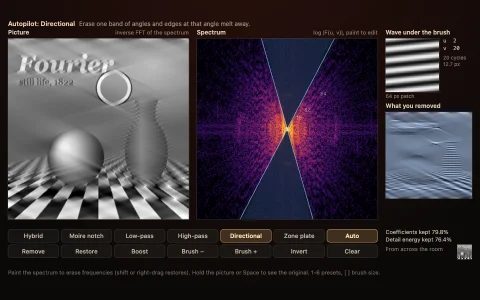
Explain the key ideas in short code comments. When you're done, tell me how to open it and suggest three directions I could take it next, such as tracing letters from a font, using an FFT for speed, or showing the frequency spectrum alongside.