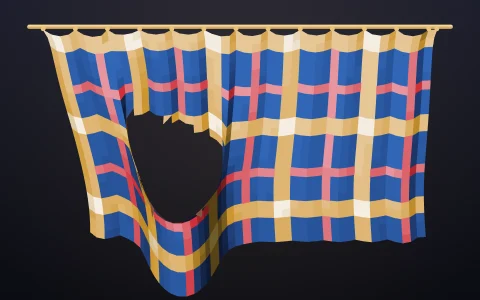
Hang chains and weights, then flip the sheet to turn them into stone arches.
Hooke's rule from 1675: as hangs the flexible chain, so, inverted, stands the rigid arch. A hanging chain can only pull, so under its own weight and any loads it settles into the one shape with every link in pure tension, and the mirror image of that curve is an arch with every stone in pure compression, its line of thrust running down the middle. The chains are position-based dynamics with many substeps: each link is a pull-only distance constraint, and its accumulated Lagrange multiplier is the link's tension, which tints it blue. Flipping the view turns each link into a voussoir and each weight into a pinnacle pressing down with the same load that bent the chain, which is how Gaudi found the forms of his churches with strings and sandbags.
Try it. Drag from the beam, or from any point on a chain, to pay out a new chain, and release on the beam, on another chain or in the air. Click a link to hang a weight (click again for heavier, and past the heaviest it comes off), right-click to remove a weight or chain, Backspace removes the newest chain, and drag just beside a chain to tug it. Flip (or F) turns the view; 1 to 4 load a catenary, loaded arches, a cathedral facade and an interlaced arcade, and C clears the sheet.
Paste this into Claude Code, Codex or any coding agent to get a simple version running, then take it wherever you like.
Build an interactive hanging chain sketchbook with JavaScript and the HTML canvas element. Put everything in a single index.html file with no libraries or build step, so I can open it directly in a browser.

Start simple:
- Make a canvas that fills the window, stays sharp on high-DPI screens (scale by devicePixelRatio), and resizes with the window. Paint it warm cream paper and draw a horizontal beam near the top.
- Let me drag from the beam to the beam to hang a chain: about 30 particles joined by distance constraints, with both ends pinned.
- Simulate with position-based dynamics: apply gravity, move the particles, then satisfy the link constraints a few times per step. Let links pull but never push (skip a constraint when it is shorter than its rest length). Add a little damping so the chain settles into a catenary.
- Click a link to hang a weight from it on a short thread.

Once that works, add the architectural trick:
- A Flip button that mirrors the whole drawing across the beam line with a smooth animation. In the flipped view draw each link as a stone block (a quad around the chain using its local normal) so the chain becomes an arch, and each weight becomes a pinnacle standing on the arch.
- Measure each link's tension from the size of its constraint corrections and shade the chain blue and the stones red by that force.
- Draw the line of thrust as a dashed line through the middle of the stones.

Explain the key ideas in short code comments. When you're done, tell me how to open it and suggest three directions I could take it next, such as chains that hang from other chains to build a cathedral facade, a side-by-side comparison with a semicircular arch, or a 3D vault made from a net of chains.