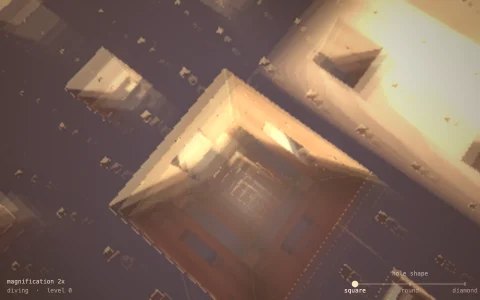
Zoom from a whole butterfly into its eyespots, its scales and their ridges.
A natural history plate built on the nymphalid ground plan: veins divide each wing into cells, and every eyespot is a focus that releases a morphogen, solved as diffusion with decay that cannot cross the veins and read by the scales against a ladder of thresholds for the pupil, black disc, gold ring and dark outer ring, while margin bands come from a distance field to the wing edge. The whole picture is drawn per pixel by a scale shader: the wing is tiled with rows of overlapping scales around its base, each a single pigment color sampled at its center, and every pixel finds the topmost scale over it and shades its rounded, toothed blade, its antialiased edge and the shadow of the scale above. Ridges, then cross-ribs, fade in as their spacing passes a few pixels, and they act as a grating, so some scales flash structural blue and violet as the light moves. A scale bar tracks the true size as the tour dives from a 48 mm wingspan down to ridges about a micrometer apart.
Try it. Scroll, tap the + and - buttons, or press + and - to zoom continuously, and drag or use the arrow keys to pan. Click a wing to place a new eyespot focus (on both sides) and watch its rings spread out to the veins; click a focus again to remove it. Tour or Space starts and stops the guided dive, and Reset (or R) restores the plate.
Paste this into Claude Code, Codex or any coding agent to get a simple version running, then take it wherever you like.
Build a butterfly wing you can zoom into, down to its individual scales, with JavaScript and the HTML canvas element. Put everything in a single index.html file with no libraries or build step, so I can open it directly in a browser.

Start simple:
- Make a canvas that fills the window, stays sharp on high-DPI screens, and resizes with the window. Paint it a warm paper color.
- Define one wing as a closed curve and rasterize it into a grid (about 200 x 150 cells) as an inside mask by filling the path on a small offscreen canvas and reading it back.
- Put two or three eyespot foci on the wing. Solve a morphogen field on the grid by repeated relaxation: each cell becomes the average of its inside neighbors plus a source term at the foci, minus a little decay.
- Color every cell from thresholds on the morphogen: a white pupil, a black disc, a gold ring, a dark outer ring, and a tan background. Mirror the wing to make a butterfly and draw it with putImageData.

Once that works, make it beautiful:
- Add veins as curves from the wing base, and make them block the morphogen, so eyespots stay inside their cells.
- Draw the wing per pixel as scales: rows of overlapping, paddle-shaped scales arranged around the wing base, each a single color taken from the pattern at its center, with a darker rim and a shadow where the scale above overlaps it.
- Add a camera with a zoom level and center, mouse-wheel zoom toward the pointer and drag to pan, and only draw the scale shapes once a scale is a few pixels wide, so the zoom stays smooth.

Explain the key ideas in short code comments. When you're done, tell me how to open it and suggest three directions I could take it next, such as ridges and cross-ribs that appear at deeper zoom, structural blue that shifts with the light angle, or a scale bar that shows the true size.